
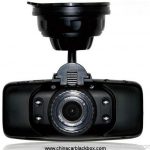
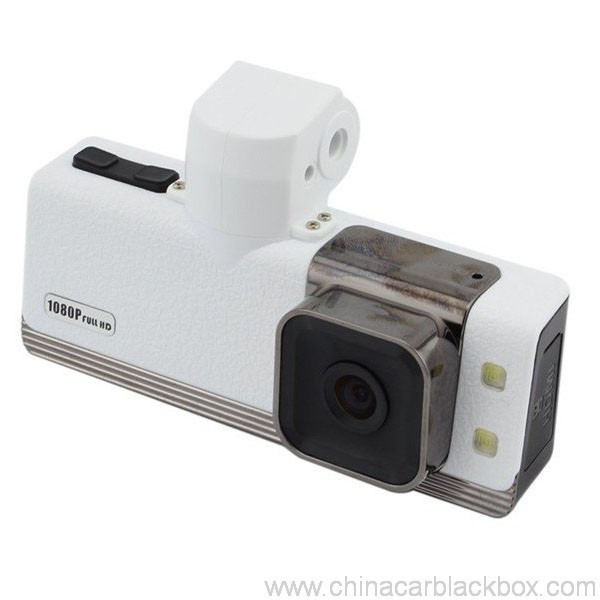
- Descrizzione
- Critiche(1)
- Q & A
- FAQ
- Cunniscenza DVR
- OEM/ODM
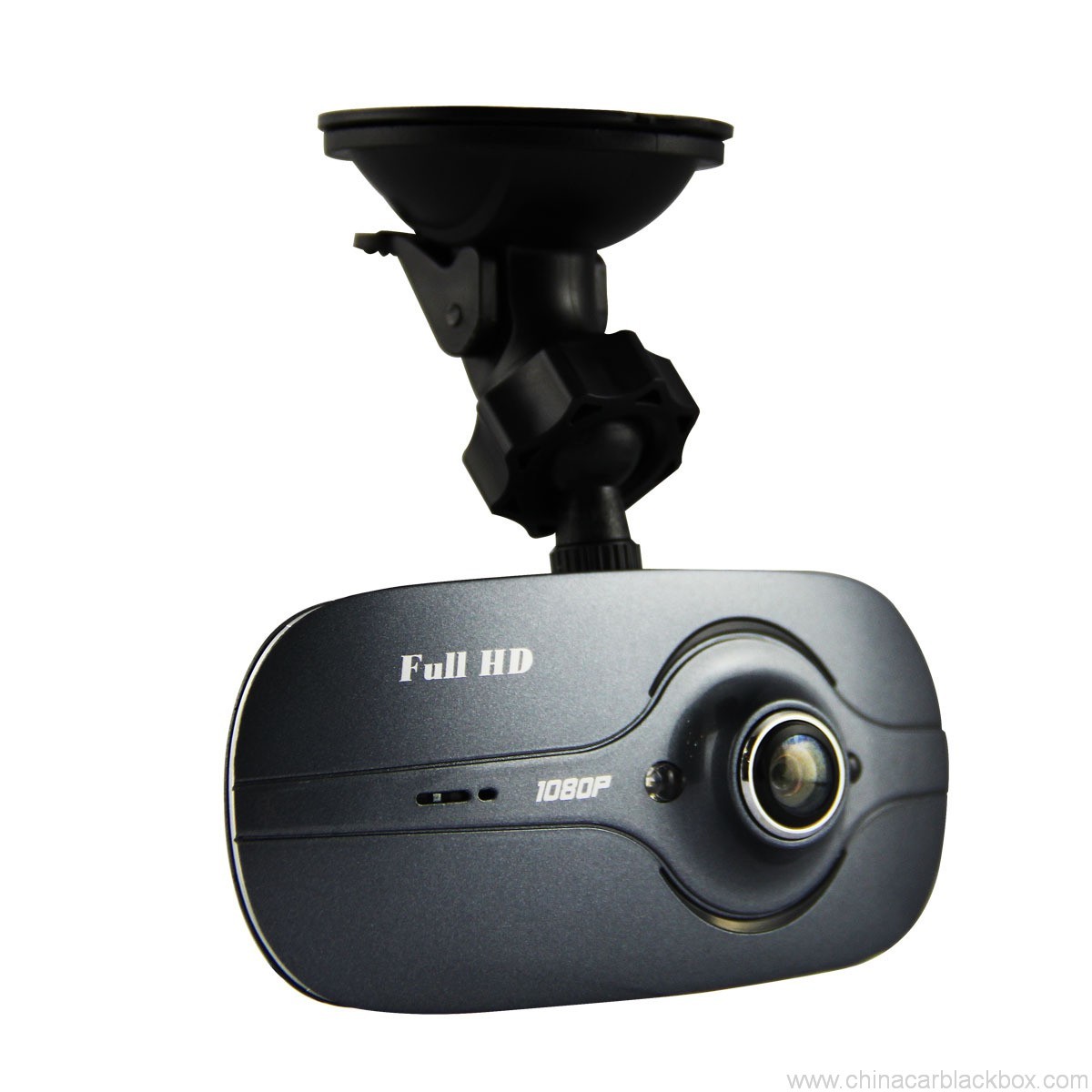
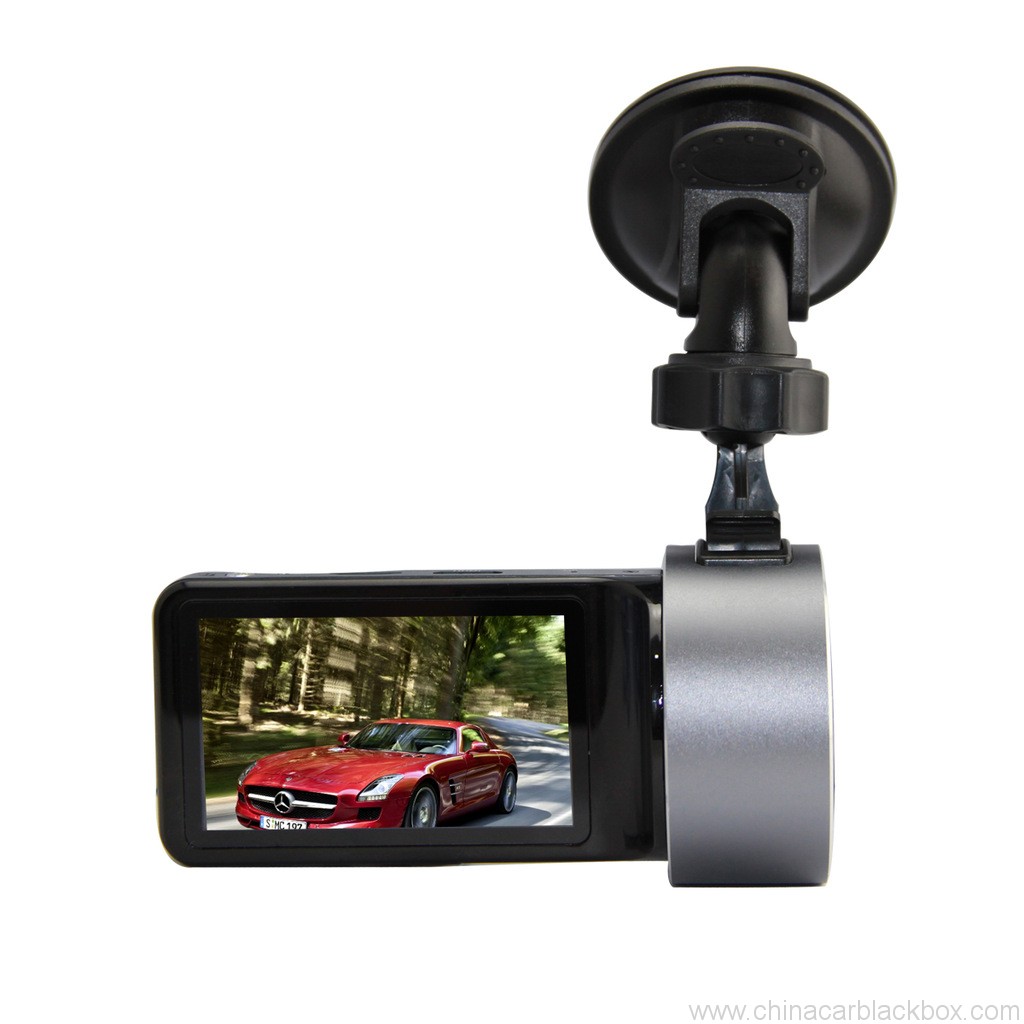
Feature:
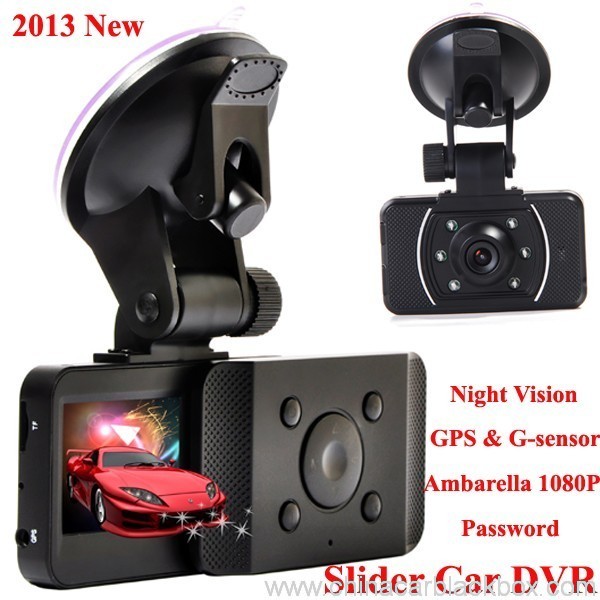
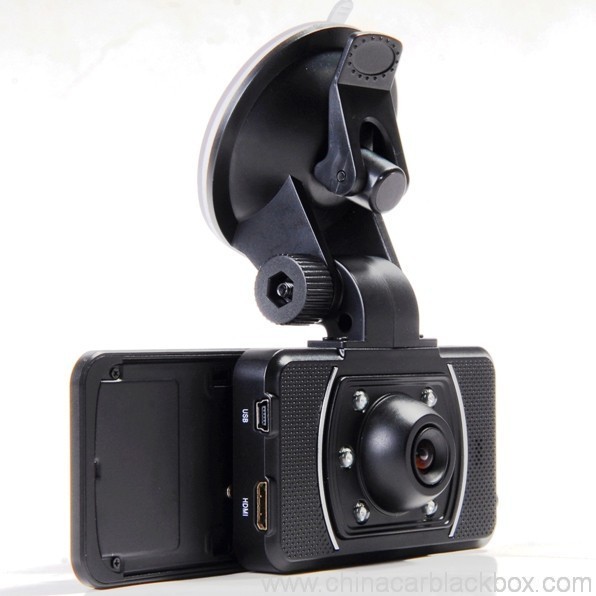
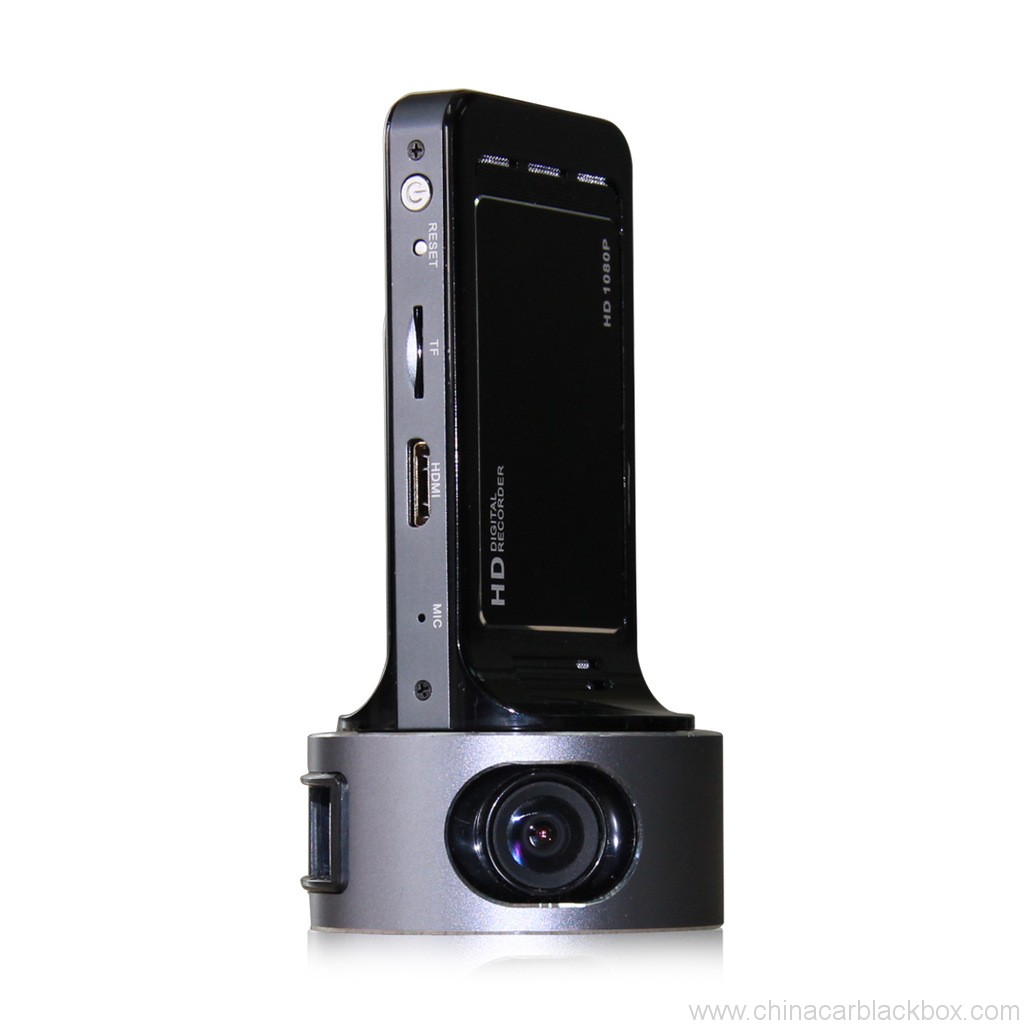
– HDMI high-definition video output
– 2.0″ TFT LCD
– 1920×1080@30fps /1440×1080@30fps /1280×720@30fps;
– GPS Tracker & G-Sensor
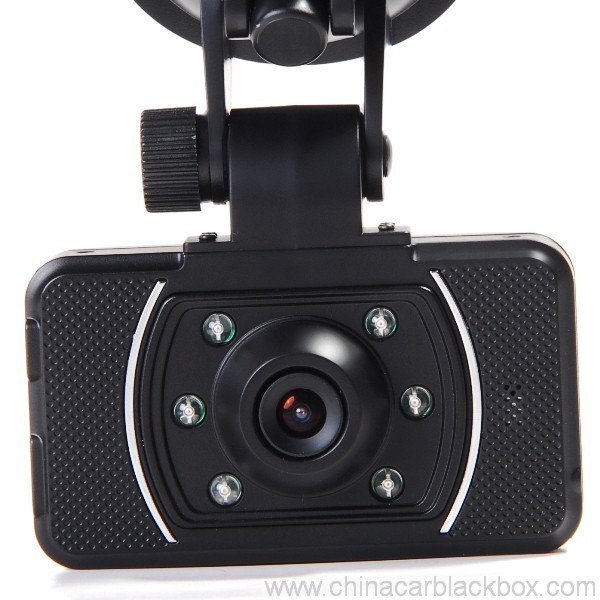
– High-definition wide angle camera, about 120~130 degree
– Video specs: H.264 (MOV)
– Cyclic Recording
– Date Sample: ON/OFF
– Delay Off
– built with microphone (speaker)
– Show Speed on video
– Supports high-capacity TF card
– Password: * * * * * *
Specification:
Circulating video: Off /1 minutu /2 minutes /4 minutes
Mobile detection: High / medium / low / off
Automatically record video once there is power supply: On /Off
Startup delay: Off /5 seconds /15 seconds /30 seconds
Sound recording: On / Off
Television system: NTSC/PAL
Automatic shutdown time: Off /60 seconds /120 seconds /300 seconds
Format: Iè / no
Time setting: 2012.01.01 12:00
Time stamp: On / off
Automatically turn off LCD time: Off /30 seconds /60 seconds /120 seconds
Exit setup: Iè / no
Light frequency: 50HZ/60HZ
Acceleration sensor settings: 1/2/3/4/5/6/7/ no
| Screen size | 2.0 TFT LCD(4:3) DVR Carry |
| Lens | MI5100 |
| Language | Chinese simplified/traditional Chinese /German/French/Russian/ Italian/ Spanish/Portuguese/Dutch/English |
| Video | 1920х1080@30fps/1440х1080@30fps/1280х720@30fps |
| Format Video | MOV |
| Photo resolution | 16M |
| Photo format | JPG |
| Storage unit | Micro SD |
| MIC | Built in |
| Photos mode | Single photo |
| Light source frequency | 50Hz/60Hz |
| Television output | NTSC/PAL |
| USB | USB2.0 |
| Power interface | 5V 1500MA |
| System requirements | Windows 2000/XP/Vista/Windows 7,MAC OS x 10.3.6 and up |
1, Go to the password setting option,press key choose the digital, press OK key confirmation.
input initial code “0 0 0 0 0 0 ” to enter the password setup menu, now there are three options: enable/disable/reset password.
2, Reset password: input same password twice, otherwise reset password will fail.
Connect TV to watch the video and photos
Use the HDMI cable to connect device and television, turn on television to play the recorded videos and photos.
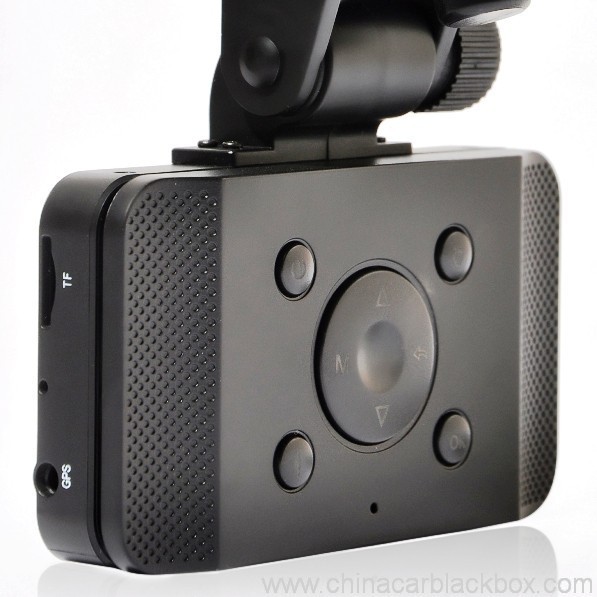
The device has a variety of shortcut operations:
1, In standby mode, press “Down “, turn on/off Mic
2, In standby mode, long press “Voice / One button copy” button, turn off the sound.
3, In any mode, press the “Menu” can return to a the standby mode of recording video
4, In any state, close the slide to turn off the screen.
5. In standby mode, press ” Voice / One button copy ” to copy.
6, In video playback state, long press ” Mode / Return / Lock ” key to protect or unprotect.
7, In the standby of recording video or photographing, short press “Infrared / Delete” for the operations of infrared lamp.
Note:
1. Can use Mode button to switch between video and photo mode.
2. When the battery power is low, the device will automatically turn off the flash function.
Special function set
Password setting:
1. Can set password for the machine, the initial password is: 0 0 0 0 0 0 (six zeros)
2. After inputting initial password, can enable, disable or reset password.
3. You can set your password digit as you like.
Specific operation:
1, Go to the password setting option,press key choose the digital, press OK key confirmation.
input initial code “0 0 0 0 0 0 ” to enter the password setup menu, now there are three options: enable/disable/reset password.
2, Reset password: input same password twice, otherwise reset password will fail.
Browse mode
1. Turn on the device, automatically entering video mode. Press Mode button twice to enter video browse mode, press Mode button again to enter photographing browse mode, video and pictures will be shown on the screen.
2. Press UP or DOWN button to select the videos or pictures you want and press OK to watch.
Note: if enabled password, press Mode button twice to go to password interface and input password.
Delete files: in the process of browsing, press ‘ infrared / delete ‘ button to show Delete menu, select ” Iè” to delete single unprotected files and select the “all ” delete all unprotected video files.
Set language and voice prompt
Open the equipment, automatic into video standby mode, the short by mode button to enter the menu, into the language setting options, language Settings. Voice prompt according to set language broadcast tips
Date and time
To set the current time and date, in the standby mode, press the MENU button, and then use the up and down arrow keys to enter settings page. Set the date and time then press OK to confirm.
Time setting: 2012.01.01 12:00
Acceleration sensor settings
The acceleration sensor has a total of 8 options: 1/2/3/4/5/6/7/ NO
From 1 to 7, sensitivity is more and more high, choose NO to close sensor
Press one button to copy
In the video the standby mode, press “Voice /One button copy ” button to enter one button copy, at this time, the machine starts copying the last file from memory card to its memory.
Save files to computer
This device supports connecting USB cable to computer, after connecting to computer, there will be a dialog box pop up, select “USB connection ” to copy files from the memory card to your computer, or use the player in computer to play.
Note: if you set a password, select “USB connection ” then a password dialog box will bounce out, and connect to computer by inputting password, entering U disk mode.
Simple troubleshooting:
If a fault occurs, try to use the following method to exclude. If you cannot handle it, please contact customer service and repair department.
Not able to record video normally.
– replace SD / MMC card
– change the resolution and frames per second.
– change memory card with greater capacity.
– To ensure that the card is correctly installed (in the installation process, a click can be heard).
– Remove unnecessary files to free the space of memory card.
No GPS signal
– To ensure that the GPS antenna is inserted to the device
– To ensure that the signal is strong
Not able to connect HDMI line to TV
– To ensure that the connections between the HDMI cables ends and the devices as well as television are correct. Or replace the HDMI line to try.
Video or picture is not clear
– To ensure that the camera lens is clean.
– wipe the dust and dirt on the lens.
Device is working properly, but the button does not work
Press the reset button to initialize machine -.
In general please cautiously reset initialization because this operation may cause data loss.
Perchè sceglie noi?
1. Tutti i prudutti sò stati strettamente verificati di qualità in casa prima di imballà.2. Semu una fabbrica di fabricazione CAR DVR per 5 anni cù bona qualità è super serviziu.
3. Semu un fornitore OEM per parechje marche famose Car DVR.
4. 100% Ispezione QC prima di spedizione, 12 ore di prova di età per ogni pruduttu unità.
5. Furnemu disinni persunalizati gratuiti secondu i vostri bisogni.
6. Pudemu apre u vostru propiu muffa se avete bisognu.
7. 12 mesi di garanzia di qualità.
Campioni è spedizione
1. U campione è u mini ordine saranu spediti in u locu 2-3 ghjorni di travagliu dopu à a ricezione di pagamentu è i dettagli di l'ordine sò cunfirmati.2. Tutti i prudutti sò stati imballati bè prima di spedizione,pudemu mandà a merchenzie per aria,UPS,DHL,FEDEX,EMS,TNT ecc.
3.Per ordini più di 500 pezzi o ordine persunalizatu, U tempu di consegna serà di 4-6 settimane dopu a ricezione di pagamentu. Per piacè cuntattate i nostri venditi per assicurà l'inventariu attuale.

Free Enquiry for Slide Car DVR 1080P 30FPS HD Camera GPS G-Sensor Password
1 review for Slide Car DVR 1080P 30FPS HD Camera GPS G-Sensor Password
Add a review

Alcune dumande sò spessu dumandate per China Car DVR
Q. Cosa hè a garanzia per u CAR DVR?
A. Per u DVR CAR, avemu 12 mesi di garanzia.Q. Chì ghjè u modu di pagamentu ?
A. T/T . PAYPAL , Western Union , L / C sò tutti dispunibili. nisun prublema per questu .Q. Cume di a qualità ?
A. 100% Ispezione QC prima di spedizione, 24 ore di prova di età per ogni pruduttu unità in a nostra sala di prova . se truvate qualchì problema di qualità . Hengye hà prumessu di rimpiazzà un novu à u nostru cliente.Q. Quantu tempu ci vole à spedinu u mo ordine?
A. Sempre chì u stock hè dispunibule, spedisce l'articuli in l'internu 3 ghjorni di travagliu per mostra è 7-15 ghjorni di travagliu per l'ordine formale una volta avemu ricevutu a cunferma per u novu ordine.Q. Quale pagherà u trasportu per a riparazione di l'articulu?
A. E duie parti sparteranu a mità di u trasportu. U cumpratore pigliarà u trasportu di rinvià à GHY, è GHY pigliarà a paura di rinvià à u cumpratore. GHY suggerisce di rinviallu inseme cù u prossimu articulu di produzzione di massa.Q. Quantu costa u trasportu?
A. Dipende da a quantità di u bè, u metudu di spedizione è a destinazione. Manderemu e merchenzie dentru 3-5 ghjorni affari dopu chì u pagamentu sanu hè statu cunfirmatu. Se u pagamentu ùn hè micca dispunibule, u vostru ordine sarà chjusu automaticamente. DHL / UPS / FedEx Express generalmente dura circa 3-5 ghjorni di travagliu à a destinazione. È si tratta 5-8 ghjorni di travagliu da EMS o TNT.Q: Avete qualchì serviziu After-Sales?
A:Iè! Avemu un serviziu post-vendita prufessiunaleQ. Cumu fà un ordine?
Sì avete qualchì prublema tecnicu o dumande cù e merchenzie, Benvenuti à cuntattà u nostru Dipartimentu di Assistenza Tecnica. o i nostri venditi direttamente.
1. Mandateci un mail u mudellu, stile di fasciu è quantità o mandateci una dumanda nantu à https://www.chinacarblackbox.com/ , infurmazione di u destinatariu, modu di spedizione è termini di pagamentu.Q. Chì ghjè u vostru Ritornu è a garanzia?
↓
2. Fattura fatta è mandata à voi.
↓
3. Pagamentu cumpletu dopu cunfirmatu u PI.
↓
4. Cunfirmà Pagamentu è urganizà pruduzzione.
↓
5. Mandate merchenzie in 2-15 ghjorni(secondu u statutu di almacenamiento).
↓
6. Mandate u numeru di seguimentu(per l'aria) o B/L(per mare).
↓
7. Merchenzie consegnate, benvenuti riordini!
1.Tutte e merchenzie sò inspeccionate prima di a spedizione, dunque s'è vo ùn site cuntentu cù a compra, pudete scambià l'articuli in una settimana è duvete cuntattateci 24 ore di a ricezione di a vostra compra.
2.A spesa di spedizione è di gestione ùn hè micca rimborsabile è u cliente deve esse rispunsevuli di tutte e spese di rinviu è di spedizione..
3.Tutti l'articuli di ritornu devenu esse in e so cundizioni originali, cumpresi scatula è accessori. L'omi fatti difetti ùn sò micca garantiti, cum'è rottu, graffiatu è cusì.
4.Per qualsiasi articuli, mandate per EMS o u vostru post locale quandu rinviate.
5. Clausola di guaranzia
a.Dintra 7 ghjorni di compra, s'ellu ci hè qualchì prublema di Car DVR, duvemu cambià per voi, ma duvete mantene l'imballu è u Car DVR perfettu.
b.Garanzia per un annu dopu a vendita, garanzia di a batteria per trè mesi.
serviziu c.Warranty hè solu efficace in usu nurmale.
d.Tutti i danni (Dannu à a superficia, strappa l'autoadesivo, usu impropriu) o perde sta carta, ùn pudemu micca guaranzia serviziu.
Cunniscenza chì duvete sapè di Car DVR
Sè quandu avete aduprà a camera, scontra un pocu prublema, per piacè operate cum'è seguitu intruduce prima.
1)Ùn pò micca a registrazione video normale- cambià a carta TF
- cambia a risoluzione, frames per seconda.
- inserisci a carta di memoria di capacità più grande.
- assicuratevi chì a carta hè stata installata currettamente (durante u prucessu di stallazione, duvete sente un sonu di clic).
- sguassate i fugliali inutili da a carta di memoria per liberà u spaziu.
2)Video ùn hè micca chjaru
- assicuratevi chì u lente di càmera hè pulita.
- sguassate a polvera è a terra nantu à a lente, e poi spara.
3)L'equipaggiu per travaglià nurmale, ma a chjave ùn viaghja micca
- appughjà u buttone reset per inizializà a macchina.
Q: Cumu principià?
A: Ci hè 3 modi:Q: Per quale tipu di guida hè più adattatu a dash cam?
Cuminciarà à arregistrà automaticamente, quandu a vostra vittura principia è ùn ci hè bisognu di fà nunda manualmente. (Prima di quessa, assicuratevi chì a carta TF hè dentru è u caricatore di vittura hè cunnessu bè.)
Se a batteria interna ùn hè micca viota, vi basta à appughjà u buttone putenza.
Cunnettellu cù u cable USB da un plug di caricatore o power bank. (5V 1A cù portu USB)
A: Tuttu a guida da brevi trasporti, à viaghji d'affari è vacanze. A vittura DVR registra tuttu.Q: Perchè u mo dvr di vittura ùn pò micca fà a registrazione?
Se u vostru travagliu richiede di guidà, allora duvete certamente pussede un DVR dash cam portable. Francamente, tutti quelli chì guidanu necessitanu a prutezzione di i tistimoni oculari chì una vittura DVR offre.
A : Per piacè verificate u vostru carta di memoria primu, se a carta interna hà digià un altru video o foto di u dispositivu dvr, ùn pò micca esse lettu da u vostru dispositivu dvr di vittura, duvete formattà a vostra carta TF prima, Megliu aduprà una carta TF viota in u vostru dispositivu dvr quandu aduprate a prima volta.
Q : Perchè u mo display dvr si spegne automaticamente mentre guida ?
A : Di solitu aparechju dvr sarà nantu à u statu di standby s'è vo ùn fà ogni operazione nant'à u più cà 1 minutu, ma cuntinueghja ancu à registrà.
Q: Ciò chì significa quandu una camera dash hè in loop o loops?
A: Loop o looping hè a funzione impurtante chì permette à a vittura DVR di registrà video continuamente (ora dopu ora) à a stessa carta di memoria. Cume a camera registra in u paràmetru di "ciclu" o "ciclu"., hè a creazione di fugliali video o segmenti in 2, 5 o 10 lunghezze di minuti. Questi schedari sò arregistrati è salvati consecutivamente (unu dopu à l'altru) à a carta di memoria. Quandu una camera riempia una carta di memoria (cù parechji schedari), sguasserà u primu segmentu di video / è salvà l'ultimu schedariu video. A camera face questu automaticamente, quandu a funzione Loop hè attivata.
Camera OEM / ODM Service
Pudemu fà Camera OEM / ODM per voi cù logu persunalizatu,etichetta,manuale,scatula di imballaggio o alloghju.
1. Logo
- Per piacè offreci u vostru propiu logu in alta risoluzione in formatu AI o cdr;
- U MOQ di stampa di logu hè 100pcs
- U costu di stampa hè in relazione cù i culori ,di solitu ùn deve esse micca effettu gradiente in u logò
2. Etichetta
- Per piacè offreci i vostri numeri di mudellu è esigenze relative.
3. Manuale
- Per piacè offreci u schedariu di disignu manuale finitu chì pò esse stampatu direttamente,ogni lingua hè bè , Pudemu furnisce ancu stampa manuale multilingua.
4. Scatola di imballaggio
- Vi prupunemu a demension è u schedariu di disignu;
- Per piacè cuncepite u vostru propiu stilu basatu annantu à stu schedariu, poi rinviate à noi;
- Vi manderemu scatula di imballaggio per a vostra cunferma prima di a produzzione ;
5. Alloghju
- Se vulete fà u vostru propiu cuncepimentu di car dvr case ,per piacè offreci u schedariu di cuncepimentu di l'alloghju , avemu da apre u muffa è vi offre una mostra prima.





Melissa –
Good dash cam.