
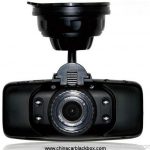
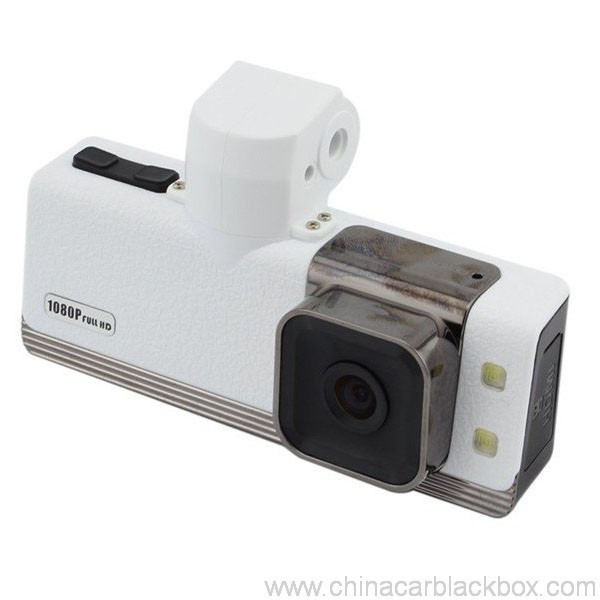
- Priskribo
- Recenzoj(1)
- Q & A
- Oftaj Demandoj
- DVR-Scio
- OEM/ODM
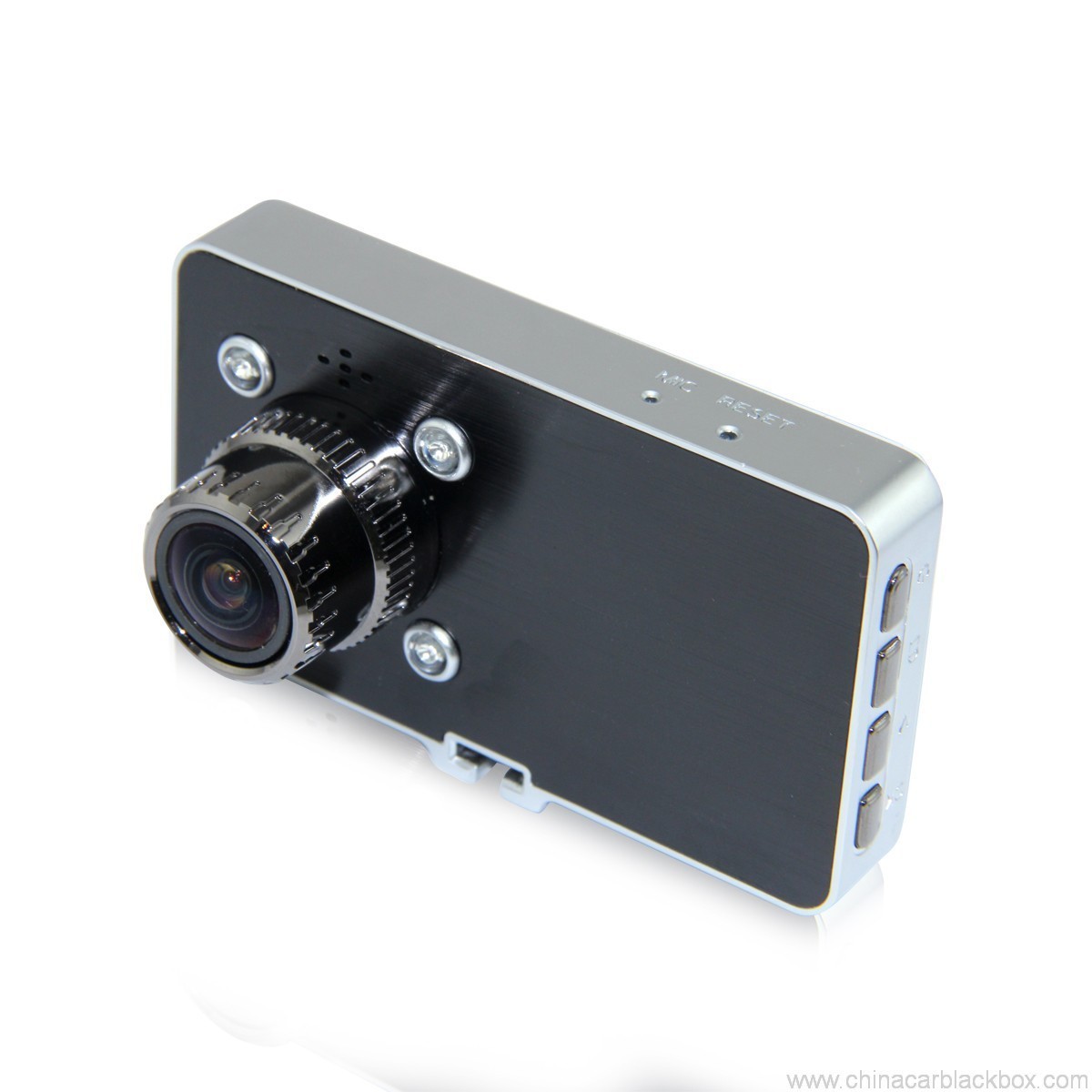
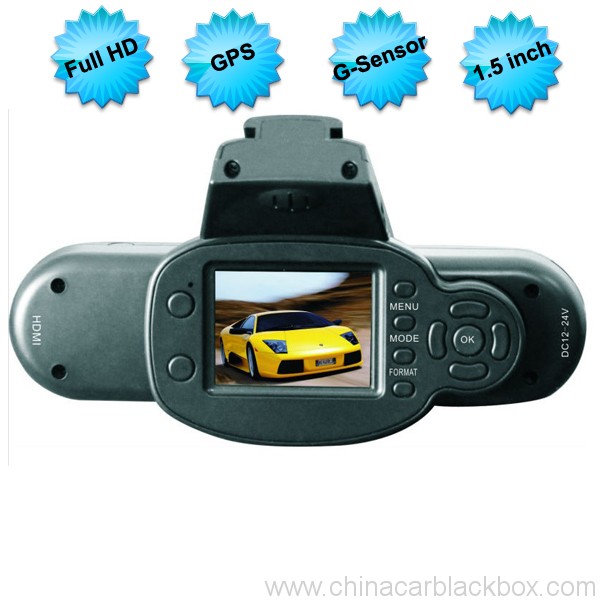
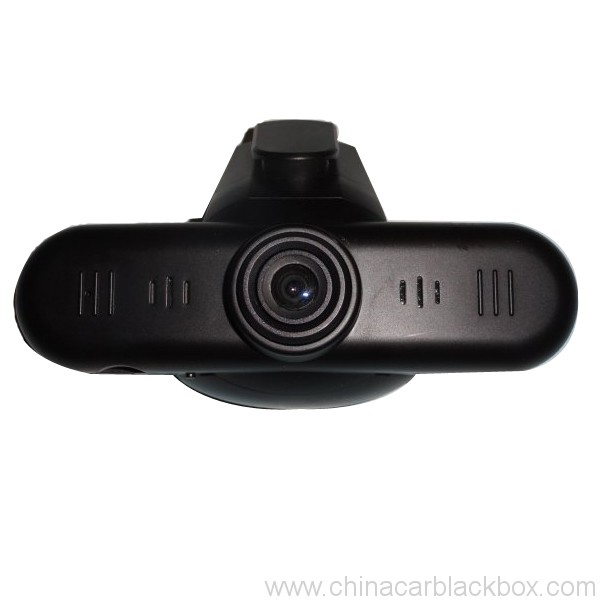
Feature:
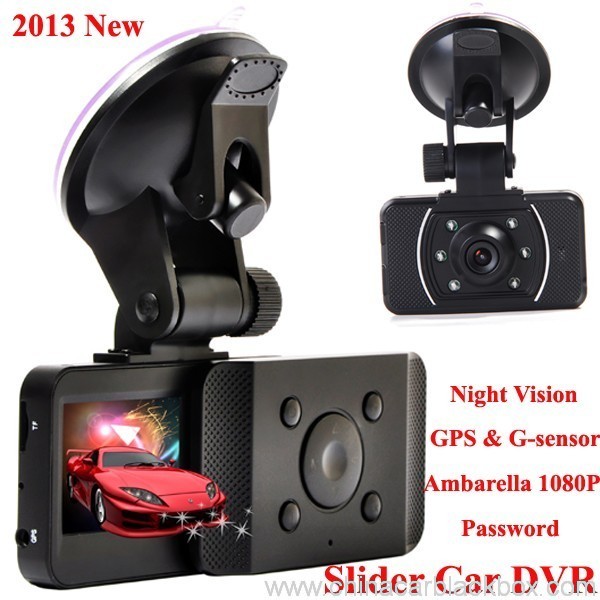
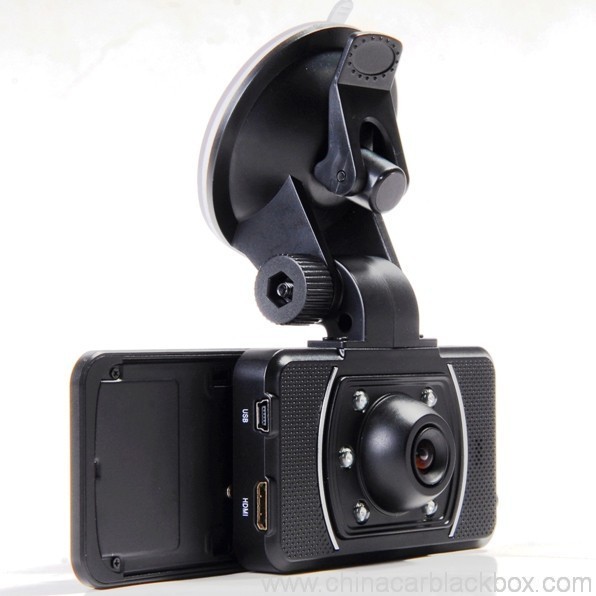
– HDMI high-definition video output
– 2.0″ TFT LCD
– 1920×1080@30fps /1440×1080@30fps /1280×720@30fps;
– GPS Tracker & G-Sensilo
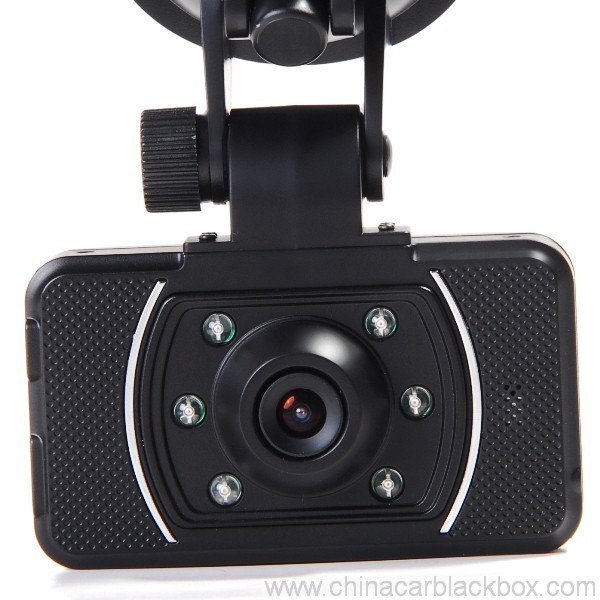
– High-definition wide angle camera, about 120~130 degree
– Video specs: H.264 (MOV)
– Cyclic Recording
– Date Sample: ON/OFF
– Delay Off
– built with microphone (speaker)
– Show Speed on video
– Supports high-capacity TF card
– Password: * * * * * *
Specification:
Circulating video: Off /1 minuto /2 minutoj /4 minutoj
Mobile detection: High / medium / low / off
Automatically record video once there is power supply: On /Off
Startup delay: Off /5 seconds /15 seconds /30 seconds
Sound recording: On / Off
Television system: NTSC/PAL
Automatic shutdown time: Off /60 seconds /120 seconds /300 seconds
Format: Jes / no
Time setting: 2012.01.01 12:00
Time stamp: On / off
Automatically turn off LCD time: Off /30 seconds /60 seconds /120 seconds
Exit setup: Jes / no
Light frequency: 50HZ/60HZ
Acceleration sensor settings: 1/2/3/4/5/6/7/ no
| Screen size | 2.0 TFT LCD(4:3) aŭta dvr |
| Lenso | MI5100 |
| Language | Chinese simplified/traditional Chinese /German/French/Russian/ Italian/ Spanish/Portuguese/Dutch/English |
| Video | 1920х1080@30fps/1440х1080@30fps/1280х720@30fps |
| Video format | MOV |
| Photo resolution | 16M |
| Photo format | JPG |
| Storage unit | Micro SD |
| Mikrofono | Built in |
| Photos mode | Single photo |
| Light source frequency | 50Hz/60Hz |
| Television output | NTSC/PAL |
| USB | USB2.0 |
| Power interface | 5V 1500MA |
| System requirements | Windows 2000/XP/Vista/Windows 7,MAC OS x 10.3.6 and up |
1, Go to the password setting option,press key choose the digital, press OK key confirmation.
input initial code “0 0 0 0 0 0 ” to enter the password setup menu, now there are three options: enable/disable/reset password.
2, Reset password: input same password twice, otherwise reset password will fail.
Connect TV to watch the video and photos
Use the HDMI cable to connect device and television, turn on television to play the recorded videos and photos.
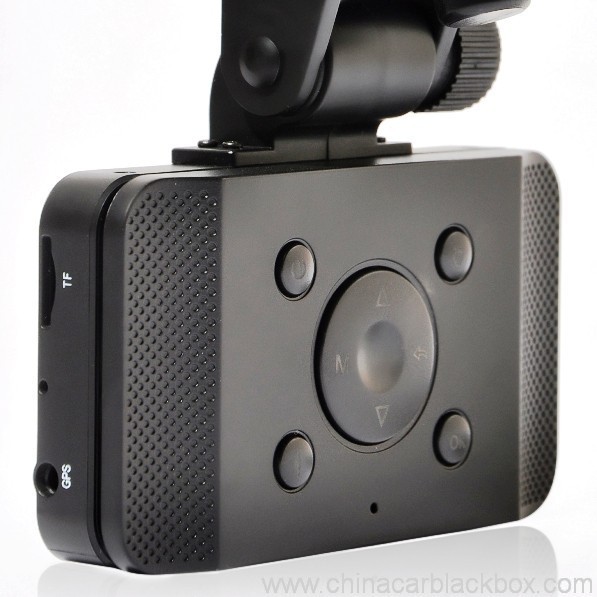
The device has a variety of shortcut operations:
1, In standby mode, press “Down “, turn on/off Mic
2, In standby mode, long press “Voice / One button copy” button, turn off the sound.
3, In any mode, press the “Menu” can return to a the standby mode of recording video
4, In any state, close the slide to turn off the screen.
5. In standby mode, press ” Voice / One button copy ” to copy.
6, In video playback state, long press ” Mode / Return / Lock ” key to protect or unprotect.
7, In the standby of recording video or photographing, short press “Infrared / Delete” for the operations of infrared lamp.
Note:
1. Can use Mode button to switch between video and photo mode.
2. When the battery power is low, the device will automatically turn off the flash function.
Special function set
Password setting:
1. Can set password for the machine, the initial password is: 0 0 0 0 0 0 (six zeros)
2. After inputting initial password, can enable, disable or reset password.
3. You can set your password digit as you like.
Specific operation:
1, Go to the password setting option,press key choose the digital, press OK key confirmation.
input initial code “0 0 0 0 0 0 ” to enter the password setup menu, now there are three options: enable/disable/reset password.
2, Reset password: input same password twice, otherwise reset password will fail.
Browse mode
1. Turn on the device, automatically entering video mode. Press Mode button twice to enter video browse mode, press Mode button again to enter photographing browse mode, video and pictures will be shown on the screen.
2. Press UP or DOWN button to select the videos or pictures you want and press OK to watch.
Note: if enabled password, press Mode button twice to go to password interface and input password.
Delete files: in the process of browsing, press ‘ infrared / delete ‘ button to show Delete menu, select ” Jes” to delete single unprotected files and select the “all ” delete all unprotected video files.
Set language and voice prompt
Open the equipment, automatic into video standby mode, the short by mode button to enter the menu, into the language setting options, language Settings. Voice prompt according to set language broadcast tips
Date and time
To set the current time and date, in the standby mode, press the MENU button, and then use the up and down arrow keys to enter settings page. Set the date and time then press OK to confirm.
Time setting: 2012.01.01 12:00
Acceleration sensor settings
The acceleration sensor has a total of 8 options: 1/2/3/4/5/6/7/ NO
From 1 al 7, sensitivity is more and more high, choose NO to close sensor
Press one button to copy
In the video the standby mode, press “Voice /One button copy ” button to enter one button copy, at this time, the machine starts copying the last file from memory card to its memory.
Save files to computer
This device supports connecting USB cable to computer, after connecting to computer, there will be a dialog box pop up, select “USB connection ” to copy files from the memory card to your computer, or use the player in computer to play.
Note: if you set a password, select “USB connection ” then a password dialog box will bounce out, and connect to computer by inputting password, entering U disk mode.
Simple troubleshooting:
If a fault occurs, try to use the following method to exclude. If you cannot handle it, please contact customer service and repair department.
Not able to record video normally.
– replace SD / MMC card
– change the resolution and frames per second.
– change memory card with greater capacity.
– To ensure that the card is correctly installed (in the installation process, a click can be heard).
– Remove unnecessary files to free the space of memory card.
No GPS signal
– To ensure that the GPS antenna is inserted to the device
– To ensure that the signal is strong
Not able to connect HDMI line to TV
– To ensure that the connections between the HDMI cables ends and the devices as well as television are correct. Or replace the HDMI line to try.
Video or picture is not clear
– To ensure that the camera lens is clean.
– wipe the dust and dirt on the lens.
Device is working properly, but the button does not work
Press the reset button to initialize machine -.
In general please cautiously reset initialization because this operation may cause data loss.
Kial elekti nin?
1. Ĉiuj produktoj estis strikte Kvalito Kontrolita endome antaŭ pakado.2. Ni estas fabriko fabrikanta CAR DVR por 5 jaroj kun bona kvalito kaj bonega servo.
3. Ni estas OEM-provizanto por multaj famaj Aŭtaj DVR-markoj.
4. 100% QC-inspektado antaŭ sendo, 12 horoj maljuniga testo por ĉiu unuoprodukto.
5. Ni provizas senpagajn personigitajn dezajnojn laŭ viaj postuloj.
6. Ni povas malfermi vian propran ŝimon se vi bezonas.
7. 12 monatoj de kvalito garantio.
Specimenoj & Sendado
1. Specimeno kaj mini-mendo estos liveritaj ene 2-3 labortagoj post la ricevo de pago kaj mendo detaloj estas konfirmitaj.2. Ĉiuj produktoj estis bone pakitaj antaŭ sendado,ni povas sendi la varojn per aero,UPS,DHL,FEDEX,EMS,TNT ktp.
3.Por mendo pli ol 500pcs aŭ personecigita mendo, plumbotempo estos 4-6 semajnoj post la ricevo de pago. Bonvolu kontakti niajn vendojn por certigi la aktualan inventaron.

Free Enquiry for Slide Car DVR 1080P 30FPS HD Camera GPS G-Sensor Password
1 revizio por Slide Car DVR 1080P 30FPS HD Camera GPS G-Sensor Password
Aldonu recenzon

Iuj demandoj ofte demanditaj pri Ĉina Aŭto DVR
Q. Kio estas la garantio por la AŬTA DVR?
A. Por la AŬTA DVR, ni havas 12 monatoj garantio.Q. Kio estas la pagmaniero ?
A. T/T . PAYPAL , Okcidenta Unio , L/C ĉiuj disponeblas. neniu problemo por ĝi .Q. Kiel pri la kvalito ?
A. 100% QC-inspektado antaŭ sendo, 24 horoj maljuniĝanta testo por ĉiu unuoprodukto en nia prova ĉambro . se trovos ajnan kvalitan problemon . Hengye promesis anstataŭigi novan al nia kliento.Q. Kiom da tempo daŭros por sendi mian mendon?
A. Dum la stoko disponeblas, sendas erojn enen 3 labortagoj por specimeno kaj 7-15 labortagoj por formala mendo post kiam ni ricevis la konfirmon por la nova mendo.Q. Kiu pagos la ŝarĝon por riparado de objekto?
A. Ambaŭ partioj dividos duonon de la ŝarĝo. La aĉetanto prenos la ŝarĝon resendi ĝin al GHY, kaj GHY prenos la timon resendi ĝin al aĉetanto. GHYsugestas resendi ĝin kune kun la sekva amasprodukta objekto.Q. Kiom kostas la sendo?
A. Ĝi dependas de la kvanto de la bono, la senda metodo kaj la celo. Ni sendos la varojn interne 3-5 labortagojn post kiam la plena pago estis konfirmita. Se la pago ne disponeblas, via mendo estos aŭtomate fermita. DHL/UPS/FedEx Express kutime prenas proksimume 3-5 labortagojn al la celo. Kaj temas pri 5-8 labortagoj de EMS aŭ TNT.Q: Ĉu vi havas iun Post-vendan servon?
A:Jes! Ni havas profesian Post-vendan servonQ. Kiel fari mendon?
Se vi havas ajnan teknikan problemon aŭ demandojn pri la varoj, bonvenon kontakti nian Teknikan Subtenan Dept. aŭ niajn vendojn rekte.
1. Retpoŝtu al ni la modelon, trabo stilo kaj kvanto aŭ sendu al ni enketon sur https://www.chinacarblackbox.com/ , informoj de la ricevanto, senda maniero kaj pagkondiĉoj.Q. Kio estas via Reveno kaj garantio?
↓
2. Fakturo farita kaj sendita al vi.
↓
3. Kompleta Pago post konfirmita la PI.
↓
4. Konfirmu Pagon kaj aranĝu produktadon.
↓
5. Sendu varojn enen 2-15 tagoj(laŭ la konserva stato).
↓
6. Sendu la spuran numeron(per aero) aŭ B/L(per maro).
↓
7. Varoj liveritaj, bonvenaj remendoj!
1.Ĉiuj varoj estas inspektitaj antaŭ sendo, do se vi ne estas kontenta pri la aĉeto, vi povas interŝanĝi la erojn en unu semajno kaj vi devas kontakti nin kun 24 horojn de la ricevo de via aĉeto.
2.La sendado kaj uzado ne estas repagebla kaj kliento devas respondeci pri ĉiuj kostoj de resendado kaj resendo..
3.Ĉiuj revenaj eroj devas esti en siaj originalaj kondiĉoj, inkluzive de skatolo kaj akcesoraĵoj. Viroj faritaj difektoj ne estas garantiitaj, kiel rompita, gratita kaj tiel plu.
4.Por iuj aĵoj bonvolu sendi per EMS aŭ via loka poŝto kiam resendu.
5. Garantia klaŭzo
a.Ene 7 tagoj de aĉeto, se estas iu problemo de Aŭto DVR, ni devus ŝanĝi ĝin por vi, sed vi devas konservi la pakadon kaj la Aŭtan DVR perfektajn.
b.Garantio por unu jaro post vendo, baterio garantio por tri monatoj.
c.Warranty-servo estas nur efika en normala uzo.
d.Ĉiuj damaĝoj (Surfaca damaĝo, deŝiri glumarkon, nekonvena uzo) aŭ perdu ĉi tiun karton, ni ne povas garantii servon.
Scio, kiun vi devus scii pri Aŭta DVR
Se kiam vi uzas la fotilon, renkontas ian problemon, bonvolu funkcii jene enkonduku unue.
1)Ne povas normala videoregistrado- ŝanĝi la TF-karton
- ŝanĝi la rezolucion, kadroj por sekundo.
- enigu la pli grandan kapacitan memorkarton.
- certigu, ke la karto estas ĝuste instalita (dum la instala procezo, vi devus aŭdi klakan sonon).
- forigu nenecesajn dosierojn de la memorkarto por liberigi spacon.
2)Video ne estas klara
- certigi ke la fotila lenso estas pura.
- forviŝu la polvon kaj malpuraĵon sur la lenso, kaj poste pafu.
3)Ekipaĵo por funkcii normale, sed la ŝlosilo ne funkcias
- premu la restarigi butonon por pravalorigi la maŝinon.
Q: Kiel komenci ĝin?
A: Estas 3 manieroj:Q: Por kia tipo de veturado plej taŭgas la paŭzostreko?
Ĝi komencos registri aŭtomate, kiam via aŭto startas kaj ne bezonas fari ion mane. (Antaŭ tio, certigu, ke la TF-karto estas ene de ĝi kaj la aŭtoŝargilo estas bone konektita.)
Se la interna kuirilaro ne estas malplena, vi nur bezonas premi la butonon de potenco.
Konektu ĝin per USB-kablo per ŝargilo aŭ elektra banko. (5V 1A kun USB-haveno)
A: Ĉio veturas de mallongaj navedoj, al komercaj kaj feriaj vojaĝoj. La aŭto DVR registras ĉion.Q: Kial mia aŭta dvr ne povas fari registradon?
Se via laboro postulas, ke vi veturi tiam vi certe devus posedi porteblan paŭzostrekon DVR. Sincere, ĉiuj, kiuj veturas, bezonas la protekton pri vidatestado, kiun havigas aŭto DVR.
A : Bonvolu kontroli vian memorkarto unue, se karto ene jam havas alian dvr aparaton video aŭ bildo, ĝi ne povas esti legita de via aŭta dvr-aparato, vi unue formatu vian TF-karton, pli bone uzu malplenan TF-karton en vian dvr-aparaton kiam vi uzas la unuan fojon.
Q : Kial mia dvr-ekrano aŭtomate malŝaltas dum veturado ?
A : Kutime dvr-aparato estos sur standby stato se vi ne faris ajnan operacion sur ĝi pli ol 1 minuto, sed ĝi ankaŭ daŭre registras.
Q: Kion ĝi signifas kiam paŭzostreko fotilo loops aŭ loops?
A: Buklo aŭ buklo estas la grava trajto, kiu permesas al la aŭto DVR kontinue registri filmeton (horo post horo) al la sama memorkarto. Kiel la fotilo registras en la "buklo" aŭ "ciklo" agordo, ĝi kreas videodosierojn aŭ segmentojn en 2, 5 aŭ 10 minutlongoj. Ĉi tiuj dosieroj estas registritaj kaj konservitaj sinsekve (unu post alia) al la memorkarto. Kiam fotilo plenigas memorkarton (kun multaj dosieroj), ĝi forigos la plej fruan video-segmenton / dosieron kaj konservu la lastan videodosieron. La fotilo faras tion aŭtomate, kiam la Buklo funkcio estas ŝaltita.
Fotila OEM/ODM Servo
Ni povas fari OEM/ODM Fotilon por vi kun kutima emblemo,etikedo,manlibro,paka skatolo aŭ loĝejo.
1. Logo
- Bonvolu proponi al ni vian propran alt-rezolucian emblemon en AI aŭ cdr-formato;
- La MOQ de logoa presado estas 100pcs
- La presa kosto rilatas al la koloroj ,kutime ne devus esti gradientefiko en la emblemo
2. Etikedo
- Bonvolu proponi al ni viajn proprajn modelnumerojn kaj relativajn postulojn.
3. Manlibro
- Bonvolu proponi al ni la pretan manan desegnadosieron, kiu povas esti presita rekte,iu ajn lingvo estas en ordo , Ni ankaŭ povas provizi plurlingvan manlibron presadon.
4. Paka Skatolo
- Ni proponos al vi la demension kaj la dezajnodosieron;
- Bonvolu desegni vian propran stilon surbaze de ĉi tiu dosiero kaj resendu ĝin al ni;
- Ni sendos al vi pakan skatolon por via konfirmo antaŭ produktado ;
5. Loĝado
- Se vi volas fari vian propran dezajnan aŭtan dvr-kazon ,bonvolu proponi al ni la dosieron pri loĝejo , ni malfermos la ŝimon kaj proponos al vi specimenon unue.







Melissa –
Good dash cam.