
- Tuairisgeul
- Lèirmheasan(1)
- Q&A
- Ceistean Cumanta
- Eòlas DVR
- OEM/ODM
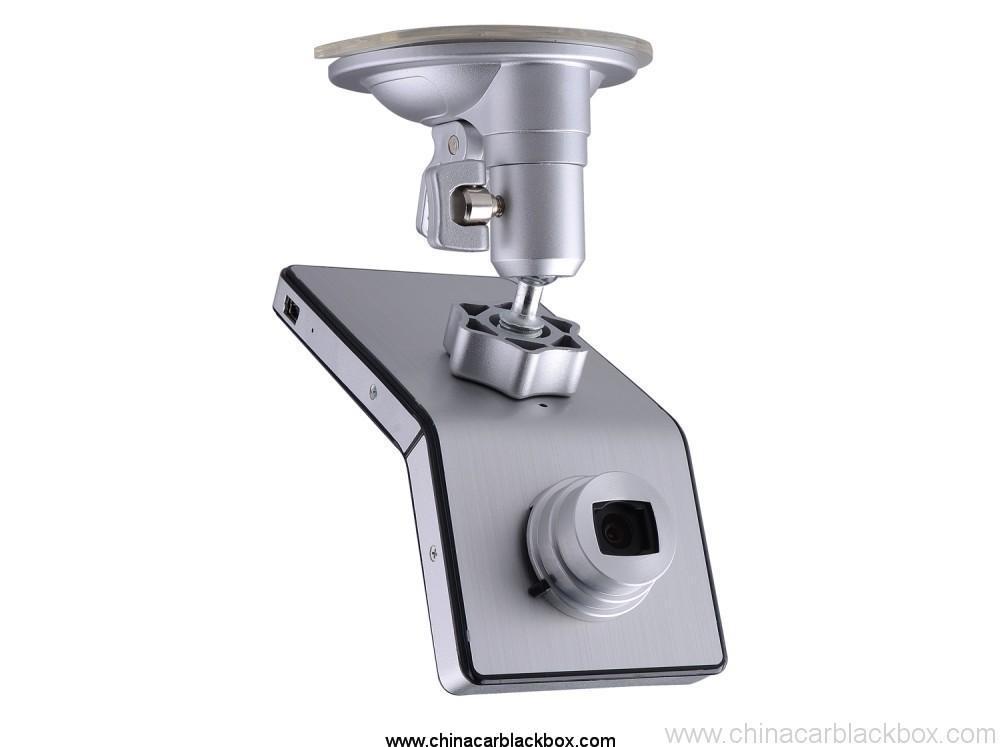
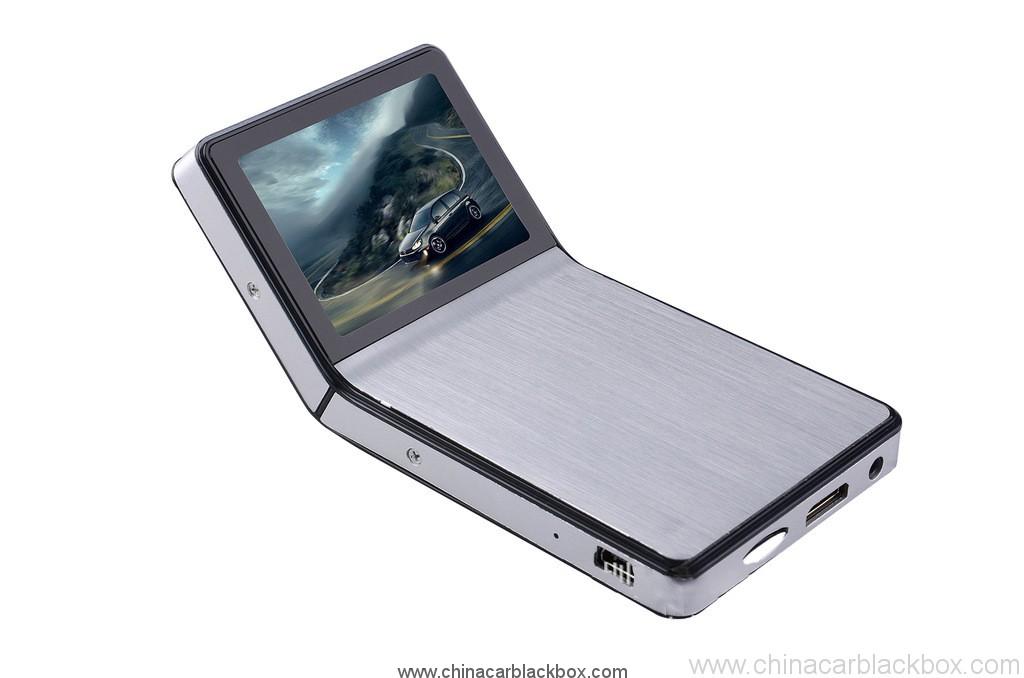
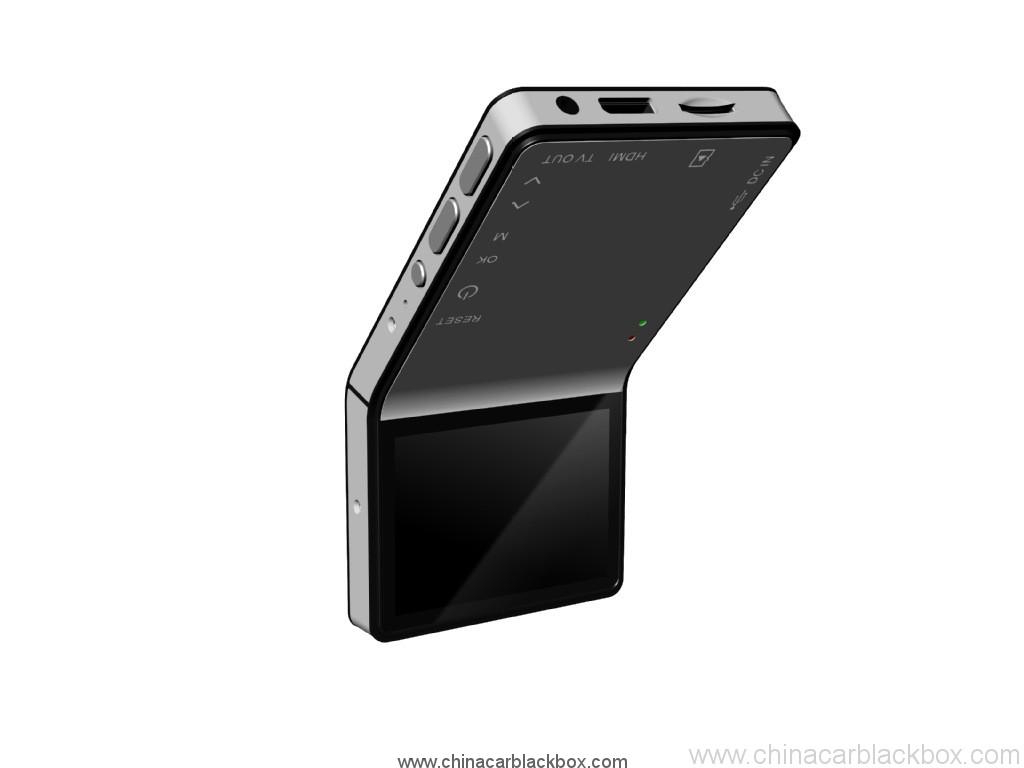
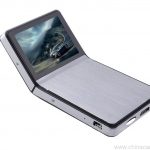
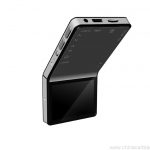
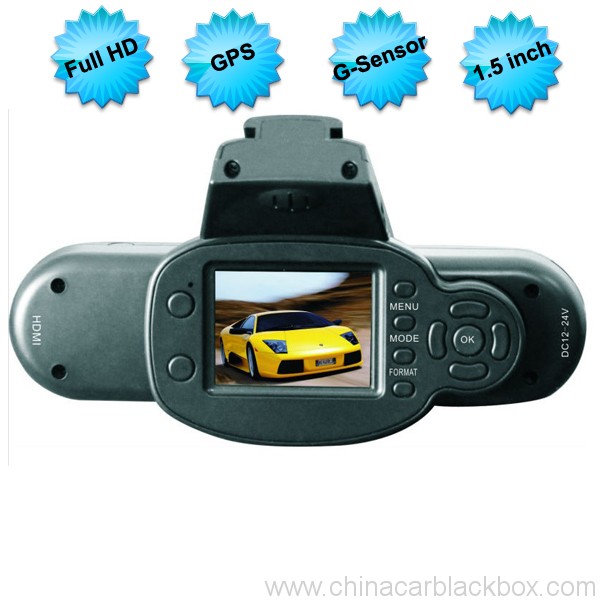
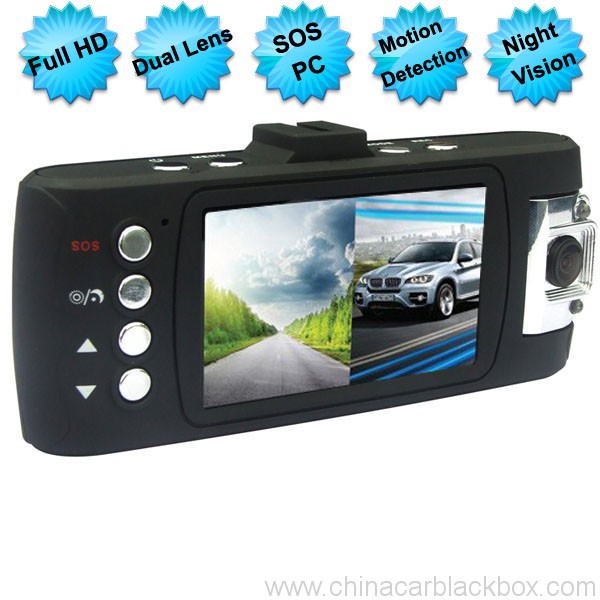
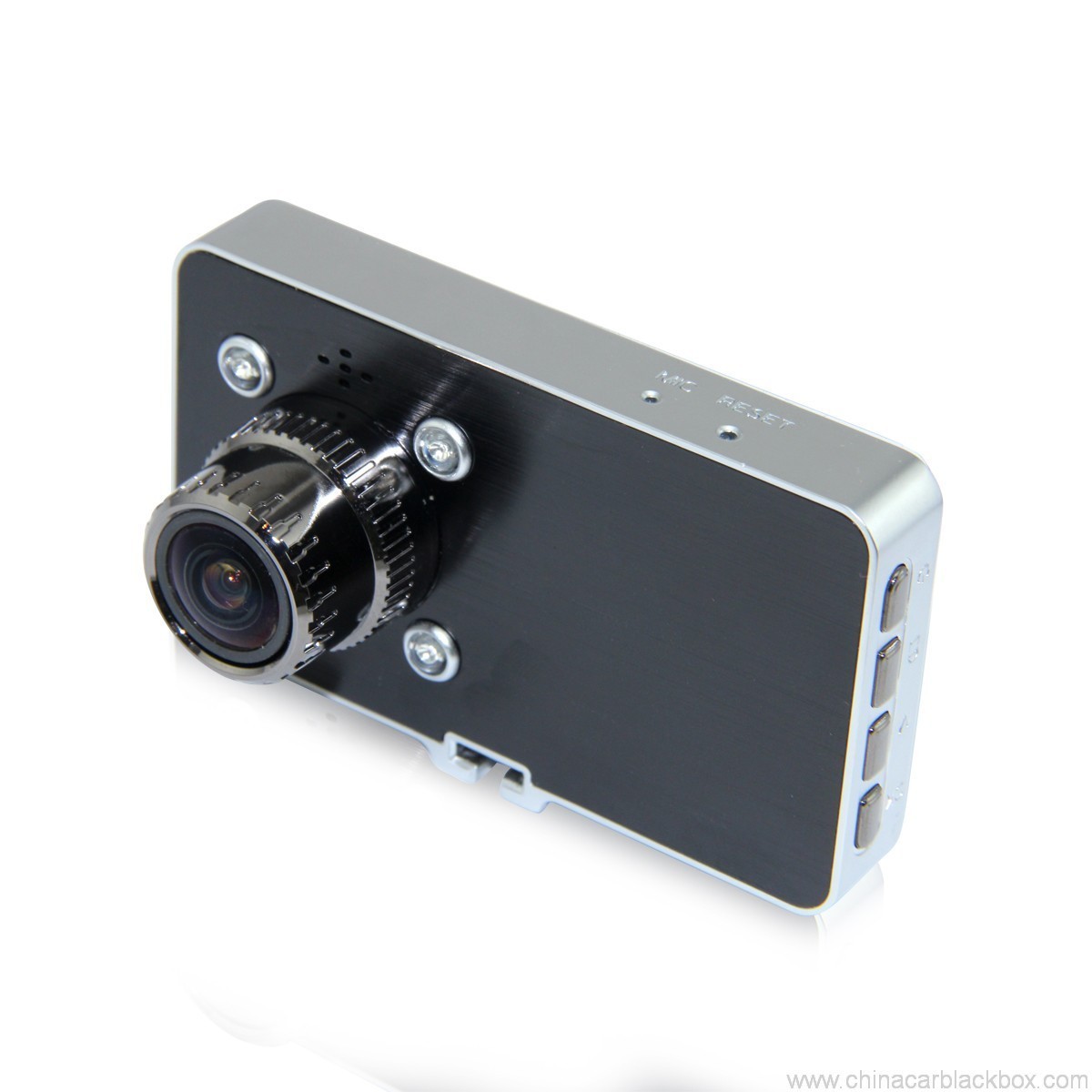
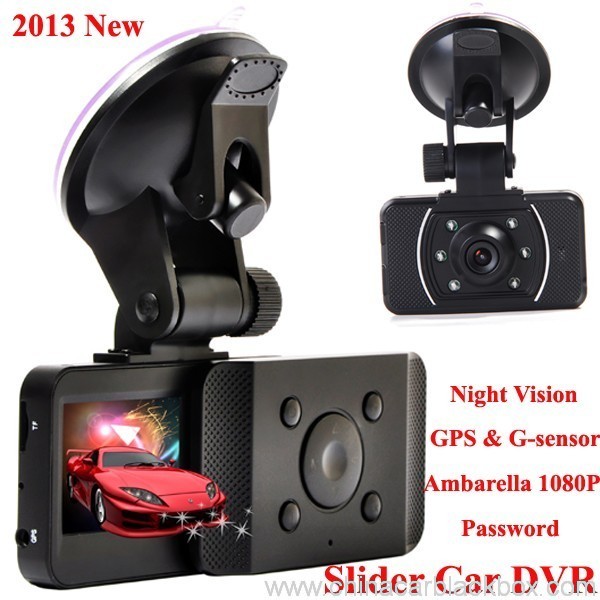
1. iPhone fashionable style and Ultimate Slim Design leads the fashion trend
2. 1080P high-resolution, 500 million actual pixels SENSOR, H.264 compression format. Best expression!
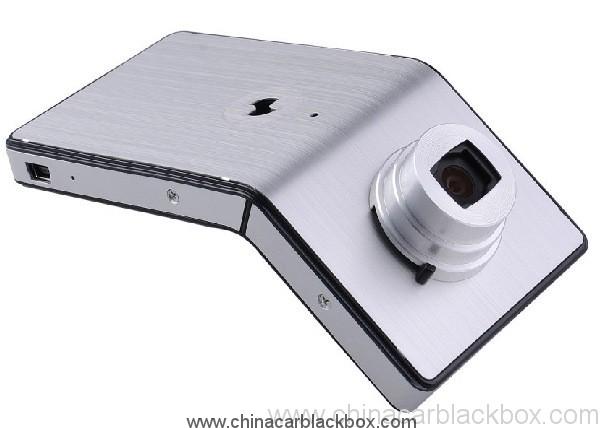
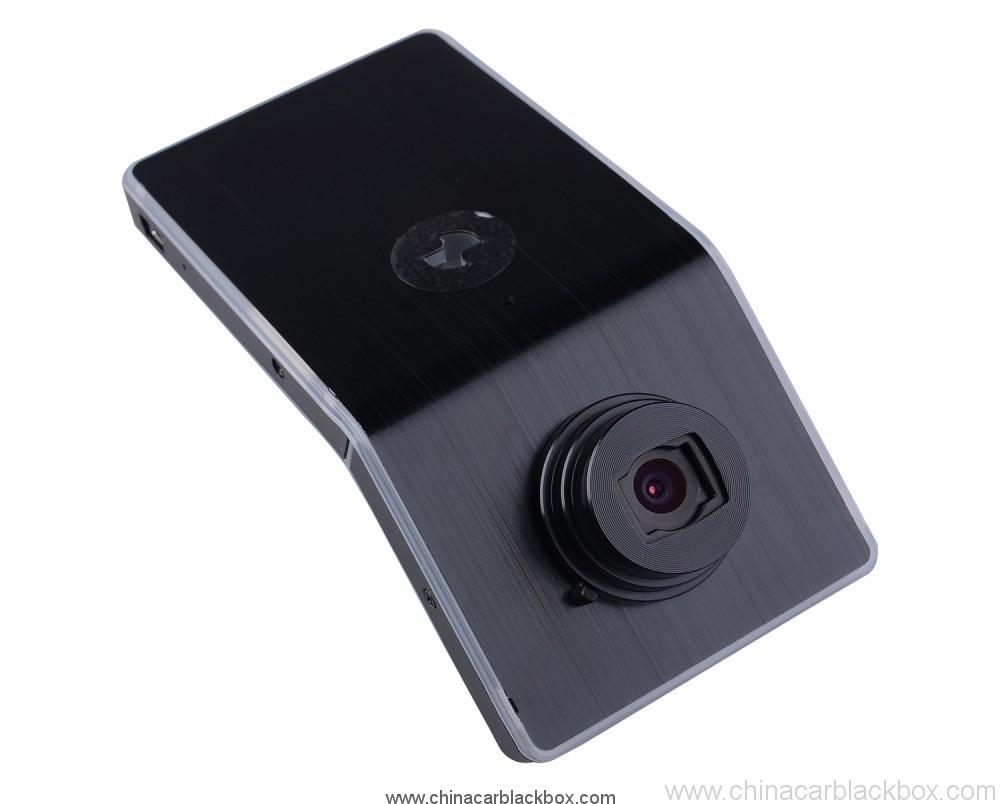
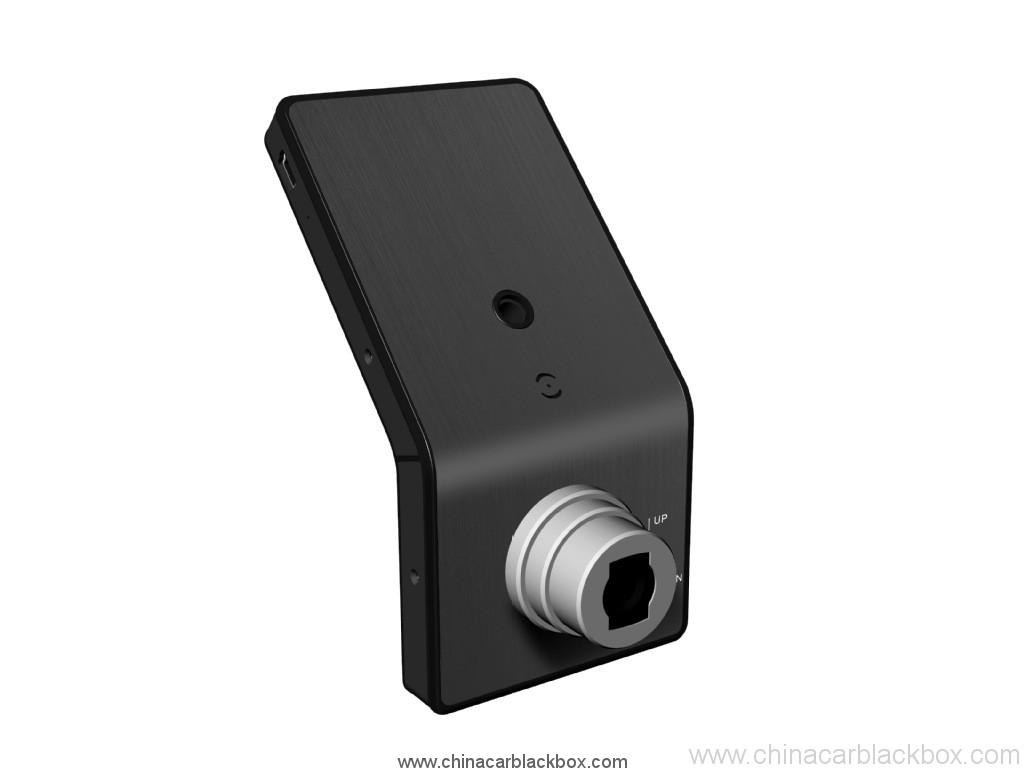
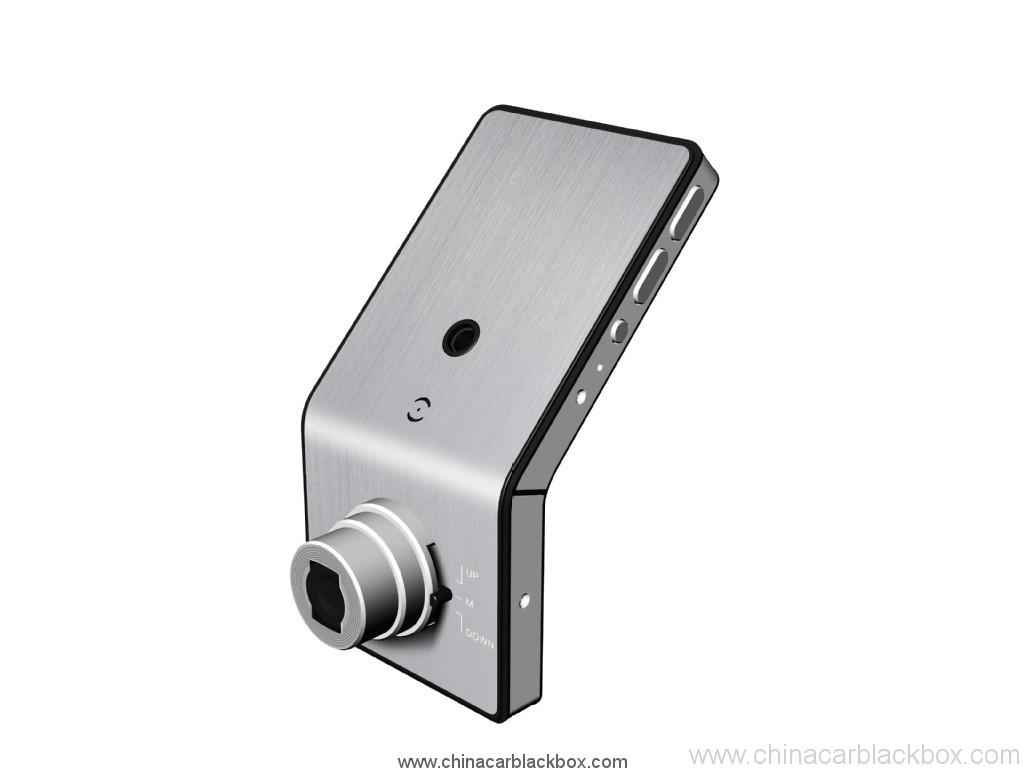
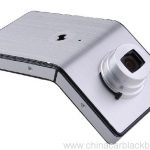
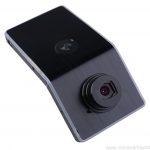
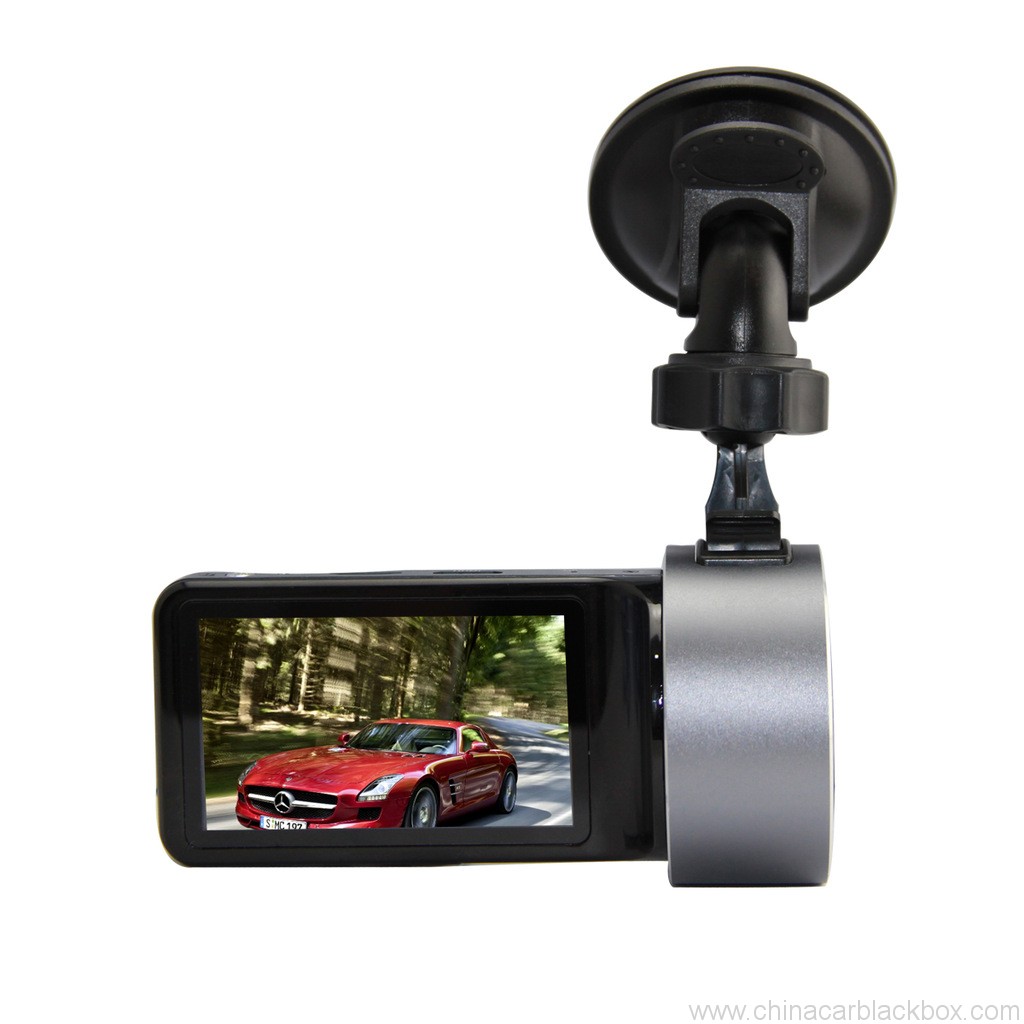
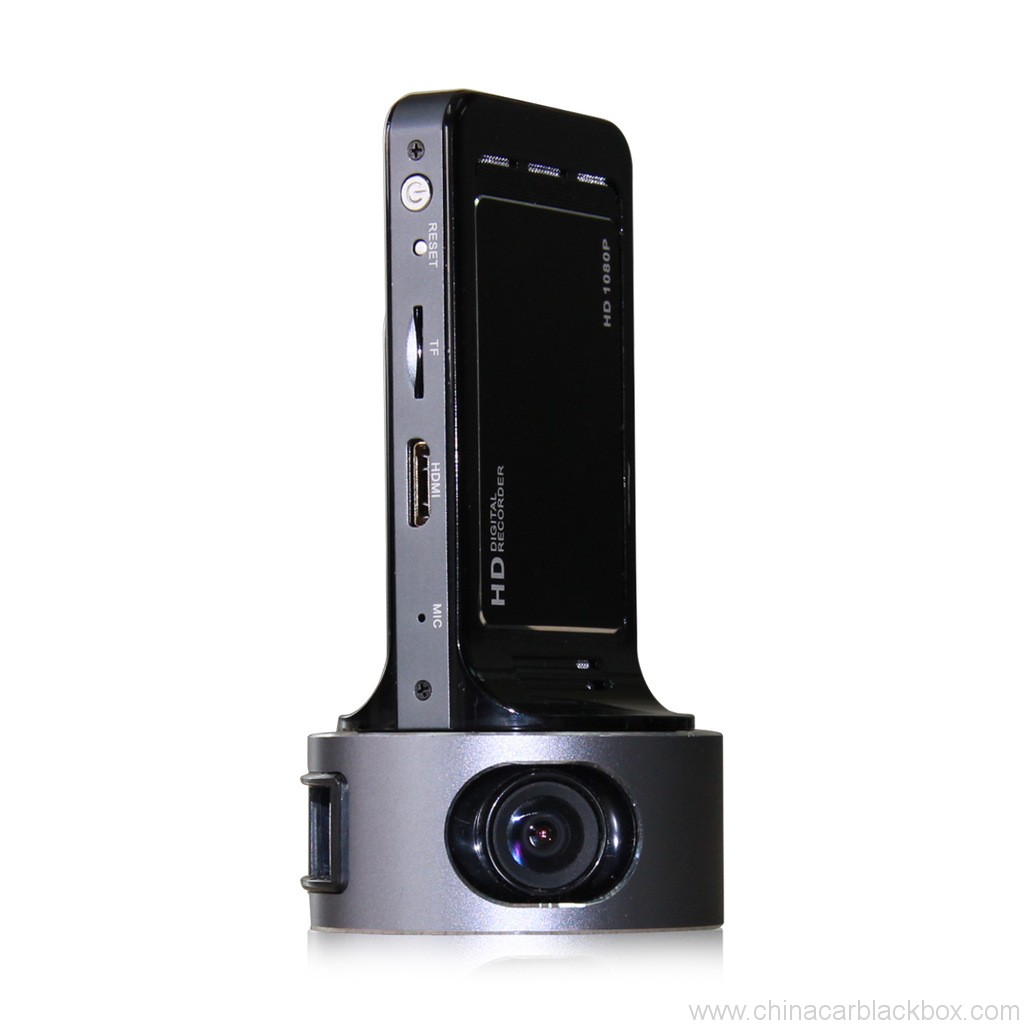
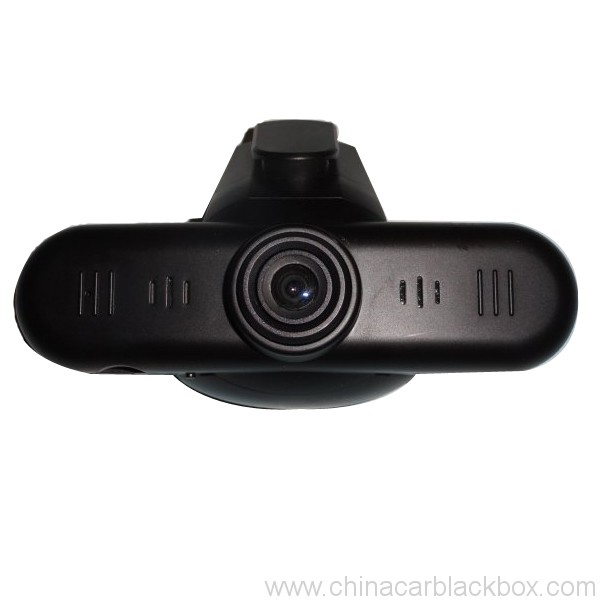
3. The unique adjustable angle lens, hidden button-shaped set, excellent surface treatment process. It is the Boutique of car dvr.
4. Cool and stylish black and silver color.
Specification:
Image Sensor: 5.0 Mega Pixel
Lens: Fixed, 4G, f=2.6mm F=2.0
Lens Viewing Angle: 120°
Focus Range: 1.8m to infinity
Display Screen: 2.4”TFT LCD
AV Output: HDMI Port, CTS1.2, AV Out Port, CVBS
USB Output: USB Port, USB2.0
TV System: NTSC / PAL
Video Format: MOV
Video Resolution: 1920*1080, 1280*720, 848*480, 640*480
Video Compress Format: MPEG- 4AVC / H.264
Audio Built-in Microphone/Speaker
Recording Media: Support Micro SD Card up to 32GB
Record Cycle, Not Cycle
RTC Yes
OSD Language: English / Italian / Russian/Japanese / S. Chinese / T. Chinese
PC Interface: USB2.0
Power Supply: 12V / 24V convert to 5V, Built-in Li-ion Battery
Size: 60x120x35mm
Cuideam: 115G
Working Temperature: -10~70 C
Storage Temperature: -30~85 C
Video Recording
After connecting Mobile-i to socket by car charger and the cable, it’ll start recording automatically if it’s set in cycle recording. If it’s not cycle recording, it’ll turn on automatically and then you have to manually press on <Power Switch > key to start recording.
Please use our standard car charge and USB cable for power supply, or it may not successfully charged by the ones from others.
Now the really time image will display on Mobile-i screen.
Stop engine, it’ll keep on recording for about 10 seconds and then shutdown. If don’t want to record during driving, please manually press on <Power Switch > key to save the video and turn off it.
* Some kinds of vehicles are designed for long-term power supply that can’t shut down automatically and need manually press on <Power Switch > key to save the video and turn off Mobile-i.
* Under not cycle recording mode, Mobile-i will save the videos and stop recording automatically when the memory card is full.
If Mobile-i isn’t connecting to the socket, please manually press on <Power Switch > key to turn it on, and then real time image will display on the screen and press on <Power Switch > key to start video recording.
Press on <Power Switch > key again to save video automatically and stop recording. Long-press on <Power Switch > key until hearing a sound to turn off Mobile-i.
* The first time you use Mobile-i, we suggest charge its battery for 3 uairean.
* If you won’t use Mobile-i for a long time, please recharge the battery in every two months to prolong its’ service life.
Video Playing
Play the video by Mobile-i screen
Turn on Mobile-i and stop recording, long-press on <Enter >
key to enter into preview mode, press on <Up > <Down >
key to select video and press <Enter > key to start video playing.
Play the video by PC
Please stop recording before connecting Mobile-i to PC. Use the USB cable to connect it to PC and a removable disk will show up in my computer accordingly. Now it can be used as a large capacity disk.
All the videos are saved in the disk. Choose a suitable player to play the videos.
If you want to save the video forever, please copy the video to your PC.
Play the video by TV
a. Use TV cable to Connect Mobile-i to TV, then the real time image will show on TV, press on <Enter > key to play video. Press on <up > neo <down >key to select video to play when there are more than one video in it.
b. Use HDMI cable to connect the attached HDMI Convertor to HDTV, then the real time HD image will show on HDTV which creating the vision enjoyment for you. Control the video
playing by the bottoms on Mobile-i.
* Before playing the video by TV ( a.b), please press on <Power Switch > key to turn on Mobile-i first.
* HDMI Convertor are included but no HDMI cable, please purchase it in separately
LED Status
Working Status Red Green Blue
Power Off Off Off
Power On Off ON Off (On under charging)
Recording FLASH ON Off (On under charging)
SD Car bad contact Off FLASH Off (On under charging)
USB Mode Off ON Off (On under charging)
USB Mode(no SD card) ON ON Off (On under charging)
Li-ion battery low Off Off Flash and then shutdown automatically
Program Update
Please go to our website www.oi.com.hk to download the latest program.
Use the attached USB Cable to connect Mobile-i to PC and then copy the program to the SD card.
Press on <Power Switch > key to turn on Mobile-i, and then it’ll automatically update the program and after the update finish, it’ll shut down automatically.
Why choose us?
1. All products have been strictly Quality Checked in house before packing.2. We are a factory manufacturing CAR DVR for 5 years with good quality and super service.
3. We are a OEM supplier for many famous Car DVR brand.
4. 100% Sgrùdadh QC mus tèid a chuir air falbh, 12 deuchainn aois uairean airson gach toradh aonad.
5. Bidh sinn a’ toirt seachad dealbhadh gnàthaichte an-asgaidh a rèir do riatanasan.
6. Faodaidh sinn am molltair agad fhèin fhosgladh ma tha feum agad air.
7. 12 barantas càileachd mìosan.
Samhlaidhean & Luingearachd
1. Thèid sampall agus òrdugh beag a lìbhrigeadh taobh a-staigh 2-3 làithean obrach às deidh am pàigheadh fhaighinn agus tha mion-fhiosrachadh an òrduigh air a dhearbhadh.2. Tha a h-uile toradh air a phacaigeadh gu math mus tèid a chuir air falbh,is urrainn dhuinn am bathar a chuir air adhair,UPS,DHL,FEDEX,EMS,TNT msaa.
3.Airson òrdugh thairis air 500pcs no òrdugh gnàthaichte, bidh an ùine stiùiridh 4-6 seachdainean às deidh pàigheadh fhaighinn. Feuch an cuir thu fios chun luchd-reic againn gus dèanamh cinnteach gu bheil an clàr-seilbhe gnàthach.

Free Enquiry for Full HD 1080P HDMI Slim Design Angle adjusted Sensor Car DVR
1 lèirmheas airson Full HD 1080P HDMI Slim Design Angle adjusted Sensor Car DVR
Add a review

Chaidh cuid de cheistean fhaighneachd gu tric airson China Car DVR
C. Dè am barantas airson an DVR CAR?
A. Airson an càr DVR, Tha againn 12 barantas mìosan.C. Dè an dòigh pàighidh ?
A. T/T . PAYPAL , Aonadh an Iar , Tha L / C uile rim faighinn. gun duilgheadas sam bith air a shon .C. Dè mu dheidhinn càileachd ?
A. 100% Sgrùdadh QC mus tèid a chuir air falbh, 24 deuchainn aois uairean airson gach toradh aonad san t-seòmar deuchainn againn . ma lorgar duilgheadas càileachd . Gheall Hengye fear ùr a chuir na àite don neach-ceannach againn.C. Dè cho fada ’s a bheir e gus m’ òrdugh a chuir air falbh?
A. Cho fad ‘s a tha an stoc ri fhaighinn, a’ toirt nithean a-staigh 3 làithean obrach airson sampall agus 7-15 làithean obrach airson òrdugh foirmeil nuair a fhuair sinn an dearbhadh airson an òrdugh ùr.C. Who will pay the freight for repairing item?
A. Both parties will share half the freight. The buyer will take the freight of sending it back to GHY, and GHYwill take the fright of sending it back to buyer. GHYsuggests to sending it back together with the next mass production item.C. How much does the shipping cost?
A. It depends on the quantity of the good, the shipping method and the destination. We will send the goods within 3-5 business days after the full payment has been confirmed. If the payment is not available, your order will be closed automatically. DHL/UPS/FedEx Express usually takes about 3-5 working days to the destination. And it's about 5-8 work days by EMS or TNT.C: Do you have any After-Sales service?
A:Yes! We have professional After-sales serviceC. Mar a chuireas tu òrdugh?
If you have any technical problem or questions with the goods, fàilte gus fios a chuir chun Roinn Taic Teicnigeach againn. no ar reic gu dìreach.
1. Cuir post-d thugainn am modail, stoidhle beam agus meud no cuir fios thugainn air https://www.chinacarblackbox.com/ , fiosrachadh neach-gabhail, slighe luingeis agus teirmean pàighidh.C. Dè an Tilleadh agus am barantas agad?
↓
2. Fàirdeal air a dhèanamh agus air a chuir thugad.
↓
3. Pàighidh coileanta às deidh dha am PI a dhearbhadh.
↓
4. Dearbhaich Pàigheadh agus cuir air dòigh cinneasachadh.
↓
5. Cuir bathar a-steach 2-15 làithean(a rèir an stoidhle stòraidh).
↓
6. Cuir an àireamh tracadh(le adhair) no B/L(ri taobh na mara).
↓
7. Bathar air a lìbhrigeadh, fàilte air ath-òrdughan!
1.Bithear a’ sgrùdadh a’ bhathair gu lèir mus tèid a chuir air falbh, mar sin mura h-eil thu riaraichte leis a’ cheannach, faodaidh tu na stuthan iomlaid ann an aon seachdain agus feumaidh tu fios a chuir thugainn le 24 uairean bho fhuaireadh do cheannach.
2.Chan urrainnear a’ chosgais luingeis is làimhseachaidh a phàigheadh air ais agus bu chòir do neach-ceannach a bhith cunntachail airson a h-uile cosgais airson tilleadh is ath-chuir.
3.Feumaidh a h-uile stuth tilleadh a bhith anns na suidheachaidhean tùsail aige, gabhail a-steach bogsa agus sgeadachadh. Chan eilear cinnteach gu bheil lochdan air an dèanamh le fir, leithid briste, sgrìobadh agus mar sin air adhart.
4.Airson stuth sam bith feuch an cuir thu le EMS no am post ionadail agad nuair a thèid a chuir air ais.
5. Clàs barantais
a.Taobh a-staigh 7 làithean ceannach, ma tha duilgheadas ann le càr DVR, bu chòir dhuinn atharrachadh dhut, ach feumaidh tu am pacadh agus an Car DVR a chumail foirfe.
b.Warranty airson aon bhliadhna an dèidh reic, barantas bataraidh airson trì mìosan.
c.Warranty seirbheis a-mhàin èifeachdach ann an cleachdadh àbhaisteach.
d.A h-uile milleadh (Milleadh air uachdar, thoir air falbh stiogair, cleachdadh neo-iomchaidh) no caill an cairt seo, chan urrainn dhuinn seirbheis barantas.
Eòlas a bu chòir dhut a bhith eòlach air Car DVR
Ma tha thu a’ cleachdadh a’ chamara nuair a tha thu, cunntas beagan trioblaid, feuch an obraich thu mar a leanas cuir a-steach an toiseach.
1)Can't normal video recording- change the TF card
- change the resolution, frames per second.
- insert the larger capacity memory card.
- make sure the card has been installed correctly (during the installation process, you should hear a clicking sound).
- delete unnecessary files from the memory card to release space.
2)Video is not clear
- ensure that the camera lens is clean.
- wipe off the dust and dirt on the lens, and then shoot.
3)Equipment to work normally, but the key does not work
- press the reset button to initialize the machine.
C: How to start it?
A: There are 3 ways:C: Dè an seòrsa dràibhidh a tha an dash cam as freagarraiche dha?
It will start to record automatically, when your car starts and no need to do anything manually. (Before that, be sure the TF card is inside it and car charger is connected well.)
If inside battery is not empty, you just need to press the power button.
Ceangail e le càball USB le pluga charger no banca cumhachd. (5V 1A le port USB)
A: Uile a’ draibheadh bho chuairtean goirid, gu tursan gnìomhachais agus saor-làithean. Bidh an DVR càr a’ clàradh a h-uile càil.C: Carson nach urrainn don dvr càr agam clàradh?
Ma tha feum aig an obair agad ort a bhith a’ draibheadh, bu chòir dhut gu cinnteach a bhith agad le dash cam DVR so-ghiùlain. Gu fìrinneach, feumaidh a h-uile duine a bhios a’ draibheadh an dìon neach-fianais a tha càr DVR a’ toirt seachad.
A : Pls thoir sùil air do cairt-chuimhne a’ chiad, ma tha bhidio no dealbh inneal dvr eile aig a’ chairt a-staigh mu thràth, chan urrainnear a leughadh leis an inneal dvr càr agad, bu chòir dhut do chairt TF a chruth an toiseach, cleachdadh nas fheàrr cairt TF falamh a-steach don inneal dvr agad nuair a chleachdas tu a’ chiad uair.
C : Carson a thionndaidheas an taisbeanadh dvr agam gu fèin-ghluasadach fhad ‘s a tha thu a’ draibheadh ?
A : Mar as trice bidh inneal dvr air inbhe cùl-taic mura do rinn thu gnìomhachd air barrachd air 1 mionaid, ach tha e cuideachd a 'cumail a' clàradh.
C: Na tha e a 'ciallachadh nuair a tha camara dash a' lùbadh no a 'lùbadh?
A: Is e lùb no lùb am feart cudromach a leigeas le DVR a’ chàr bhidio a chlàradh gu leantainneach (uair an deidh uair) air an aon chairt-chuimhne. Mar a tha an camara a’ clàradh anns an t-suidheachadh “lùb” no “rothaireachd”., tha e a’ cruthachadh faidhlichean bhidio no earrannan ann an 2, 5 neo 10 faid mionaid. Tha na faidhlichean sin air an clàradh agus air an sàbhaladh an dèidh a chèile (fear an dèidh a chèile) dhan chairt-chuimhne. Nuair a lìonas camara cairt cuimhne (le mòran fhaidhlichean), sguabaidh e às an earrann bhidio as tràithe / faidhle agus sàbhail am faidhle bhidio as ùire. Bidh an camara a’ dèanamh seo gu fèin-ghluasadach, nuair a tha am feart Loop air.
Seirbheis camara OEM / ODM
Is urrainn dhuinn Camara OEM / ODM a dhèanamh dhut le suaicheantas àbhaisteach,leubail,làimhe,bogsa pacaidh no taigheadas.
1. Suaicheantas
- Feuch an toir thu dhuinn an suaicheantas àrd-rèiteachaidh agad fhèin ann an cruth AI no cdr;
- Is e an MOQ de chlò-bhualadh suaicheantas 100pcs
- Tha cosgais clò-bhualaidh co-cheangailte ris na dathan ,mar as trice cha bu chòir buaidh caisead sam bith a bhith san t-suaicheantas
2. Label
- Feuch an toir thu dhuinn na h-àireamhan modail agad fhèin agus na riatanasan buntainneach.
3. Leabhar-làimhe
- Feuch an toir thu dhuinn am faidhle dealbhaidh làimhe crìochnaichte a ghabhas clò-bhualadh gu dìreach,tha cànan sam bith ceart gu leòr , is urrainn dhuinn clò-bhualadh làimhe ioma-chànan a sholarachadh cuideachd.
4. Bogsa Pacaidh
- Bidh sinn a 'tairgse dhut an dùmhlachd agus am faidhle dealbhaidh;
- Feuch an dealbhaich thu do stoidhle fhèin stèidhichte air an fhaidhle seo agus an uairsin cuir air ais thugainn e;
- Cuiridh sinn thugad bogsa pacaidh airson do dhearbhadh mus dèan thu riochdachadh ;
5. Taigheadas
- Ma tha thu airson do chùis càr dvr dealbhaidh fhèin a dhèanamh ,feuch an toir thu dhuinn am faidhle dealbhaidh taigheadais , fosglaidh sinn am molltair agus bheir sinn sampall dhut an toiseach.









Barnett –
This camera works really well. The picture is good, the night camera seems to be working well, it reads license plates if you are within about one car length. You can set it to record for up to 10 minutes after the car is turned off. I ordered a large 32 GB card and set the camera to record over every 10 minutes.