
- Tsanangudzo
- Ongororo(1)
- Q & A
- FAQ
- DVR Zivo
- OEM/ODM
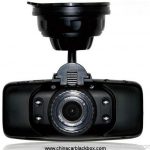
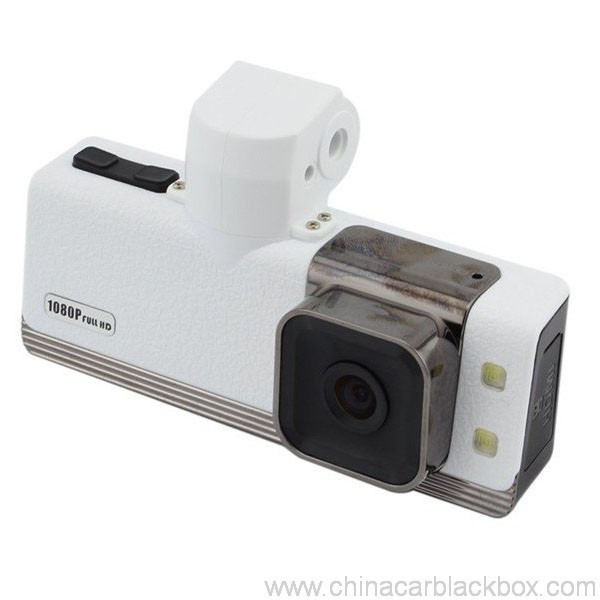
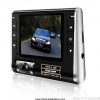
Feature:
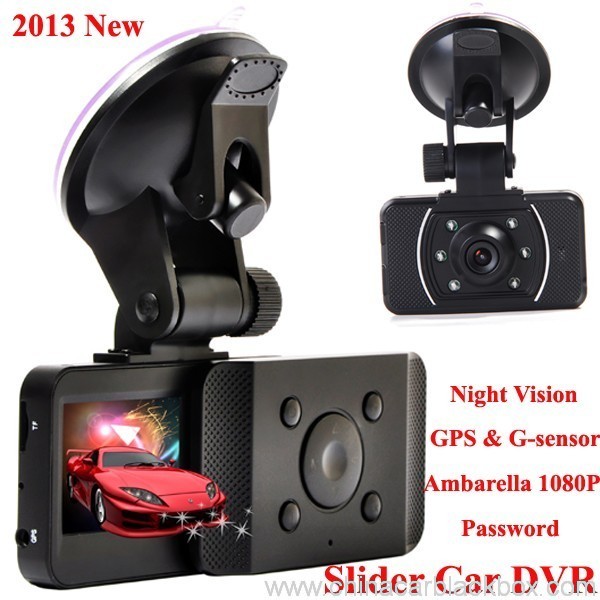
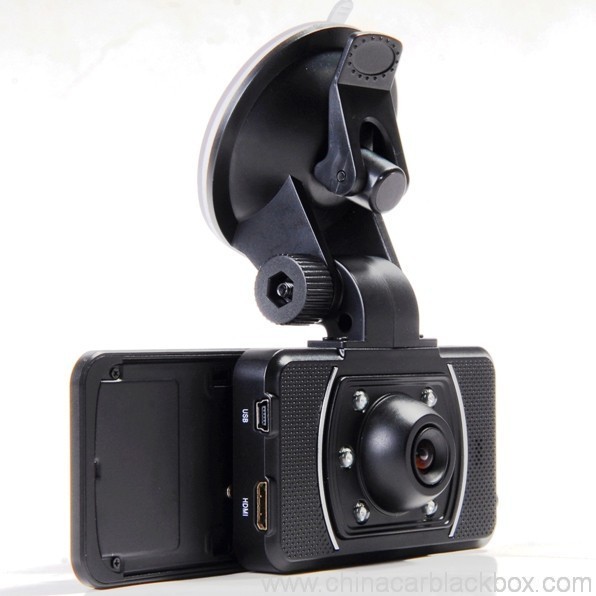
– HDMI high-definition video output
– 2.0″ TFT LCD
– 1920×1080@30fps /1440×1080@30fps /1280×720@30fps;
– GPS Tracker & G-Sensor
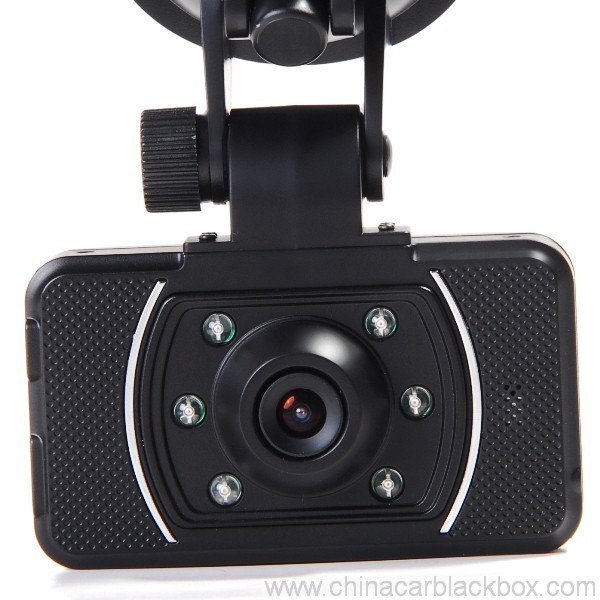
– High-definition wide angle camera, about 120~130 degree
– Video specs: H.264 (MOV)
– Cyclic Recording
– Date Sample: ON/OFF
– Delay Off
– built with microphone (speaker)
– Show Speed on video
– Supports high-capacity TF card
– Password: * * * * * *
Specification:
Circulating video: Off /1 Mineti /2 minutes /4 minutes
Mobile detection: High / medium / low / off
Automatically record video once there is power supply: On /Off
Startup delay: Off /5 seconds /15 seconds /30 seconds
Sound recording: On / Off
Television system: NTSC/PAL
Automatic shutdown time: Off /60 seconds /120 seconds /300 seconds
Format: Ehe / no
Time setting: 2012.01.01 12:00
Time stamp: On / off
Automatically turn off LCD time: Off /30 seconds /60 seconds /120 seconds
Exit setup: Ehe / no
Light frequency: 50HZ/60HZ
Acceleration sensor settings: 1/2/3/4/5/6/7/ no
| Screen size | 2.0 TFT LCD(4:3) mota dvr |
| Lens | MI5100 |
| Language | Chinese simplified/traditional Chinese /German/French/Russian/ Italian/ Spanish/Portuguese/Dutch/English |
| Video | 1920х1080@30fps/1440х1080@30fps/1280х720@30fps |
| Video format | MOV |
| Photo resolution | 16M |
| Photo format | JPG |
| Storage unit | Micro SD |
| MIC | Built in |
| Photos mode | Single photo |
| Light source frequency | 50Hz/60Hz |
| Television output | NTSC/PAL |
| USB | USB2.0 |
| Power interface | 5V 1500MA |
| System requirements | Windows 2000/XP/Vista/Windows 7,MAC OS x 10.3.6 and up |
1, Go to the password setting option,press key choose the digital, press OK key confirmation.
input initial code “0 0 0 0 0 0 ” to enter the password setup menu, now there are three options: enable/disable/reset password.
2, Reset password: input same password twice, otherwise reset password will fail.
Connect TV to watch the video and photos
Use the HDMI cable to connect device and television, turn on television to play the recorded videos and photos.
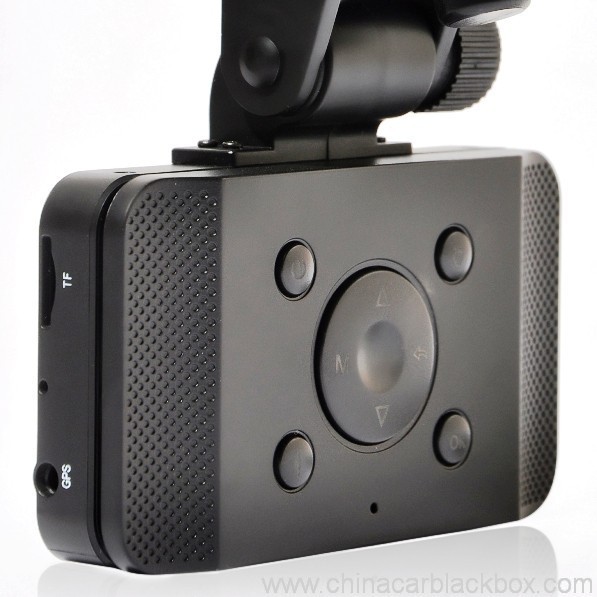
The device has a variety of shortcut operations:
1, In standby mode, press “Down “, turn on/off Mic
2, In standby mode, long press “Voice / One button copy” button, turn off the sound.
3, In any mode, press the “Menu” can return to a the standby mode of recording video
4, In any state, close the slide to turn off the screen.
5. In standby mode, press ” Voice / One button copy ” to copy.
6, In video playback state, long press ” Mode / Return / Lock ” key to protect or unprotect.
7, In the standby of recording video or photographing, short press “Infrared / Delete” for the operations of infrared lamp.
Note:
1. Can use Mode button to switch between video and photo mode.
2. When the battery power is low, the device will automatically turn off the flash function.
Special function set
Password setting:
1. Can set password for the machine, the initial password is: 0 0 0 0 0 0 (six zeros)
2. After inputting initial password, can enable, disable or reset password.
3. You can set your password digit as you like.
Specific operation:
1, Go to the password setting option,press key choose the digital, press OK key confirmation.
input initial code “0 0 0 0 0 0 ” to enter the password setup menu, now there are three options: enable/disable/reset password.
2, Reset password: input same password twice, otherwise reset password will fail.
Browse mode
1. Turn on the device, automatically entering video mode. Press Mode button twice to enter video browse mode, press Mode button again to enter photographing browse mode, video and pictures will be shown on the screen.
2. Press UP or DOWN button to select the videos or pictures you want and press OK to watch.
Note: if enabled password, press Mode button twice to go to password interface and input password.
Delete files: in the process of browsing, press ‘ infrared / delete ‘ button to show Delete menu, select ” Ehe” to delete single unprotected files and select the “all ” delete all unprotected video files.
Set language and voice prompt
Open the equipment, automatic into video standby mode, the short by mode button to enter the menu, into the language setting options, language Settings. Voice prompt according to set language broadcast tips
Date and time
To set the current time and date, in the standby mode, press the MENU button, and then use the up and down arrow keys to enter settings page. Set the date and time then press OK to confirm.
Time setting: 2012.01.01 12:00
Acceleration sensor settings
The acceleration sensor has a total of 8 options: 1/2/3/4/5/6/7/ NO
From 1 to 7, sensitivity is more and more high, choose NO to close sensor
Press one button to copy
In the video the standby mode, press “Voice /One button copy ” button to enter one button copy, at this time, the machine starts copying the last file from memory card to its memory.
Save files to computer
This device supports connecting USB cable to computer, after connecting to computer, there will be a dialog box pop up, select “USB connection ” to copy files from the memory card to your computer, or use the player in computer to play.
Note: if you set a password, select “USB connection ” then a password dialog box will bounce out, and connect to computer by inputting password, entering U disk mode.
Simple troubleshooting:
If a fault occurs, try to use the following method to exclude. If you cannot handle it, please contact customer service and repair department.
Not able to record video normally.
– replace SD / MMC card
– change the resolution and frames per second.
– change memory card with greater capacity.
– To ensure that the card is correctly installed (in the installation process, a click can be heard).
– Remove unnecessary files to free the space of memory card.
No GPS signal
– To ensure that the GPS antenna is inserted to the device
– To ensure that the signal is strong
Not able to connect HDMI line to TV
– To ensure that the connections between the HDMI cables ends and the devices as well as television are correct. Or replace the HDMI line to try.
Video or picture is not clear
– To ensure that the camera lens is clean.
– wipe the dust and dirt on the lens.
Device is working properly, but the button does not work
Press the reset button to initialize machine -.
In general please cautiously reset initialization because this operation may cause data loss.
Sei kusarudza isu?
1. Zvese zvigadzirwa zvave zvakanyatsoita Hunhu Hwakatariswa mumba usati warongedza.2. Isu tiri fekitori inogadzira CAR DVR ye 5 makore ane mhando yakanaka uye super sevhisi.
3. Isu tiri mutengesi weOEM kune akawanda ane mukurumbira Mota DVR mhando.
4. 100% QC kuongororwa isati yatumirwa, 12 maawa ekuchembera bvunzo kune yega yega unit chigadzirwa.
5. Isu tinopa emahara akagadziridzwa magadzirirwo zvinoenderana nezvinodiwa zvako.
6. Tinogona kuvhura yako mold kana uchida.
7. 12 mwedzi yemhando garandi.
Samples & Shipping
1. Sample uye mini odha ichaunzwa mukati 2-3 mazuva ekushanda mushure mekugamuchira kwekubhadhara uye kurongeka kweruzivo kunosimbiswa.2. Zvese zvigadzirwa zvakarongedzwa zvakanaka zvisati zvatumirwa,tinogona kutumira zvinhu nendege,UPS,DHL,FEDEX,EMS,TNT nezvimwe.
3.Kuodha pamusoro pe500pcs kana customized odha, nguva yekutungamira ichave 4-6weeks mushure mekugamuchira kubhadhara. Ndapota taurai nekutengesa kwedu kuti tive nechokwadi chezvazvino.

Free Enquiry for Slide Car DVR 1080P 30FPS HD Camera GPS G-Sensor Password
1 review for Slide Car DVR 1080P 30FPS HD Camera GPS G-Sensor Password
Add a review

Mumwe mubvunzo unowanzo bvunzwa kuChina Car DVR
Q. Chii waranti yeCAR DVR?
A. YeCAR DVR, tine 12 mwedzi waranti.Q. Ndeipi nzira yekubhadhara ?
A. T/T . PAYPAL , Western Union , L / C zvese zviripo. hapana dambudziko nazvo .Q. Ko kunaka ?
A. 100% QC kuongororwa isati yatumirwa, 24 maawa ekukwegura bvunzo kune yega yega chigadzirwa mukamuri yedu yekuyedza . kana kuwana chero dambudziko remhando . Hengye akavimbisa kutsiva itsva kune mutengi wedu.Q. Zvinotora nguva yakareba sei kutumira odha yangu?
A. Chero bedzi stock iripo, inotakura zvinhu mukati 3 mazuva ekushanda sampuli uye 7-15 mazuva ekushanda ekurongeka kwepamutemo kana tangowana simbiso yeodha nyowani.Q. Ndiani achabhadhara kutakura kwekugadzirisa chinhu?
A. Mapato maviri achagovana hafu yenhumbi. Mutengi achatora mutoro wekudzosera kuGHY, uye GHY ichatora kutya kuidzosera kumutengi. GHY inokurudzira kuidzosera pamwe chete neinotevera misa yekugadzira chinhu.Q. Mari yekutumira inodhura?
A. Zvinoenderana nehuwandu hwezvakanaka, nzira yekutumira uye kwekuenda. Tichatumira zvinhu mukati 3-5 mazuva ebhizinesi mushure mekunge mubhadharo wakazara wasimbiswa. Kana kubhadhara kusipo, odha yako ichavharwa otomatiki. DHL/UPS/FedEx Express kazhinji inotora anenge 3-5 mazuva ekushanda kusvika kwawaienda. Uye zviri pamusoro 5-8 mazuva ekushanda neEMS kana TNT.Q: Iwe une chero After-Sales service?
A:Ehe! Tine nyanzvi Mushure mekutengesa sevhisiQ. Kuisa sei order?
Kana iwe uine chero dambudziko rehunyanzvi kana mibvunzo nezvinhu, unogamuchirwa kuti ubate neTechnical Support Dept yedu. kana kutengesa kwedu zvakananga.
1. Titumire email iyo modhi, beam maitiro uye huwandu kana kutitumira isu kubvunza pa https://www.chinacarblackbox.com/ , ruzivo rwe consignee, nzira yekutumira uye mitemo yekubhadhara.Q. Chii chako Kudzoka uye waranti?
↓
2. Invoice yakagadzirwa uye yakatumirwa kwauri.
↓
3. Pedzisa Kubhadhara mushure mekusimbisa iyo PI.
↓
4. Simbisa Kubhadhara uye kuronga kugadzira.
↓
5. Tumira zvinhu mukati 2-15 mazuva(maererano nemamiriro ekuchengetedza).
↓
6. Tumira nhamba yekutevera(nemhepo) kana B/L(negungwa).
↓
7. Zvinhu zvinotumirwa, welcome re-order!
1.Zvinhu zvose zvinoongororwa zvisati zvatumirwa, saka kana iwe usingagutsikane nekutenga, unogona kuchinjanisa zvinhu muvhiki imwe uye unofanira kutibata nesu 24 maawa ekugamuchira kutenga kwako.
2.Mutero wekutumira uye wekubata haudzoserwe uye mutengi anofanira kunge ane mhosva yezvipo zvese zvekudzoka uye kutumira zvakare..
3.Zvinhu zvose zvekudzorera zvinofanira kunge zviri mumamiriro ayo epakutanga, kusanganisira bhokisi uye accessories. Varume vakaremara havana kuvimbiswa, zvakadai sekuputsika, kukweshwa zvichingodaro.
4.Kune chero zvinhu ndapota tumira neEMS kana yako positi yemunharaunda paunotumira kumashure.
5. Guarantee clause
a.Mukati 7 mazuva ekutenga, kana paine dambudziko reMota DVR, tinofanira kuchishandura nokuda kwenyu, asi iwe unofanirwa kuchengeta kurongedza uye iyo Mota DVR yakakwana.
b. Warranty yegore rimwe mushure mekutengeswa, garandi yebhatiri kwemwedzi mitatu.
c.Warranty sevhisi inoshanda chete mukushandiswa kwakajairika.
d.Kukanganisa kwese (Kukuvadzwa kwechiso, dambura sticker, kushandiswa zvisina kunaka) kana kurasikirwa nekadhi iri, isu hatigone sevhisi yewaranti.
Zivo yaunofanirwa kuziva nezveMota DVR
Kana iwe uri kushandisa kamera, kuunza rimwe dambudziko diki, ndapota shanda sekutevera suma kutanga.
1)Haikwanise kurekodha vhidhiyo- chinja TF kadhi
- shandura sarudzo, mafuremu pasekondi.
- isa memori kadhi yakakura.
- iva nechokwadi chokuti kadhi rakaiswa zvakanaka (panguva yekuisa, unofanira kunzwa kamutsindo).
- bvisa mafaira asina kufanira kubva kumemori kadhi kuti usunungure nzvimbo.
2)Vhidhiyo haina kujeka
- nechokwadi kuti kamera lens yakachena.
- pukuta guruva uye tsvina pane lens, wozopfura.
3)Equipments kushanda zvakajairika, asi kiyi haishande
- tinya bhatani reset kuti utange muchina.
Q: Ndoitanga sei?
A: Pane 3 nzira:Q: Imhando ipi yekutyaira ndiyo dash cam inonyatsokodzera?
Ichatanga kurekodha otomatiki, kana mota yako inotanga uye hapana chikonzero chekuita chero chinhu nemaoko. (Pamberi pazvo, iva nechokwadi chokuti TF kadhi iri mukati maro uye motokari yemotokari yakabatana zvakanaka.)
Kana mukati mebhatiri risina chinhu, unongoda kudzvanya bhatani remagetsi.
Ibatanidze ne USB tambo nechaja plug kana power bank. (5V 1A ine USB port)
A: Zvese kutyaira kubva kupfupi kuenda, kuenda kubhizimisi nenzendo dzezororo. Iyo mota DVR inorekodha zvese.Q: Nei mota yangu dvr isingakwanisi kurekodha?
Kana basa rako richida kuti utyaire saka iwe unofanirwa kunge uine inotakurika dash cam DVR. Kutaura chokwadi, munhu wese anotyaira anoda dziviriro yeakaona inopihwa nemota DVR.
A : Pls tarisa yako memori kadhi chekutanga, kana kadhi mukati yatova neimwe dvr mudziyo vhidhiyo kana mufananidzo, haigone kuverengwa nemota yako dvr mudziyo, unofanira kutanga wafometa TF card, zvirinani shandisa isina chinhu TF kadhi mune yako dvr mudziyo paunoshandisa kekutanga.
Q : Nei dvr display yangu ichidzima otomatiki paunenge uchityaira ?
A : Kazhinji dvr mudziyo uchaita pane standby chimiro kana usina kuita chero oparesheni pairi kupfuura 1 Mineti, asi inoramba ichirekodha.
Q: Zvazvinoreva kana dash kamera iri loop kana zvishwe?
A: Loop kana looping chinhu chakakosha chinobvumira mota DVR kuti irambe ichirekodha vhidhiyo (awa neawa) kune imwechete memori kadhi. Sezvo kamera inorekodha mu "loop" kana "kutenderera" kuseta, iri kugadzira vhidhiyo mafaera kana zvikamu mukati 2, 5 kana 10 maminiti kureba. Aya mafaira anorekodhwa uye anochengetwa zvakatevedzana (mumwe pashure pomumwe) kumemori kadhi. Kana kamera inozadza memori kadhi (nemafaira akawanda), ichabvisa chikamu chekutanga chevhidhiyo / faira uye chengetedza yazvino vhidhiyo faira. Iyo kamera inoita izvi otomatiki, kana iyo Loop ficha iripo.
Kamera OEM / ODM Service
Isu tinogona kukuitira OEM / ODM Kamera iwe neyakajairwa logo,label,manual,bhokisi rekutakura kana imba.
1. Logo
- Ndokumbira utipe yako yakakwira resolution logo muAI kana cdr fomati;
- Iyo MOQ yekudhinda logo ndeye 100pcs
- Mutengo wekudhinda unofambidzana nemavara ,kazhinji hapafanirwe kunge paine gradient mhedzisiro mulogo
2. Label
- Ndapota tipei nhamba dzenyu dzemuenzaniso uye zvinodiwa.
3. Manual
- Ndapota tipei rakapedzwa bhuku rekugadzira faira rinogona kudhindwa zvakananga,chero mutauro wakanaka , tinokwanisa kupa mitauro yakawanda yekunyora nemaoko zvakare.
4. Packing Bhokisi
- Isu tichakupa iwe demension uye dhizaini faira;
- Ndokumbirawo gadzira yako maitiro zvichienderana nefaira iri wobva waitumira kwatiri;
- Isu tichakutumira iwe kurongedza bhokisi rekusimbisa kwako kusati kwagadzirwa ;
5. Housing
- Kana iwe uchida kugadzira yako dhizaini mota dvr kesi ,ndapota tipei faira rekugadzira dzimba , isu tichavhura mold tokupa iwe sampuli kutanga.






Melissa –
Good dash cam.