
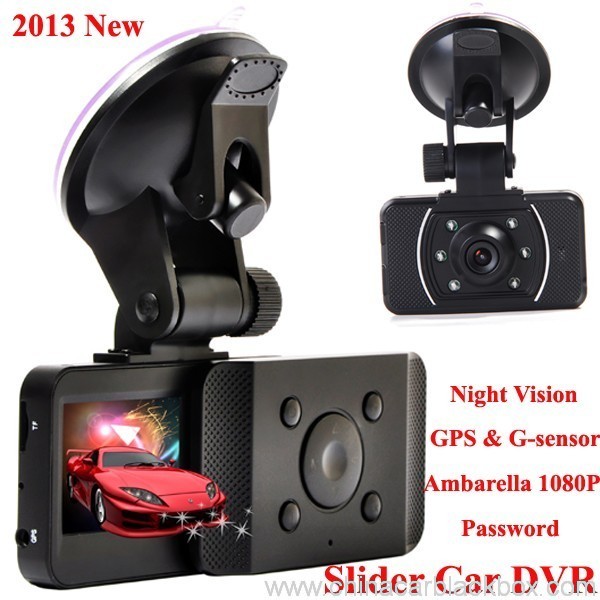
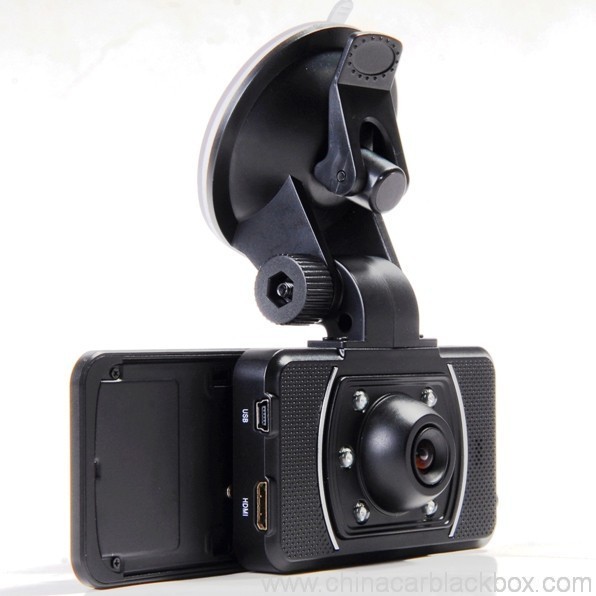
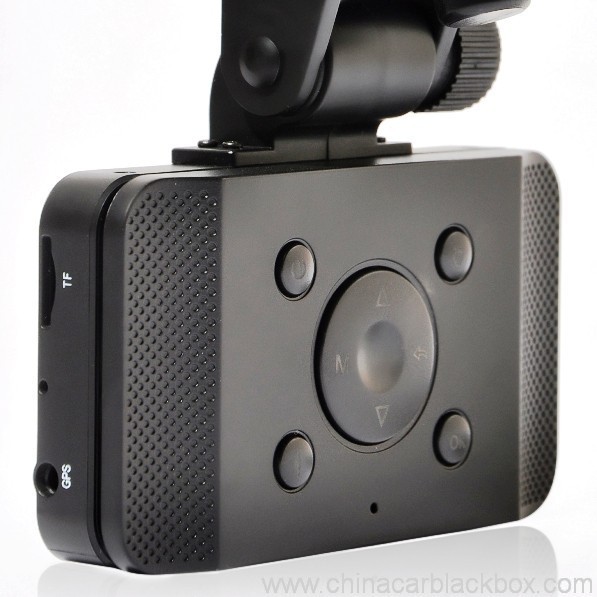
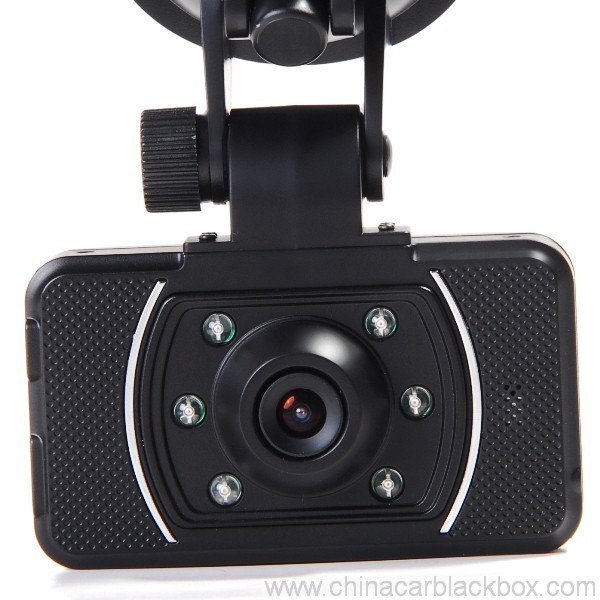
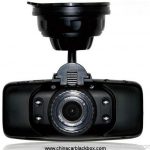
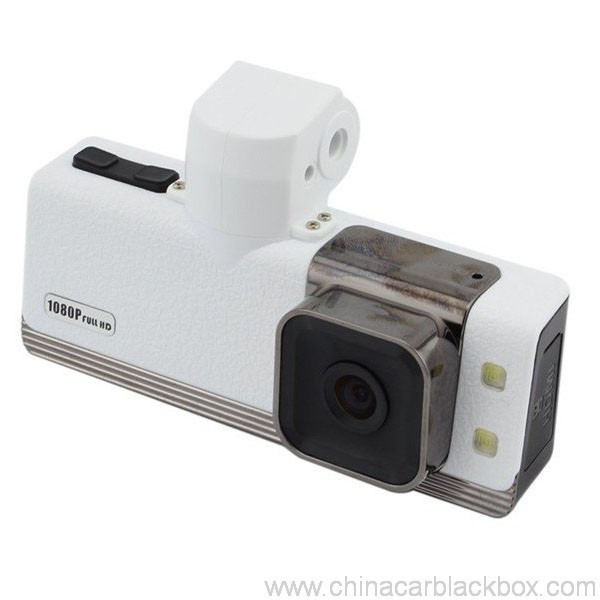
- Incazelo
- Izibuyekezo(1)
- Q & A
- FAQ
- Ulwazi lwe-DVR
- OEM/ODM
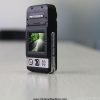
Feature:
– HDMI high-definition video output
– 2.0″ TFT LCD
– 1920×1080@30fps /1440×1080@30fps /1280×720@30fps;
– GPS Tracker & G-Sensor
– High-definition wide angle camera, about 120~130 degree
– Video specs: H.264 (I-MOV)
– Cyclic Recording
– Date Sample: ON/OFF
– Delay Off
– built with microphone (speaker)
– Show Speed on video
– Supports high-capacity TF card
– Password: * * * * * *
Specification:
Circulating video: Off /1 umzuzu /2 minutes /4 minutes
Mobile detection: High / medium / low / off
Automatically record video once there is power supply: On /Off
Startup delay: Off /5 seconds /15 seconds /30 seconds
Sound recording: On / Off
Television system: NTSC/PAL
Automatic shutdown time: Off /60 seconds /120 seconds /300 seconds
Format: Yebo / no
Time setting: 2012.01.01 12:00
Time stamp: On / off
Automatically turn off LCD time: Off /30 seconds /60 seconds /120 seconds
Exit setup: Yebo / no
Light frequency: 50HZ/60HZ
Acceleration sensor settings: 1/2/3/4/5/6/7/ no
| Screen size | 2.0 TFT LCD(4:3) imoto dvr |
| Ilensi | MI5100 |
| Ulimi | Chinese simplified/traditional Chinese /German/French/Russian/ Italian/ Spanish/Portuguese/Dutch/English |
| Ividiyo | 1920х1080@30fps/1440х1080@30fps/1280х720@30fps |
| Ifomethi yevidiyo | I-MOV |
| Photo resolution | 16M |
| Photo format | I-JPG |
| Storage unit | Micro SD |
| MIC | Built in |
| Photos mode | Single photo |
| Light source frequency | 50Hz/60Hz |
| Television output | NTSC/PAL |
| I-USB | USB2.0 |
| Power interface | 5V 1500MA |
| System requirements | Windows 2000/XP/Vista/Windows 7,MAC OS x 10.3.6 and up |
1, Go to the password setting option,press key choose the digital, press OK key confirmation.
input initial code “0 0 0 0 0 0 ” to enter the password setup menu, now there are three options: enable/disable/reset password.
2, Reset password: input same password twice, otherwise reset password will fail.
Connect TV to watch the video and photos
Use the HDMI cable to connect device and television, turn on television to play the recorded videos and photos.
The device has a variety of shortcut operations:
1, In standby mode, press “Down “, turn on/off Mic
2, In standby mode, long press “Voice / One button copy” button, turn off the sound.
3, In any mode, press the “Menu” can return to a the standby mode of recording video
4, In any state, close the slide to turn off the screen.
5. In standby mode, press ” Voice / One button copy ” to copy.
6, In video playback state, long press ” Mode / Return / Lock ” key to protect or unprotect.
7, In the standby of recording video or photographing, short press “Infrared / Delete” for the operations of infrared lamp.
Note:
1. Can use Mode button to switch between video and photo mode.
2. When the battery power is low, the device will automatically turn off the flash function.
Special function set
Password setting:
1. Can set password for the machine, the initial password is: 0 0 0 0 0 0 (six zeros)
2. After inputting initial password, can enable, disable or reset password.
3. You can set your password digit as you like.
Specific operation:
1, Go to the password setting option,press key choose the digital, press OK key confirmation.
input initial code “0 0 0 0 0 0 ” to enter the password setup menu, now there are three options: enable/disable/reset password.
2, Reset password: input same password twice, otherwise reset password will fail.
Browse mode
1. Turn on the device, automatically entering video mode. Press Mode button twice to enter video browse mode, press Mode button again to enter photographing browse mode, video and pictures will be shown on the screen.
2. Press UP or DOWN button to select the videos or pictures you want and press OK to watch.
Note: if enabled password, press Mode button twice to go to password interface and input password.
Delete files: in the process of browsing, press ‘ infrared / delete ‘ button to show Delete menu, select ” Yebo” to delete single unprotected files and select the “all ” delete all unprotected video files.
Set language and voice prompt
Open the equipment, automatic into video standby mode, the short by mode button to enter the menu, into the language setting options, language Settings. Voice prompt according to set language broadcast tips
Date and time
To set the current time and date, in the standby mode, press the MENU button, and then use the up and down arrow keys to enter settings page. Set the date and time then press OK to confirm.
Time setting: 2012.01.01 12:00
Acceleration sensor settings
The acceleration sensor has a total of 8 options: 1/2/3/4/5/6/7/ NO
From 1 to 7, sensitivity is more and more high, choose NO to close sensor
Press one button to copy
In the video the standby mode, press “Voice /One button copy ” button to enter one button copy, at this time, the machine starts copying the last file from memory card to its memory.
Save files to computer
This device supports connecting USB cable to computer, after connecting to computer, there will be a dialog box pop up, select “USB connection ” to copy files from the memory card to your computer, or use the player in computer to play.
Note: if you set a password, select “USB connection ” then a password dialog box will bounce out, and connect to computer by inputting password, entering U disk mode.
Simple troubleshooting:
If a fault occurs, try to use the following method to exclude. If you cannot handle it, please contact customer service and repair department.
Not able to record video normally.
– replace SD / MMC card
– change the resolution and frames per second.
– change memory card with greater capacity.
– To ensure that the card is correctly installed (in the installation process, a click can be heard).
– Remove unnecessary files to free the space of memory card.
No GPS signal
– To ensure that the GPS antenna is inserted to the device
– To ensure that the signal is strong
Not able to connect HDMI line to TV
– To ensure that the connections between the HDMI cables ends and the devices as well as television are correct. Or replace the HDMI line to try.
Video or picture is not clear
– To ensure that the camera lens is clean.
– wipe the dust and dirt on the lens.
Device is working properly, but the button does not work
Press the reset button to initialize machine -.
In general please cautiously reset initialization because this operation may cause data loss.
Kungani ukhethe thina?
1. Yonke imikhiqizo iye Ikhwalithi Ihlolwe ngokuqinile endlini ngaphambi kokupakisha.2. Siyimboni yokukhiqiza i-CAR DVR 5 iminyaka ngekhwalithi enhle kanye nesevisi enhle kakhulu.
3. Singabahlinzeki be-OEM bemikhiqizo eminingi edumile ye-Car DVR.
4. 100% Ukuhlolwa kwe-QC ngaphambi kokuthunyelwa, 12 ukuhlolwa kokuguga kwamahora womkhiqizo ngamunye weyunithi.
5. Sinikeza imiklamo yamahhala eyenziwe ngokwezifiso ngokuya ngezidingo zakho.
6. Singavula isikhunta sakho uma usidinga.
7. 12 iwaranti yekhwalithi yezinyanga.
Amasampula & Ukuthumela
1. Isampula kanye ne-oda elincane kuzolethwa ngaphakathi 2-3 izinsuku zokusebenza emva kokuthola inkokhelo kanye nemininingwane ye-oda iqinisekisiwe.2. Yonke imikhiqizo ipakishwe kahle ngaphambi kokuthunyelwa,singathumela izimpahla ngendiza,I-UPS,I-DHL,I-FEDEX,EMS,TNT njll.
3.Ukuze uthole ama-oda angaphezu kwama-500pcs noma i-oda elenziwe ngezifiso, isikhathi sokuhola sizoba ngamaviki angu-4-6 ngemva kokutholwa kwenkokhelo. Sicela uxhumane nabadayisi bethu ukuze uqiniseke ukuthi i-inventory yamanje.

Free Enquiry for Slide Car DVR 1080P 30FPS HD Camera GPS G-Sensor Password
1 ukubuyekeza kwe I-Slide Car DVR 1080P 30FPS HD Ikhamera ye-GPS I-G-Sensor Password
Engeza isibuyekezo

Eminye imibuzo evame ukubuzwa nge-China Car DVR
Q. Iyini iwaranti ye-CAR DVR?
A. Okwe-CAR DVR, sine 12 iwaranti yezinyanga.Q. Ithini indlela yokukhokha ?
A. T/T . I-PAYPAL , i-Western Union , I-L/C yonke iyatholakala. akunankinga ngakho .Q. Kuthiwani ngekhwalithi ?
A. 100% Ukuhlolwa kwe-QC ngaphambi kokuthunyelwa, 24 ukuhlolwa kokuguga kwamahora womkhiqizo ngamunye weyunithi egumbini lethu lokuhlola . uma uthola noma iyiphi inkinga yekhwalithi . UHengye uthembise ukuthi uzobuyisela entsha esikhundleni sekhasimende lethu.Q. Kuzothatha isikhathi esingakanani ukuthumela i-oda lami?
A. Inqobo nje uma isitokwe sitholakala, ithumela izinto ngaphakathi 3 izinsuku zokusebenza zesampula kanye 7-15 izinsuku zokusebenza ze-oda elisemthethweni uma sesithole isiqinisekiso se-oda elisha.Q. Ubani ozokhokha impahla yokulungisa into?
A. Womabili amaqembu azokwabelana ngesigamu sempahla. Umthengi uzothatha umthwalo wokuwuthumela emuva ku-GHY, futhi i-GHY izothatha uvalo lokuyibuyisela kumthengi. I-GHY iphakamisa ukuyibuyisela kanye nento elandelayo yokukhiqiza ngobuningi.Q. Kubiza malini ukuthunyelwa?
A. Kuya ngenani lokuhle, indlela yokuthumela kanye nendawo oya kuyo. Sizothumela izimpahla ngaphakathi 3-5 izinsuku zebhizinisi ngemuva kokuthi inkokhelo ephelele isiqinisekisiwe. Uma inkokhelo ingatholakali, i-oda lakho lizovalwa ngokuzenzakalelayo. I-DHL/UPS/FedEx Express ivamise ukuthatha cishe 3-5 izinsuku zokusebenza ukuya endaweni. Futhi kumayelana 5-8 izinsuku zokusebenza nge-EMS noma i-TNT.Q: Ingabe unayo isevisi yangemuva kokuthengisa?
A:Yebo! Sinesevisi ye-After-sales serviceQ. Ulenza kanjani i-oda?
Uma unenkinga yobuchwepheshe noma imibuzo ngezimpahla, wamukelekile ukuthintana noMnyango Wezokwesekwa Kwezobuchwepheshe. noma ukuthengisa kwethu ngokuqondile.
1. Sithumelele imodeli nge-imeyili, isitayela se-beam kanye nenani noma usithumele imibuzo ku-https://www.chinacarblackbox.com/ , ulwazi lomthumeli, indlela yokuthumela kanye nemibandela yokukhokha.Q. Iyini Imbuyiselo yakho kanye newaranti?
↓
2. I-invoyisi yenziwe futhi yathunyelwa kuwe.
↓
3. Qedela Inkokhelo ngemva kokuqinisekisa i-PI.
↓
4. Qinisekisa Inkokhelo futhi uhlele ukukhiqizwa.
↓
5. Thumela izimpahla ngaphakathi 2-15 izinsuku(ngokwesimo sokulondoloza).
↓
6. Thumela inombolo yokulandelela(ngomoya) noma B/L(ngasolwandle).
↓
7. Izimpahla zilethiwe, wamukelekile kabusha ama-oda!
1.Zonke izimpahla zihlolwa ngaphambi kokuthunyelwa, ngakho uma ungenelisekile ngokuthenga, ungashintshanisa izinto ngeviki elilodwa futhi kufanele usithinte nge 24 amahora wokutholwa kokuthenga kwakho.
2.Inkokhelo yokuthumela nokuphatha ayibuyi futhi ikhasimende kufanele libe nesibopho sazo zonke izindleko zokubuyisela nokuthumela kabusha..
3.Zonke izinto ezibuyiswayo kufanele zibe sesimweni sazo sokuqala, okuhlanganisa ibhokisi kanye nezinsiza. Amaphutha enziwe amadoda awaqinisekisiwe, ezifana ephukile, ukuklwebheka nokunye.
4.Nganoma yiziphi izinto sicela uthumele nge-EMS noma ngeposi yangakini lapho uzibuyisela.
5. Isigatshana sesiqinisekiso
a.Ngaphakathi 7 izinsuku zokuthenga, uma kunenkinga ethile ye-Car DVR, kufanele sikushintshele yona, kodwa kufanele ugcine ukupakisha kanye ne-Car DVR iphelele.
b.Iwaranti yonyaka owodwa ngemuva kokuthengisa, iwaranti yebhethri izinyanga ezintathu.
c.Isevisi yewaranti isebenza kuphela ekusetshenzisweni okuvamile.
d.Wonke umonakalo (Ukulimala kobuso, dabula isitika, ukusetshenziswa okungalungile) noma ulahlekelwe yileli khadi, asikwazi isevisi yewaranti.
Ulwazi okufanele ukwazi nge-Car DVR
Uma usebenzisa ikhamera, thola inkinga encane, sicela usebenze njengokulandelayo ukwethula kuqala.
1)Ayikwazi ukurekhoda ividiyo evamile- shintsha ikhadi le-TF
- shintsha isixazululo, amafreyimu ngomzuzwana.
- faka imemori khadi yomthamo omkhulu.
- qiniseka ukuthi ikhadi lifakwe ngendlela efanele (phakathi nenqubo yokufaka, kufanele uzwe umsindo wokuchofoza).
- susa amafayela angadingekile kumemori khadi ukuze ukhulule isikhala.
2)Ividiyo ayicacile
- ukuqinisekisa ukuthi ilensi yekhamera ihlanzekile.
- sula uthuli nokungcola kwilensi, bese udubula.
3)Imishini yokusebenza ngokujwayelekile, kodwa ukhiye awusebenzi
- cindezela inkinobho yokusetha kabusha ukuze uqalise umshini.
Q: Ungaliqala kanjani?
A: Bangu 3 izindlela:Q: Hlobo luni lokushayela i-dash cam olufaneleka kakhulu?
Izoqala ukurekhoda ngokuzenzakalelayo, lapho imoto yakho iqala futhi asikho isidingo sokwenza noma yini ngesandla. (Ngaphambi kwalokho, qiniseka ukuthi ikhadi le-TF lingaphakathi kuyo futhi ishaja yemoto ixhumeke kahle.)
Uma ibhethri langaphakathi lingenalutho, udinga nje ukucindezela inkinobho yamandla.
Ixhume ngekhebula le-USB ngepulaki yeshaja noma ibhange lamandla. (5I-V 1A enembobo ye-USB)
A: Konke ukushayela kusukela ekuhambeni okufushane, ohambweni lwebhizinisi nelokuvakasha. I-DVR yemoto iqopha konke.Q: Kungani i-dvr yemoto yami ingakwazi ukuqopha?
Uma umsebenzi wakho udinga ukuthi ushayele kufanele nakanjani ube ne-DVR ephathekayo yedeshi cam. Ngokungagwegwesi, wonke umuntu oshayelayo udinga isivikelo sofakazi bokuzibonela esinikezwa i-DVR yemoto.
A : Pls hlola eyakho imemori khadi kuqala, uma ikhadi ngaphakathi selinayo enye ividiyo noma isithombe sedivayisi ye-dvr, ayikwazi ukufundwa idivayisi yakho ye-dvr yemoto, kufanele ufomethe ikhadi lakho le-TF kuqala, sebenzisa kangcono ikhadi le-TF elingenalutho kudivayisi yakho ye-dvr lapho usebenzisa okokuqala.
Q : Kungani i-dvr display yami ivala ngokuzenzakalelayo ngenkathi ngishayela ?
A : Ngokuvamile idivayisi ye-dvr izoba kusimo sokulinda uma ungenzanga noma yimuphi umsebenzi kuyo ngaphezu kwalokho 1 umzuzu, kodwa futhi iyaqhubeka nokuqopha.
Q: Kusho ukuthini uma ikhamera yedeshi iluphu noma iluphu?
A: Iluphu noma i-loop isici esibalulekile esivumela i-DVR yemoto ukuthi iqophe ngokuqhubekayo ividiyo (ihora nehora) kumemori khadi efanayo. Njengoba ikhamera irekhoda kusilungiselelo esithi “loop” noma “umjikelezo”, idala amafayela evidiyo noma amasegimenti ngaphakathi 2, 5 noma 10 ubude bemizuzu. Lawa mafayela ayarekhodwa futhi alondolozwe ngokulandelana (omunye emva komunye) kwimemori khadi. Uma ikhamera igcwalisa imemori khadi (ngamafayela amaningi), izosusa ingxenye yokuqala yevidiyo / ifayela bese ulondoloza ifayela levidiyo lakamuva. Ikhamera ikwenza lokhu ngokuzenzakalelayo, uma isici se-Loop sivuliwe.
Isevisi yekhamera ye-OEM/ODM
Singakwenzela i-OEM/ODM Ikhamera ngelogo yangokwezifiso,ilebula,imanuwali,ibhokisi lokupakisha noma izindlu.
1. Ilogo
- Sicela usinikeze ilogo yakho yokucaca okuphezulu ngefomethi ye-AI noma ye-cdr;
- I-MOQ yokuphrinta ilogo yi-100pcs
- Izindleko zokuphrinta zihlobene nemibala ,ngokuvamile akufanele kube nomphumela we-gradient kulogo
2. Ilebula
- Sicela usinikeze izinombolo zakho zemodeli kanye nezidingo ezihlobene.
3. Imanuwali
- Sicela usinikeze ifayela lokuklama elenziwe ngesandla eliqediwe elingaphrintwa ngokuqondile,noma yiluphi ulimi lulungile , singahlinzeka ngokuphrinta ngesandla ngezilimi eziningi.
4. Ibhokisi Lokupakisha
- Sizokunikeza i-demension kanye nefayela lokuklama;
- Sicela udizayine isitayela sakho ngokusekelwe kuleli fayela bese ulibuyisela kithi;
- Sizokuthumelela ibhokisi lokupakisha ukuze uqinisekise ngaphambi kokukhiqiza ;
5. Izindlu
- Uma ufuna ukwenza i-dvr case yakho yemoto ,sicela usinikeze ifayela lokuklama izindlu , sizovula isikhunta futhi sikunikeze isampula kuqala.
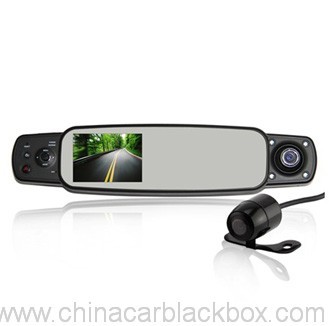



Melissa –
Good dash cam.