
- Cur síos
- Léirmheasanna(1)
- Q&A
- CCanna
- Eolas DVR
- OEM/ODM
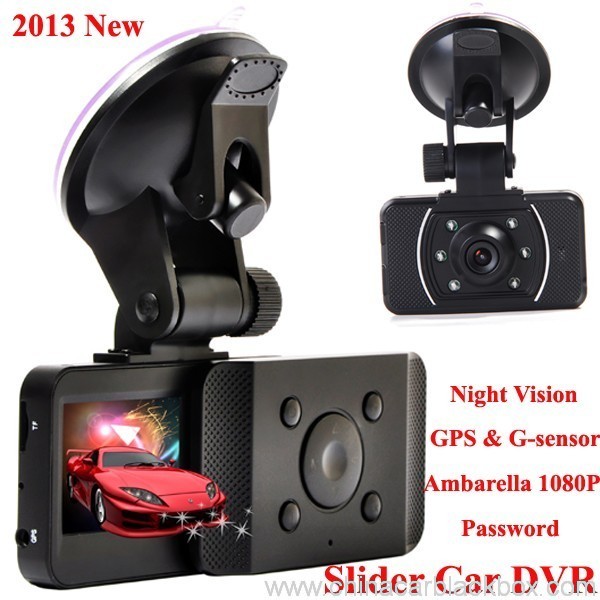
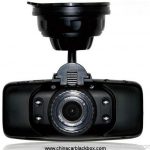
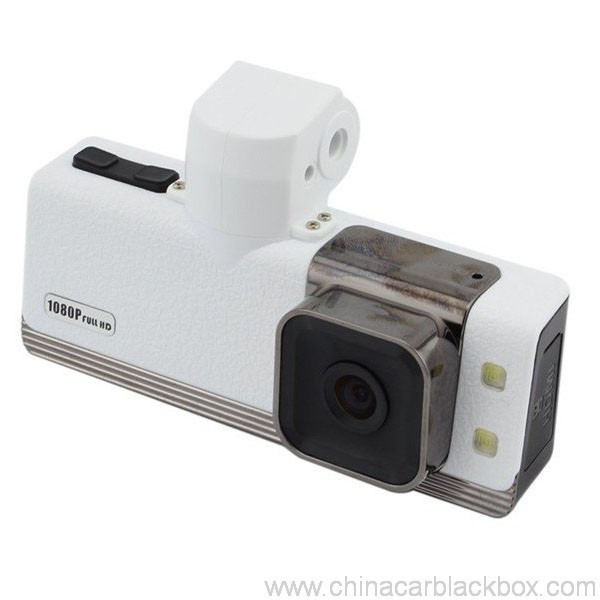
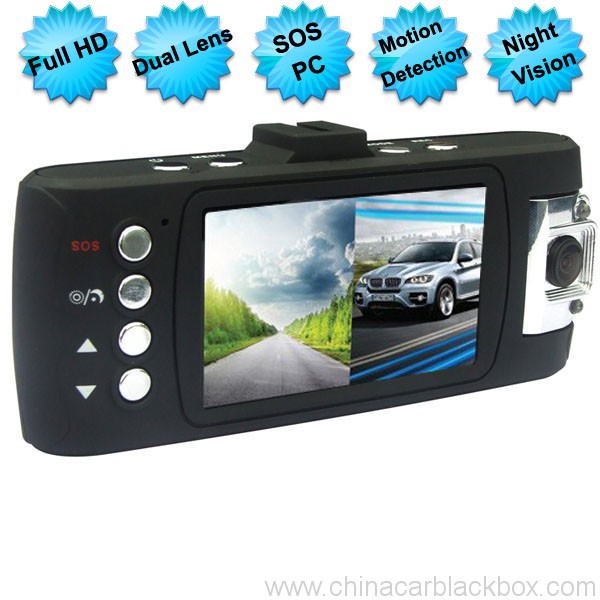
Feature:
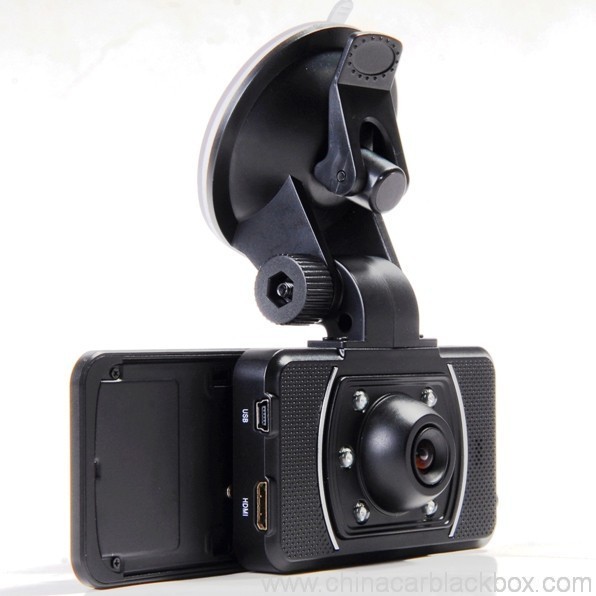
– HDMI high-definition video output
– 2.0″ TFT LCD
– 1920×1080@30fps /1440×1080@30fps /1280×720@30fps;
– GPS Tracker & G-Sensor
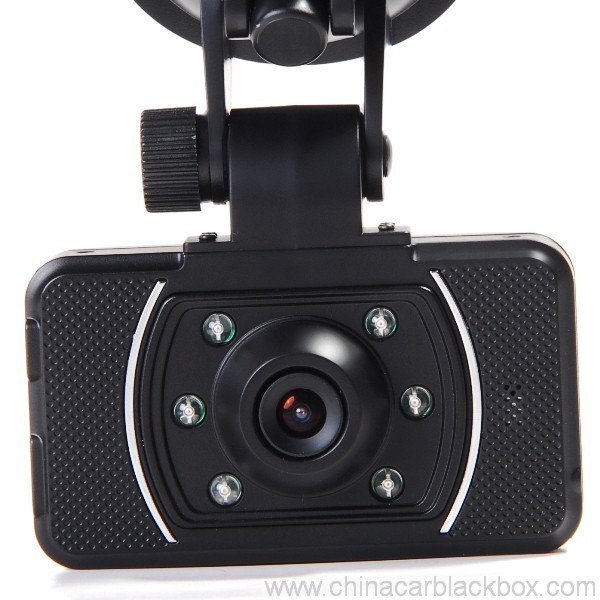
– High-definition wide angle camera, about 120~130 degree
– Video specs: H.264 (MOV)
– Cyclic Recording
– Date Sample: ON/OFF
– Delay Off
– built with microphone (speaker)
– Show Speed on video
– Supports high-capacity TF card
– Password: * * * * * *
Sonraíocht:
Circulating video: Off /1 nóiméad /2 minutes /4 minutes
Mobile detection: High / medium / low / off
Automatically record video once there is power supply: On /Off
Startup delay: Off /5 seconds /15 seconds /30 seconds
Sound recording: On / Off
Television system: NTSC/PAL
Automatic shutdown time: Off /60 seconds /120 seconds /300 seconds
Format: Tá / no
Time setting: 2012.01.01 12:00
Time stamp: On / off
Automatically turn off LCD time: Off /30 seconds /60 seconds /120 seconds
Exit setup: Tá / no
Light frequency: 50HZ/60HZ
Acceleration sensor settings: 1/2/3/4/5/6/7/ no
| Screen size | 2.0 TFT LCD(4:3) DVR gluaisteán |
| Lens | MI5100 |
| Language | Chinese simplified/traditional Chinese /German/French/Russian/ Italian/ Spanish/Portuguese/Dutch/English |
| Video | 1920х1080@30fps/1440х1080@30fps/1280х720@30fps |
| Video format | MOV |
| Photo resolution | 16M |
| Photo format | JPG |
| Storage unit | Micro SD |
| MIC | Built in |
| Photos mode | Single photo |
| Light source frequency | 50Hz/60Hz |
| Television output | NTSC/PAL |
| USB | USB2.0 |
| Power interface | 5V 1500MA |
| System requirements | Windows 2000/XP/Vista/Windows 7,MAC OS x 10.3.6 and up |
1, Go to the password setting option,press key choose the digital, press OK key confirmation.
input initial code “0 0 0 0 0 0 ” to enter the password setup menu, now there are three options: enable/disable/reset password.
2, Reset password: input same password twice, otherwise reset password will fail.
Connect TV to watch the video and photos
Use the HDMI cable to connect device and television, turn on television to play the recorded videos and photos.
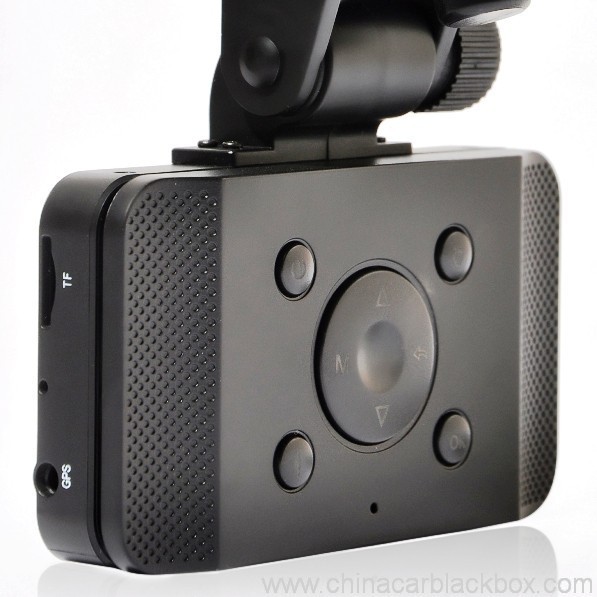
The device has a variety of shortcut operations:
1, In standby mode, press “Down “, turn on/off Mic
2, In standby mode, long press “Voice / One button copy” button, turn off the sound.
3, In any mode, press the “Menu” can return to a the standby mode of recording video
4, In any state, close the slide to turn off the screen.
5. In standby mode, press ” Voice / One button copy ” to copy.
6, In video playback state, long press ” Mode / Return / Lock ” key to protect or unprotect.
7, In the standby of recording video or photographing, short press “Infrared / Delete” for the operations of infrared lamp.
Note:
1. Can use Mode button to switch between video and photo mode.
2. When the battery power is low, the device will automatically turn off the flash function.
Special function set
Password setting:
1. Can set password for the machine, the initial password is: 0 0 0 0 0 0 (six zeros)
2. After inputting initial password, can enable, disable or reset password.
3. You can set your password digit as you like.
Specific operation:
1, Go to the password setting option,press key choose the digital, press OK key confirmation.
input initial code “0 0 0 0 0 0 ” to enter the password setup menu, now there are three options: enable/disable/reset password.
2, Reset password: input same password twice, otherwise reset password will fail.
Browse mode
1. Turn on the device, automatically entering video mode. Press Mode button twice to enter video browse mode, press Mode button again to enter photographing browse mode, video and pictures will be shown on the screen.
2. Press UP or DOWN button to select the videos or pictures you want and press OK to watch.
Note: if enabled password, press Mode button twice to go to password interface and input password.
Delete files: in the process of browsing, press ‘ infrared / delete ‘ button to show Delete menu, select ” Tá” to delete single unprotected files and select the “all ” delete all unprotected video files.
Set language and voice prompt
Open the equipment, automatic into video standby mode, the short by mode button to enter the menu, into the language setting options, language Settings. Voice prompt according to set language broadcast tips
Date and time
To set the current time and date, in the standby mode, press the MENU button, and then use the up and down arrow keys to enter settings page. Set the date and time then press OK to confirm.
Time setting: 2012.01.01 12:00
Acceleration sensor settings
The acceleration sensor has a total of 8 options: 1/2/3/4/5/6/7/ NO
From 1 to 7, sensitivity is more and more high, choose NO to close sensor
Press one button to copy
In the video the standby mode, press “Voice /One button copy ” button to enter one button copy, at this time, the machine starts copying the last file from memory card to its memory.
Save files to computer
This device supports connecting USB cable to computer, after connecting to computer, there will be a dialog box pop up, select “USB connection ” to copy files from the memory card to your computer, or use the player in computer to play.
Note: if you set a password, select “USB connection ” then a password dialog box will bounce out, and connect to computer by inputting password, entering U disk mode.
Simple troubleshooting:
If a fault occurs, try to use the following method to exclude. If you cannot handle it, please contact customer service and repair department.
Not able to record video normally.
– replace SD / MMC card
– change the resolution and frames per second.
– change memory card with greater capacity.
– To ensure that the card is correctly installed (in the installation process, a click can be heard).
– Remove unnecessary files to free the space of memory card.
No GPS signal
– To ensure that the GPS antenna is inserted to the device
– To ensure that the signal is strong
Not able to connect HDMI line to TV
– To ensure that the connections between the HDMI cables ends and the devices as well as television are correct. Or replace the HDMI line to try.
Video or picture is not clear
– To ensure that the camera lens is clean.
– wipe the dust and dirt on the lens.
Device is working properly, but the button does not work
Press the reset button to initialize machine -.
In general please cautiously reset initialization because this operation may cause data loss.
Cén fáth a roghnú linn?
1. Rinneadh Seiceáil Cáilíochta docht ar na táirgí go léir sa teach sula ndéantar iad a phacáil.2. Is monarcha déantúsaíochta CAR DVR le haghaidh 5 blianta le caighdeán maith agus seirbhís iontach.
3. Is soláthraí OEM muid do go leor branda Car DVR cáiliúil.
4. 100% Cigireacht QC roimh an loingsiú, 12 tástáil ag dul in aois uaireanta do gach táirge aonad.
5. Soláthraímid dearaí saincheaptha saor in aisce de réir do riachtanas.
6. Is féidir linn do mhúnla féin a oscailt más gá duit.
7. 12 mhí bharántas cáilíochta.
Samplaí & Loingseoireacht
1. Seachadfar ordú samplach agus mion laistigh 2-3 laethanta oibre tar éis íocaíocht a fháil agus sonraí an ordaithe a dhearbhú.2. Tá na táirgí go léir pacáilte go maith roimh an loingseoireacht,is féidir linn na hearraí a sheoladh d'aer,UPS,DHL,FEDEX,EMS,TNT srl.
3.Le haghaidh ordú os cionn 500pcs nó ordú saincheaptha, beidh an t-am luaidhe 4-6 seachtaine tar éis an íocaíocht a fháil. Téigh i dteagmháil lenár ndíolachán le do thoil chun an fardal reatha a chinntiú.

Free Enquiry for Slide Car DVR 1080P 30FPS HD Camera GPS G-Sensor Password
1 review for Slide Car DVR 1080P 30FPS HD Camera GPS G-Sensor Password
Add a review

Roinnt ceist a chuirtear go minic ar China Car DVR
C. Cad é an bharántas don DVR CAR?
A. Le haghaidh an DVR car, againn 12 mhí bharántas.C. Cad é an bealach íocaíochta ?
A. T/T . PAYPAL , Aontas Iarthar , L/C go léir ar fáil. aon fhadhb ar a shon .C. Cad mar gheall ar an gcaighdeán ?
A. 100% Cigireacht QC roimh an loingsiú, 24 tástáil ag dul in aois uaireanta do gach táirge aonad inár seomra tástála . má aimsigh aon fhadhb cáilíochta . Gheall Hengye ceann nua a athsholáthar dár gcustaiméir.C. Cé chomh fada a thógfaidh sé chun m'ordú a sheoladh?
A. Chomh fada agus atá an stoc ar fáil, míreanna long laistigh 3 laethanta oibre le haghaidh sampla agus 7-15 laethanta oibre le haghaidh ordú foirmiúil a luaithe a fuaireamar an deimhniú don ordú nua.C. Cé a íocfaidh an lasta as earra a dheisiú?
A. Roinnfidh an dá pháirtí leath an lasta. Tógfaidh an ceannaitheoir an lasta chun é a sheoladh ar ais chuig GHY, agus glacfaidh GHY leis an eagla é a chur ar ais chuig an gceannaitheoir. Molann GHY é a sheoladh ar ais mar aon leis an gcéad mhír olltáirgeadh eile.C. Cé mhéad a chosnaíonn an loingseoireachta?
A. Braitheann sé ar chainníocht an mhaith, an modh loingseoireachta agus an ceann scríbe. Seolfaimid na hearraí laistigh 3-5 laethanta gnó tar éis an íocaíocht iomlán a bheith deimhnithe. Mura bhfuil an íocaíocht ar fáil, dúnfar d'ordú go huathoibríoch. De ghnáth bíonn DHL/UPS/FedEx Express thart 3-5 laethanta oibre go dtí an ceann scríbe. Agus tá sé faoi 5-8 laethanta oibre ag EMS nó TNT.C: An bhfuil aon seirbhís Tar éis Díolacháin agat?
A:Tá! Tá seirbhís iar-díolacháin ghairmiúil againnC. Conas a ordú?
Má tá aon fhadhb theicniúil nó ceisteanna agat leis na hearraí, fáilte romhat teagmháil a dhéanamh lenár Roinn Tacaíochta Teicniúla. nó ár ndíolachán go díreach.
1. Seol ríomhphost chugainn leis an múnla, stíl agus cainníocht bhíoma nó cuir fiosrúchán chugainn ar https://www.chinacarblackbox.com/ , faisnéis choinsíní, bealach loingseoireachta agus téarmaí íocaíochta.C. Cad é do Thuairisceán agus do bharántas?
↓
2. Sonrasc déanta agus seolta chugat.
↓
3. Críochnaigh Íocaíocht tar éis an PI a dheimhniú.
↓
4. Deimhnigh Íocaíocht agus socraigh an táirgeadh.
↓
5. Seol earraí isteach 2-15 laethanta(de réir an stádais stórála).
↓
6. Seol an uimhir rianaithe(ag aer) nó B/L(cois farraige).
↓
7. Earraí seachadta, fáilte roimh ath-orduithe!
1.Déantar iniúchadh ar na hearraí go léir roimh an loingsiú, mar sin mura bhfuil tú sásta leis an gceannach, is féidir leat na míreanna a mhalartú i gceann seachtaine agus ní mór duit teagmháil a dhéanamh linn le 24 uair an chloig tar éis do cheannachán a fháil.
2.Níl an muirear loingseoireachta agus láimhseála inaisíoctha agus ba cheart go mbeadh an custaiméir freagrach as na táillí go léir a bhaineann le filleadh agus athsheoladh.
3.Ní mór do gach earra fillte a bheith ina bhunchoinníollacha, bosca agus gabhálais san áireamh. Ní ráthaítear lochtanna déanta ag fir, mar shampla briste, scríobtha agus mar sin de.
4.Le haghaidh aon earraí seol le EMS nó le do phost áitiúil nuair a sheoltar ar ais iad.
5. Clásal ráthaíochta
a.Laistigh 7 laethanta ceannaigh, má tá fadhb éigin ag Car DVR, ba cheart dúinn é a athrú duitse, ach ní mór duit an pacáil agus an Car DVR a choinneáil foirfe.
b.Warranty ar feadh bliana amháin tar éis díol, bharántas ceallraí ar feadh trí mhí.
Níl seirbhís c.Warranty éifeachtach ach amháin i ngnáthúsáid.
d.Gach an damáiste (Damáiste dromchla, stríoc as greamán, úsáid mhíchuí) nó caillfidh tú an cárta seo, ní féidir linn seirbhís bharántas.
Eolas ba chóir duit a bheith ar an eolas faoi Car DVR
Más rud é nuair a bhíonn an ceamara in úsáid agat, cuntas a thabhairt ar roinnt fadhb beag, le do thoil a oibriú mar seo a leanas a thabhairt isteach ar dtús.
1)Ní féidir gnáth-thaifeadadh físeáin- athraigh an cárta TF
- an rún a athrú, frámaí in aghaidh an tsoicind.
- cuir isteach an cárta cuimhne cumas níos mó.
- déan cinnte go bhfuil an cárta suiteáilte i gceart (le linn an phróisis suiteála, ba cheart duit fuaim chliceáil a chloisteáil).
- scrios comhaid neamhriachtanach ón gcárta cuimhne chun spás a scaoileadh.
2)Níl an físeán soiléir
- a chinntiú go bhfuil an lionsa ceamara tá glan.
- wipe as an deannach agus salachar ar an lionsa, agus ansin shoot.
3)Trealamh chun oibriú de ghnáth, ach ní oibríonn an eochair
- brúigh an cnaipe athshocraithe chun an meaisín a thosú.
C: Conas é a thosú?
A: Tá 3 bealaí:C: Cén cineál tiomána is fearr a fheileann an ceamara daise?
Tosóidh sé a thaifeadadh go huathoibríoch, nuair a thosaíonn do charr agus ní gá aon rud a dhéanamh de láimh. (Roimhe sin, bí cinnte go bhfuil an cárta TF istigh ann agus go bhfuil an charger carr ceangailte go maith.)
Mura bhfuil ceallraí taobh istigh folamh, ní mór duit ach an cnaipe cumhachta a bhrú.
Ceangail é le cábla USB le breiseán charger nó banc cumhachta. (5V 1A le port USB)
A: Gach tiomáint ó chomaitéireacht ghearr, chuig turais ghnó agus laethanta saoire. Taifeadann an DVR carr go léir.C: Cén fáth nach féidir le mo charr dvr taifeadadh a dhéanamh?
Má éilíonn do phost go bhfuil tú ag tiomáint, ba cheart go mbeadh DVR cam iniompartha agat i do sheilbh. Frankly, Teastaíonn an chosaint finné súl a thugann carr DVR do gach duine a thiomáineann.
A : Pls seiceáil ar do cárta cuimhne ar dtús, má tá físeán nó pictiúr gléas dvr eile ag an gcárta istigh cheana féin, ní féidir le gléas dvr do charr é a léamh, ba cheart duit do chárta TF a fhormáidiú ar dtús, úsáid níos fearr a bhaint as cárta TF folamh isteach i do ghléas dvr nuair a úsáideann tú den chéad uair.
C : Cén fáth go múchtar mo thaispeántas dvr go huathoibríoch agus tú ag tiomáint ?
A : De ghnáth beidh an gléas dvr ar stádas fuireachais mura ndearna tú aon oibríocht air níos mó ná 1 nóiméad, ach coinníonn sé ar thaifeadadh freisin.
C: Cad a chiallaíonn sé nuair a bhíonn ceamara Fleasc ag lúbadh nó ag lúbadh?
A: Is gné thábhachtach é lúb nó lúbadh a ligeann don charr DVR físeáin a thaifeadadh go leanúnach (uair tar éis uair an chloig) chuig an gcárta cuimhne céanna. Mar a thaifeadann an ceamara sa socrú “lúb” nó “timthriall”., tá sé ag cruthú comhaid físe nó codanna i 2, 5 nó 10 faid nóiméad. Déantar na comhaid seo a thaifeadadh agus a shábháil i ndiaidh a chéile (ceann i ndiaidh a chéile) chuig an gcárta cuimhne. Nuair a líonann ceamara cárta cuimhne (le go leor comhaid), scriosfaidh sé an deighleog físeáin is luaithe / comhad agus sábháil an comhad físe is déanaí. Déanann an ceamara é seo go huathoibríoch, nuair a bhíonn an ghné Lúb ar siúl.
Ceamara OEM / ODM Seirbhíse
Is féidir linn Ceamara OEM / ODM a dhéanamh duitse le lógó saincheaptha,lipéad,lámhleabhar,bosca pacála nó tithíocht.
1. Lógó
- Cuir do lógó ardtaifigh féin ar fáil dúinn i bhformáid AI nó cdr;
- Is é an MOQ priontála lógó ná 100 ríomhaire
- Baineann an costas priontála leis na dathanna ,de ghnáth níor cheart go mbeadh aon éifeacht grádán sa lógó
2. Lipéad
- Tabhair dúinn d'uimhreacha samhail féin agus do riachtanais choibhneasta.
3. Lámhleabhar
- Tabhair dúinn an comhad dearadh láimhe críochnaithe is féidir a phriontáil go díreach,tá teanga ar bith ceart go leor , is féidir linn priontáil láimhe iltheanga a sholáthar freisin.
4. Bosca Pacála
- Tabharfaimid an demension agus an comhad dearaidh duit;
- Dear do stíl féin bunaithe ar an gcomhad seo le do thoil agus seol ar ais chugainn é;
- Seolfaimid bosca pacála chugat le do dheimhniú roimh tháirgeadh ;
5. Tithíocht
- Más mian leat do chás dearadh dvr carr féin a dhéanamh ,le do thoil a thairiscint dúinn an comhad dearadh tithíochta , osclóidh muid an múnla agus cuirfimid sampla ar fáil duit ar dtús.






Melissa –
Good dash cam.