
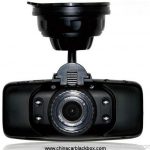
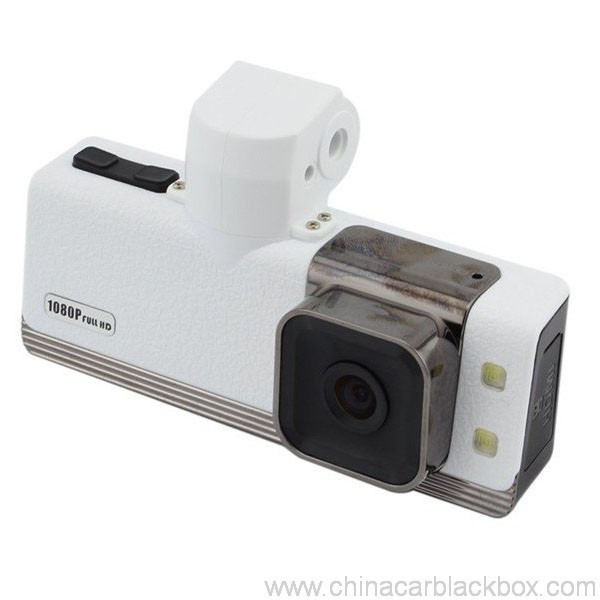
- ವಿವರಣೆ
- ವಿಮರ್ಶೆಗಳು(1)
- ಪ್ರಶ್ನೋತ್ತರ
- FAQ
- ಡಿವಿಆರ್ ಜ್ಞಾನ
- OEM/ODM
Feature:
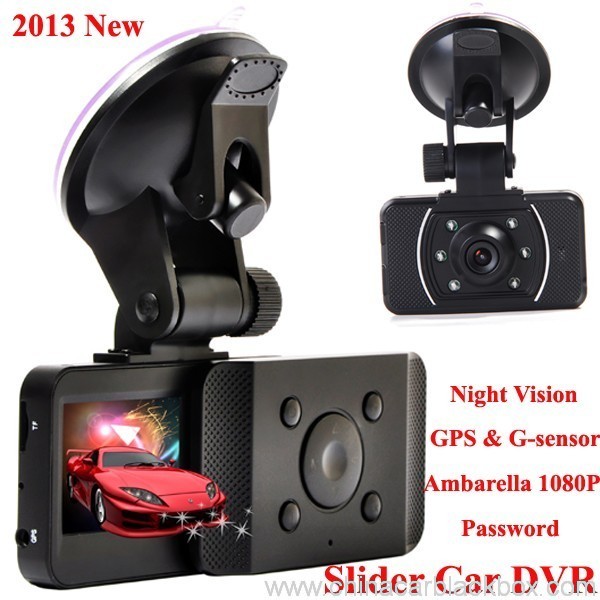
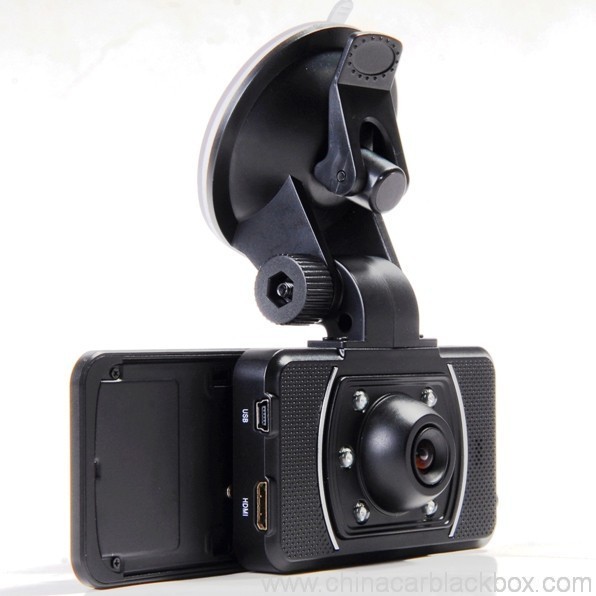
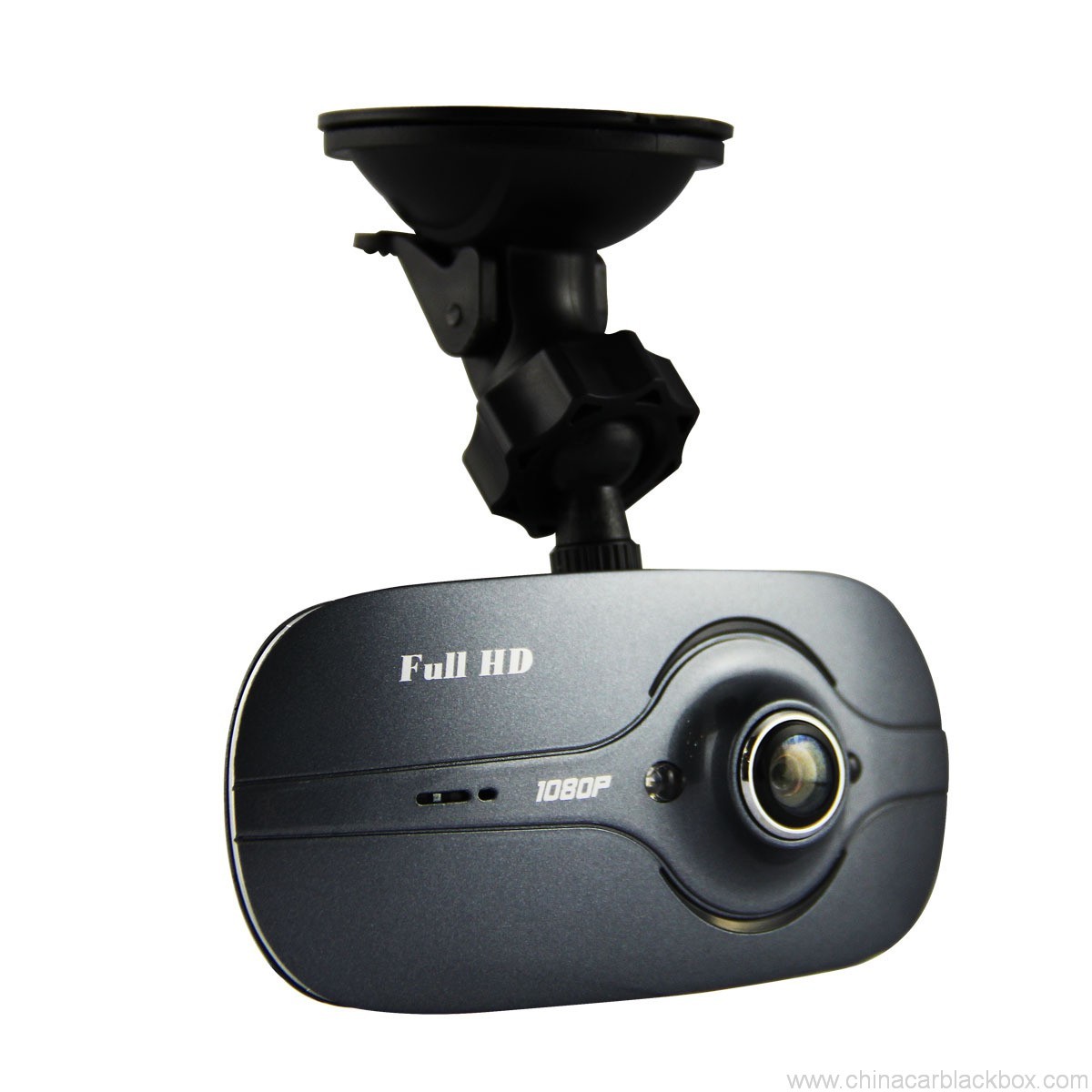
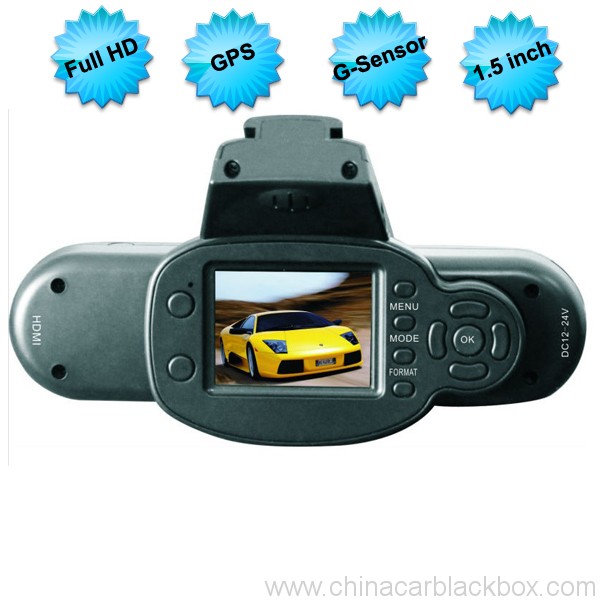
– HDMI high-definition video output
– 2.0″ TFT LCD
– 1920×1080@30fps /1440×1080@30fps /1280×720@30fps;
– GPS Tracker & G-Sensor
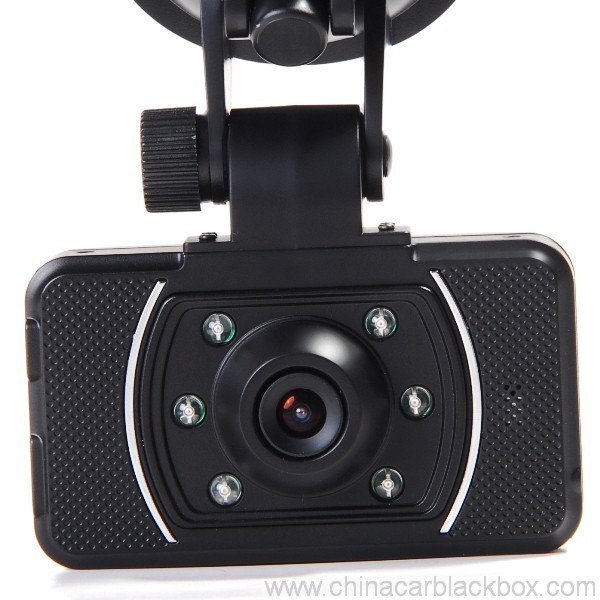
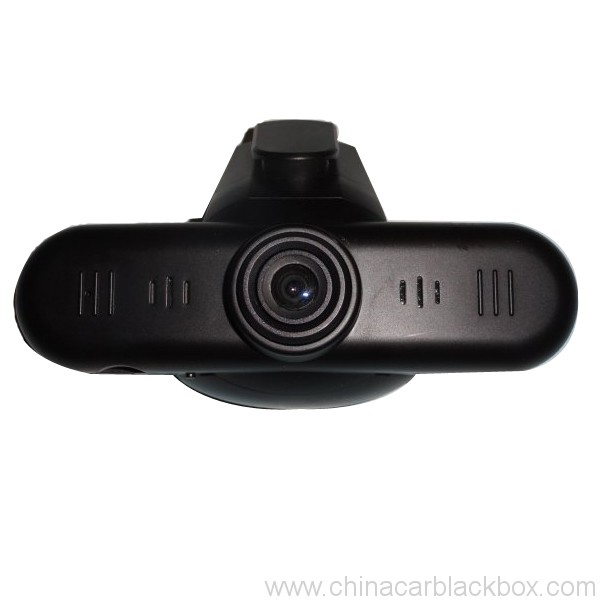
– High-definition wide angle camera, about 120~130 degree
– Video specs: H.264 (MOV)
– Cyclic Recording
– Date Sample: ON/OFF
– Delay Off
– built with microphone (speaker)
– Show Speed on video
– Supports high-capacity TF card
– Password: * * * * * *
Specification:
Circulating video: Off /1 ನಿಮಿಷ /2 minutes /4 minutes
Mobile detection: High / medium / low / off
Automatically record video once there is power supply: On /Off
Startup delay: Off /5 seconds /15 seconds /30 seconds
Sound recording: On / Off
Television system: NTSC/PAL
Automatic shutdown time: Off /60 seconds /120 seconds /300 seconds
Format: ಹೌದು / no
Time setting: 2012.01.01 12:00
Time stamp: On / off
Automatically turn off LCD time: Off /30 seconds /60 seconds /120 seconds
Exit setup: ಹೌದು / no
Light frequency: 50HZ/60HZ
Acceleration sensor settings: 1/2/3/4/5/6/7/ no
| Screen size | 2.0 TFT LCD(4:3) ಕಾರ್ ಡಿವಿಆರ್ |
| Lens | MI5100 |
| ಭಾಷೆ | Chinese simplified/traditional Chinese /German/French/Russian/ Italian/ Spanish/Portuguese/Dutch/English |
| Video | 1920х1080@30fps/1440х1080@30fps/1280х720@30fps |
| Video format | MOV |
| Photo resolution | 16M |
| Photo format | JPG |
| Storage unit | Micro SD |
| MIC | Built in |
| Photos mode | Single photo |
| Light source frequency | 50Hz/60Hz |
| Television output | NTSC/PAL |
| USB | USB2.0 |
| Power interface | 5V 1500MA |
| System requirements | Windows 2000/XP/Vista/Windows 7,MAC OS x 10.3.6 and up |
1, Go to the password setting option,press key choose the digital, press OK key confirmation.
input initial code “0 0 0 0 0 0 ” to enter the password setup menu, now there are three options: enable/disable/reset password.
2, Reset password: input same password twice, otherwise reset password will fail.
Connect TV to watch the video and photos
Use the HDMI cable to connect device and television, turn on television to play the recorded videos and photos.
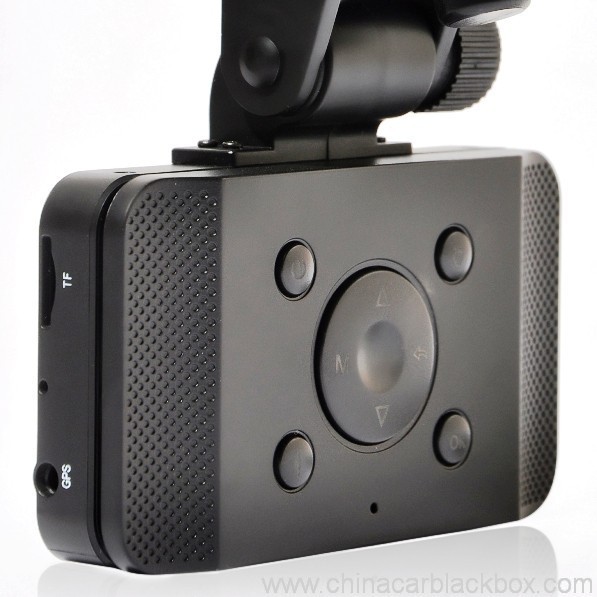
The device has a variety of shortcut operations:
1, In standby mode, press “Down “, turn on/off Mic
2, In standby mode, long press “Voice / One button copy” button, turn off the sound.
3, In any mode, press the “Menu” can return to a the standby mode of recording video
4, In any state, close the slide to turn off the screen.
5. In standby mode, press ” Voice / One button copy ” to copy.
6, In video playback state, long press ” Mode / Return / Lock ” key to protect or unprotect.
7, In the standby of recording video or photographing, short press “Infrared / Delete” for the operations of infrared lamp.
Note:
1. Can use Mode button to switch between video and photo mode.
2. When the battery power is low, the device will automatically turn off the flash function.
Special function set
Password setting:
1. Can set password for the machine, the initial password is: 0 0 0 0 0 0 (six zeros)
2. After inputting initial password, can enable, disable or reset password.
3. You can set your password digit as you like.
Specific operation:
1, Go to the password setting option,press key choose the digital, press OK key confirmation.
input initial code “0 0 0 0 0 0 ” to enter the password setup menu, now there are three options: enable/disable/reset password.
2, Reset password: input same password twice, otherwise reset password will fail.
Browse mode
1. Turn on the device, automatically entering video mode. Press Mode button twice to enter video browse mode, press Mode button again to enter photographing browse mode, video and pictures will be shown on the screen.
2. Press UP or DOWN button to select the videos or pictures you want and press OK to watch.
Note: if enabled password, press Mode button twice to go to password interface and input password.
Delete files: in the process of browsing, press ‘ infrared / delete ‘ button to show Delete menu, select ” ಹೌದು” to delete single unprotected files and select the “all ” delete all unprotected video files.
Set language and voice prompt
Open the equipment, automatic into video standby mode, the short by mode button to enter the menu, into the language setting options, language Settings. Voice prompt according to set language broadcast tips
ದಿನಾಂಕ ಮತ್ತು ಸಮಯ
To set the current time and date, in the standby mode, press the MENU button, and then use the up and down arrow keys to enter settings page. Set the date and time then press OK to confirm.
Time setting: 2012.01.01 12:00
Acceleration sensor settings
The acceleration sensor has a total of 8 options: 1/2/3/4/5/6/7/ NO
From 1 to 7, sensitivity is more and more high, choose NO to close sensor
Press one button to copy
In the video the standby mode, press “Voice /One button copy ” button to enter one button copy, at this time, the machine starts copying the last file from memory card to its memory.
Save files to computer
This device supports connecting USB cable to computer, after connecting to computer, there will be a dialog box pop up, select “USB connection ” to copy files from the memory card to your computer, or use the player in computer to play.
Note: if you set a password, select “USB connection ” then a password dialog box will bounce out, and connect to computer by inputting password, entering U disk mode.
Simple troubleshooting:
If a fault occurs, try to use the following method to exclude. If you cannot handle it, please contact customer service and repair department.
Not able to record video normally.
– replace SD / MMC card
– change the resolution and frames per second.
– change memory card with greater capacity.
– To ensure that the card is correctly installed (in the installation process, a click can be heard).
– Remove unnecessary files to free the space of memory card.
No GPS signal
– To ensure that the GPS antenna is inserted to the device
– To ensure that the signal is strong
Not able to connect HDMI line to TV
– To ensure that the connections between the HDMI cables ends and the devices as well as television are correct. Or replace the HDMI line to try.
Video or picture is not clear
– To ensure that the camera lens is clean.
– wipe the dust and dirt on the lens.
Device is working properly, but the button does not work
Press the reset button to initialize machine -.
In general please cautiously reset initialization because this operation may cause data loss.
ನಮ್ಮನ್ನು ಏಕೆ ಆರಿಸಬೇಕು?
1. ಎಲ್ಲಾ ಉತ್ಪನ್ನಗಳನ್ನು ಪ್ಯಾಕಿಂಗ್ ಮಾಡುವ ಮೊದಲು ಮನೆಯಲ್ಲಿ ಕಟ್ಟುನಿಟ್ಟಾಗಿ ಗುಣಮಟ್ಟವನ್ನು ಪರಿಶೀಲಿಸಲಾಗಿದೆ.2. ನಾವು CAR DVR ಅನ್ನು ತಯಾರಿಸುವ ಕಾರ್ಖಾನೆ 5 ಉತ್ತಮ ಗುಣಮಟ್ಟದ ಮತ್ತು ಸೂಪರ್ ಸೇವೆಯೊಂದಿಗೆ ವರ್ಷಗಳು.
3. ನಾವು ಅನೇಕ ಪ್ರಸಿದ್ಧ ಕಾರ್ DVR ಬ್ರ್ಯಾಂಡ್ಗೆ OEM ಪೂರೈಕೆದಾರರಾಗಿದ್ದೇವೆ.
4. 100% ಸಾಗಣೆಯ ಮೊದಲು QC ತಪಾಸಣೆ, 12 ಪ್ರತಿ ಘಟಕ ಉತ್ಪನ್ನಕ್ಕೆ ಗಂಟೆಗಳ ವಯಸ್ಸಾದ ಪರೀಕ್ಷೆ.
5. ನಿಮ್ಮ ಅವಶ್ಯಕತೆಗಳಿಗೆ ಅನುಗುಣವಾಗಿ ನಾವು ಉಚಿತ ಕಸ್ಟಮೈಸ್ ಮಾಡಿದ ವಿನ್ಯಾಸಗಳನ್ನು ಒದಗಿಸುತ್ತೇವೆ.
6. ನಿಮಗೆ ಅಗತ್ಯವಿದ್ದರೆ ನಾವು ನಿಮ್ಮ ಸ್ವಂತ ಅಚ್ಚನ್ನು ತೆರೆಯಬಹುದು.
7. 12 ತಿಂಗಳ ಗುಣಮಟ್ಟದ ಖಾತರಿ.
ಮಾದರಿಗಳು ಮತ್ತು ಶಿಪ್ಪಿಂಗ್
1. ಮಾದರಿ ಮತ್ತು ಮಿನಿ ಆದೇಶವನ್ನು ಒಳಗೆ ತಲುಪಿಸಲಾಗುತ್ತದೆ 2-3 ಪಾವತಿಯ ರಸೀದಿ ಮತ್ತು ಆದೇಶದ ವಿವರಗಳನ್ನು ದೃಢೀಕರಿಸಿದ ನಂತರ ಕೆಲಸದ ದಿನಗಳು.2. ಎಲ್ಲಾ ಉತ್ಪನ್ನಗಳನ್ನು ಸಾಗಿಸುವ ಮೊದಲು ಚೆನ್ನಾಗಿ ಪ್ಯಾಕ್ ಮಾಡಲಾಗಿದೆ,ನಾವು ವಿಮಾನದ ಮೂಲಕ ಸರಕುಗಳನ್ನು ಕಳುಹಿಸಬಹುದು,ಯುಪಿಎಸ್,DHL,ಫೆಡೆಕ್ಸ್,ಇಎಮ್ಎಸ್,TNT ಇತ್ಯಾದಿ.
3.500pcs ಅಥವಾ ಕಸ್ಟಮೈಸ್ ಮಾಡಿದ ಆರ್ಡರ್ಗಾಗಿ, ಪಾವತಿಯ ರಸೀದಿಯ ನಂತರ 4-6 ವಾರಗಳು ಮುನ್ನಡೆಯ ಸಮಯವಾಗಿರುತ್ತದೆ. ಪ್ರಸ್ತುತ ದಾಸ್ತಾನು ಖಚಿತಪಡಿಸಿಕೊಳ್ಳಲು ದಯವಿಟ್ಟು ನಮ್ಮ ಮಾರಾಟವನ್ನು ಸಂಪರ್ಕಿಸಿ.

Free Enquiry for Slide Car DVR 1080P 30FPS HD Camera GPS G-Sensor Password
1 ಫಾರ್ ವಿಮರ್ಶೆ Slide Car DVR 1080P 30FPS HD Camera GPS G-Sensor Password
ವಿಮರ್ಶೆಯನ್ನು ಸೇರಿಸಿ

ಚೈನಾ ಕಾರ್ ಡಿವಿಆರ್ಗಾಗಿ ಪದೇ ಪದೇ ಕೇಳಲಾಗುವ ಕೆಲವು ಪ್ರಶ್ನೆಗಳು
ಪ್ರ. CAR DVR ಗಾಗಿ ವಾರಂಟಿ ಏನು?
ಎ. CAR DVR ಗಾಗಿ, ನಾವು ಹೊಂದಿದ್ದೇವೆ 12 ತಿಂಗಳ ಖಾತರಿ.ಪ್ರ. ಪಾವತಿ ವಿಧಾನ ಯಾವುದು ?
ಎ. ಟಿ/ಟಿ . ಪೇಪಾಲ್ , ವೆಸ್ಟರ್ನ್ ಯೂನಿಯನ್ , ಎಲ್/ಸಿ ಎಲ್ಲಾ ಲಭ್ಯವಿದೆ. ಅದಕ್ಕೆ ಯಾವುದೇ ತೊಂದರೆ ಇಲ್ಲ .ಪ್ರ. ಗುಣಮಟ್ಟದ ಬಗ್ಗೆ ಹೇಗೆ ?
ಎ. 100% ಸಾಗಣೆಯ ಮೊದಲು QC ತಪಾಸಣೆ, 24 ನಮ್ಮ ಪರೀಕ್ಷಾ ಕೊಠಡಿಯಲ್ಲಿ ಪ್ರತಿ ಘಟಕ ಉತ್ಪನ್ನಕ್ಕೆ ಗಂಟೆಗಳ ವಯಸ್ಸಾದ ಪರೀಕ್ಷೆ . ಯಾವುದೇ ಗುಣಮಟ್ಟದ ಸಮಸ್ಯೆ ಕಂಡುಬಂದಲ್ಲಿ . Hengye ನಮ್ಮ ಗ್ರಾಹಕರಿಗೆ ಹೊಸದನ್ನು ಬದಲಾಯಿಸುವ ಭರವಸೆ ನೀಡಿದರು.ಪ್ರ. ನನ್ನ ಆರ್ಡರ್ ಅನ್ನು ರವಾನಿಸಲು ಎಷ್ಟು ಸಮಯ ತೆಗೆದುಕೊಳ್ಳುತ್ತದೆ?
ಎ. ಸ್ಟಾಕ್ ಇರುವವರೆಗೆ, ಒಳಗೆ ವಸ್ತುಗಳನ್ನು ರವಾನಿಸುತ್ತದೆ 3 ಮಾದರಿಗಾಗಿ ಕೆಲಸದ ದಿನಗಳು ಮತ್ತು 7-15 ಹೊಸ ಆದೇಶಕ್ಕಾಗಿ ನಾವು ದೃಢೀಕರಣವನ್ನು ಸ್ವೀಕರಿಸಿದ ನಂತರ ಔಪಚಾರಿಕ ಆದೇಶಕ್ಕಾಗಿ ಕೆಲಸದ ದಿನಗಳು.ಪ್ರ. ವಸ್ತುವನ್ನು ದುರಸ್ತಿ ಮಾಡಲು ಯಾರು ಸರಕುಗಳನ್ನು ಪಾವತಿಸುತ್ತಾರೆ?
ಎ. ಎರಡೂ ಪಕ್ಷಗಳು ಅರ್ಧದಷ್ಟು ಸರಕುಗಳನ್ನು ಹಂಚಿಕೊಳ್ಳುತ್ತವೆ. ಖರೀದಿದಾರನು ಅದನ್ನು GHY ಗೆ ಮರಳಿ ಕಳುಹಿಸುವ ಸರಕು ಸಾಗಣೆಯನ್ನು ತೆಗೆದುಕೊಳ್ಳುತ್ತಾನೆ, ಮತ್ತು GHY ಅದನ್ನು ಖರೀದಿದಾರರಿಗೆ ಹಿಂತಿರುಗಿಸುವ ಭಯವನ್ನು ತೆಗೆದುಕೊಳ್ಳುತ್ತದೆ. GHYಮುಂದಿನ ಸಾಮೂಹಿಕ ಉತ್ಪಾದನೆಯ ಐಟಂನೊಂದಿಗೆ ಅದನ್ನು ಹಿಂದಕ್ಕೆ ಕಳುಹಿಸಲು ಸೂಚಿಸುತ್ತದೆ.ಪ್ರ. ಶಿಪ್ಪಿಂಗ್ ವೆಚ್ಚ ಎಷ್ಟು?
ಎ. ಇದು ಉತ್ತಮ ಪ್ರಮಾಣವನ್ನು ಅವಲಂಬಿಸಿರುತ್ತದೆ, ಶಿಪ್ಪಿಂಗ್ ವಿಧಾನ ಮತ್ತು ಗಮ್ಯಸ್ಥಾನ. ನಾವು ಒಳಗೆ ಸರಕುಗಳನ್ನು ಕಳುಹಿಸುತ್ತೇವೆ 3-5 ಪೂರ್ಣ ಪಾವತಿಯನ್ನು ದೃಢೀಕರಿಸಿದ ನಂತರ ವ್ಯವಹಾರದ ದಿನಗಳಲ್ಲಿ. ಪಾವತಿ ಲಭ್ಯವಿಲ್ಲದಿದ್ದರೆ, ನಿಮ್ಮ ಆದೇಶವನ್ನು ಸ್ವಯಂಚಾಲಿತವಾಗಿ ಮುಚ್ಚಲಾಗುತ್ತದೆ. DHL/UPS/FedEx ಎಕ್ಸ್ಪ್ರೆಸ್ ಸಾಮಾನ್ಯವಾಗಿ ತೆಗೆದುಕೊಳ್ಳುತ್ತದೆ 3-5 ಗಮ್ಯಸ್ಥಾನಕ್ಕೆ ಕೆಲಸದ ದಿನಗಳು. ಮತ್ತು ಇದು ಸುಮಾರು 5-8 EMS ಅಥವಾ TNT ಮೂಲಕ ಕೆಲಸದ ದಿನಗಳು.ಪ್ರ: ನೀವು ಯಾವುದೇ ಮಾರಾಟದ ನಂತರದ ಸೇವೆಯನ್ನು ಹೊಂದಿದ್ದೀರಾ?
ಎ:ಹೌದು! ನಾವು ವೃತ್ತಿಪರ ಮಾರಾಟದ ನಂತರದ ಸೇವೆಯನ್ನು ಹೊಂದಿದ್ದೇವೆಪ್ರ. ಆದೇಶವನ್ನು ಹೇಗೆ ಮಾಡುವುದು?
ನೀವು ಯಾವುದೇ ತಾಂತ್ರಿಕ ಸಮಸ್ಯೆ ಅಥವಾ ಸರಕುಗಳೊಂದಿಗೆ ಪ್ರಶ್ನೆಗಳನ್ನು ಹೊಂದಿದ್ದರೆ, ನಮ್ಮ ತಾಂತ್ರಿಕ ಬೆಂಬಲ ವಿಭಾಗವನ್ನು ಸಂಪರ್ಕಿಸಲು ಸ್ವಾಗತ. ಅಥವಾ ನಮ್ಮ ಮಾರಾಟ ನೇರವಾಗಿ.
1. ಮಾದರಿಯನ್ನು ನಮಗೆ ಇಮೇಲ್ ಮಾಡಿ, ಕಿರಣದ ಶೈಲಿ ಮತ್ತು ಪ್ರಮಾಣ ಅಥವಾ https ನಲ್ಲಿ ನಮಗೆ ವಿಚಾರಣೆ ಕಳುಹಿಸಿ://www.chinacarblackbox.com/ , ರವಾನೆದಾರರ ಮಾಹಿತಿ, ಶಿಪ್ಪಿಂಗ್ ಮಾರ್ಗ ಮತ್ತು ಪಾವತಿ ನಿಯಮಗಳು.ಪ್ರ. ನಿಮ್ಮ ವಾಪಸಾತಿ ಮತ್ತು ಖಾತರಿ ಏನು?
↓
2. ಸರಕುಪಟ್ಟಿ ತಯಾರಿಸಿ ನಿಮಗೆ ಕಳುಹಿಸಲಾಗಿದೆ.
↓
3. PI ಅನ್ನು ದೃಢಪಡಿಸಿದ ನಂತರ ಪಾವತಿಯನ್ನು ಪೂರ್ಣಗೊಳಿಸಿ.
↓
4. ಪಾವತಿಯನ್ನು ದೃಢೀಕರಿಸಿ ಮತ್ತು ಉತ್ಪಾದನೆಯನ್ನು ವ್ಯವಸ್ಥೆಗೊಳಿಸಿ.
↓
5. ಸರಕುಗಳನ್ನು ಒಳಗೆ ಕಳುಹಿಸಿ 2-15 ದಿನಗಳು(ಶೇಖರಣಾ ಸ್ಥಿತಿಯ ಪ್ರಕಾರ).
↓
6. ಟ್ರ್ಯಾಕಿಂಗ್ ಸಂಖ್ಯೆಯನ್ನು ಕಳುಹಿಸಿ(ಗಾಳಿಯ ಮೂಲಕ) ಅಥವಾ ಬಿ/ಎಲ್(ಸಮುದ್ರದ ಮೂಲಕ).
↓
7. ಸರಕುಗಳನ್ನು ವಿತರಿಸಲಾಗಿದೆ, ಮರು-ಆದೇಶಗಳಿಗೆ ಸ್ವಾಗತ!
1.ಎಲ್ಲಾ ಸರಕುಗಳನ್ನು ಸಾಗಿಸುವ ಮೊದಲು ಪರಿಶೀಲಿಸಲಾಗುತ್ತದೆ, ಆದ್ದರಿಂದ ನೀವು ಖರೀದಿಯಲ್ಲಿ ತೃಪ್ತರಾಗದಿದ್ದರೆ, ನೀವು ಒಂದು ವಾರದಲ್ಲಿ ಐಟಂಗಳನ್ನು ವಿನಿಮಯ ಮಾಡಿಕೊಳ್ಳಬಹುದು ಮತ್ತು ನೀವು ನಮ್ಮನ್ನು ಸಂಪರ್ಕಿಸಬೇಕು 24 ನಿಮ್ಮ ಖರೀದಿಯ ರಶೀದಿಯ ಗಂಟೆಗಳು.
2.ಶಿಪ್ಪಿಂಗ್ ಮತ್ತು ನಿರ್ವಹಣಾ ಶುಲ್ಕವನ್ನು ಮರುಪಾವತಿಸಲಾಗುವುದಿಲ್ಲ ಮತ್ತು ಹಿಂತಿರುಗಿಸುವ ಮತ್ತು ಮರುಹಂಚಿಕೆ ಮಾಡುವ ಎಲ್ಲಾ ಶುಲ್ಕಗಳಿಗೆ ಗ್ರಾಹಕರು ಜವಾಬ್ದಾರರಾಗಿರಬೇಕು.
3.ಎಲ್ಲಾ ಹಿಂತಿರುಗಿಸುವ ಐಟಂಗಳು ಅದರ ಮೂಲ ಸ್ಥಿತಿಯಲ್ಲಿರಬೇಕು, ಬಾಕ್ಸ್ ಮತ್ತು ಬಿಡಿಭಾಗಗಳು ಸೇರಿದಂತೆ. ಪುರುಷರು ಮಾಡಿದ ದೋಷಗಳನ್ನು ಖಾತರಿಪಡಿಸಲಾಗುವುದಿಲ್ಲ, ಮುರಿದಂತಹವು, ಗೀಚಿದ ಮತ್ತು ಹೀಗೆ.
4.ಯಾವುದೇ ಐಟಂಗಳಿಗೆ ದಯವಿಟ್ಟು EMS ಅಥವಾ ನಿಮ್ಮ ಸ್ಥಳೀಯ ಪೋಸ್ಟ್ ಮೂಲಕ ಕಳುಹಿಸಿ.
5. ಖಾತರಿ ಷರತ್ತು
a.ಒಳಗೆ 7 ಖರೀದಿಯ ದಿನಗಳು, ಕಾರ್ DVR ನಲ್ಲಿ ಕೆಲವು ಸಮಸ್ಯೆ ಇದ್ದರೆ, ನಾವು ಅದನ್ನು ನಿಮಗಾಗಿ ಬದಲಾಯಿಸಬೇಕು, ಆದರೆ ನೀವು ಪ್ಯಾಕಿಂಗ್ ಮತ್ತು ಕಾರ್ ಡಿವಿಆರ್ ಅನ್ನು ಪರಿಪೂರ್ಣವಾಗಿ ಇಟ್ಟುಕೊಳ್ಳಬೇಕು.
b.ಮಾರಾಟದ ನಂತರ ಒಂದು ವರ್ಷಕ್ಕೆ ವಾರಂಟಿ, ಮೂರು ತಿಂಗಳವರೆಗೆ ಬ್ಯಾಟರಿ ಖಾತರಿ.
c.ವಾರೆಂಟಿ ಸೇವೆಯು ಸಾಮಾನ್ಯ ಬಳಕೆಯಲ್ಲಿ ಮಾತ್ರ ಪರಿಣಾಮಕಾರಿಯಾಗಿರುತ್ತದೆ.
d.ಎಲ್ಲಾ ಹಾನಿ (ಮೇಲ್ಮೈ ಹಾನಿ, ಸ್ಟಿಕ್ಕರ್ ಅನ್ನು ಹರಿದು ಹಾಕಿ, ಅನುಚಿತ ಬಳಕೆ) ಅಥವಾ ಈ ಕಾರ್ಡ್ ಅನ್ನು ಕಳೆದುಕೊಳ್ಳಿ, ನಾವು ಸೇವೆಯನ್ನು ಖಾತರಿಪಡಿಸಲು ಸಾಧ್ಯವಿಲ್ಲ.
ಕಾರ್ ಡಿವಿಆರ್ ಬಗ್ಗೆ ನೀವು ತಿಳಿದುಕೊಳ್ಳಬೇಕಾದ ಜ್ಞಾನ
ನೀವು ಕ್ಯಾಮರಾವನ್ನು ಬಳಸುವಾಗ, ಕೆಲವು ಸಣ್ಣ ಸಮಸ್ಯೆಯನ್ನು ಎದುರಿಸಿ, ದಯವಿಟ್ಟು ಮೊದಲು ಪರಿಚಯಿಸಿದಂತೆ ಕಾರ್ಯನಿರ್ವಹಿಸಿ.
1)ಸಾಮಾನ್ಯ ವೀಡಿಯೊ ರೆಕಾರ್ಡಿಂಗ್ ಸಾಧ್ಯವಿಲ್ಲ- TF ಕಾರ್ಡ್ ಅನ್ನು ಬದಲಾಯಿಸಿ
- ರೆಸಲ್ಯೂಶನ್ ಬದಲಾಯಿಸಿ, ಪ್ರತಿ ಸೆಕೆಂಡಿಗೆ ಚೌಕಟ್ಟುಗಳು.
- ದೊಡ್ಡ ಸಾಮರ್ಥ್ಯದ ಮೆಮೊರಿ ಕಾರ್ಡ್ ಅನ್ನು ಸೇರಿಸಿ.
- ಕಾರ್ಡ್ ಅನ್ನು ಸರಿಯಾಗಿ ಸ್ಥಾಪಿಸಲಾಗಿದೆ ಎಂದು ಖಚಿತಪಡಿಸಿಕೊಳ್ಳಿ (ಅನುಸ್ಥಾಪನಾ ಪ್ರಕ್ರಿಯೆಯಲ್ಲಿ, ನೀವು ಕ್ಲಿಕ್ ಮಾಡುವ ಶಬ್ದವನ್ನು ಕೇಳಬೇಕು).
- ಜಾಗವನ್ನು ಬಿಡುಗಡೆ ಮಾಡಲು ಮೆಮೊರಿ ಕಾರ್ಡ್ನಿಂದ ಅನಗತ್ಯ ಫೈಲ್ಗಳನ್ನು ಅಳಿಸಿ.
2)ವಿಡಿಯೋ ಸ್ಪಷ್ಟವಾಗಿಲ್ಲ
- ಎಂಬುದನ್ನು ಖಚಿತಪಡಿಸಿಕೊಳ್ಳಿ ಕ್ಯಾಮೆರಾ ಲೆನ್ಸ್ ಸ್ವಚ್ಛವಾಗಿದೆ.
- ಲೆನ್ಸ್ನಲ್ಲಿರುವ ಧೂಳು ಮತ್ತು ಕೊಳೆಯನ್ನು ಅಳಿಸಿಹಾಕು, ತದನಂತರ ಶೂಟ್.
3)ಸಾಮಾನ್ಯವಾಗಿ ಕೆಲಸ ಮಾಡಲು ಉಪಕರಣಗಳು, ಆದರೆ ಕೀ ಕೆಲಸ ಮಾಡುವುದಿಲ್ಲ
- ಯಂತ್ರವನ್ನು ಪ್ರಾರಂಭಿಸಲು ರೀಸೆಟ್ ಬಟನ್ ಒತ್ತಿರಿ.
ಪ್ರ: ಅದನ್ನು ಹೇಗೆ ಪ್ರಾರಂಭಿಸುವುದು?
ಎ: ಇವೆ 3 ಮಾರ್ಗಗಳು:ಪ್ರ: ಡ್ಯಾಶ್ ಕ್ಯಾಮ್ ಯಾವ ರೀತಿಯ ಚಾಲನೆಗೆ ಸೂಕ್ತವಾಗಿರುತ್ತದೆ?
ಇದು ಸ್ವಯಂಚಾಲಿತವಾಗಿ ರೆಕಾರ್ಡ್ ಮಾಡಲು ಪ್ರಾರಂಭವಾಗುತ್ತದೆ, ನಿಮ್ಮ ಕಾರು ಪ್ರಾರಂಭವಾದಾಗ ಮತ್ತು ಹಸ್ತಚಾಲಿತವಾಗಿ ಏನನ್ನೂ ಮಾಡುವ ಅಗತ್ಯವಿಲ್ಲ. (ಅದಕ್ಕೂ ಮುನ್ನ, TF ಕಾರ್ಡ್ ಅದರೊಳಗೆ ಇದೆ ಮತ್ತು ಕಾರ್ ಚಾರ್ಜರ್ ಚೆನ್ನಾಗಿ ಸಂಪರ್ಕಗೊಂಡಿದೆ ಎಂದು ಖಚಿತಪಡಿಸಿಕೊಳ್ಳಿ.)
ಒಳಗೆ ಬ್ಯಾಟರಿ ಖಾಲಿ ಇಲ್ಲದಿದ್ದರೆ, ನೀವು ಪವರ್ ಬಟನ್ ಅನ್ನು ಒತ್ತಬೇಕಾಗುತ್ತದೆ.
ಚಾರ್ಜರ್ ಪ್ಲಗ್ ಅಥವಾ ಪವರ್ ಬ್ಯಾಂಕ್ ಮೂಲಕ USB ಕೇಬಲ್ನೊಂದಿಗೆ ಅದನ್ನು ಸಂಪರ್ಕಿಸಿ. (5USB ಪೋರ್ಟ್ನೊಂದಿಗೆ V 1A)
ಎ: ಕಡಿಮೆ ಪ್ರಯಾಣದಿಂದ ಎಲ್ಲಾ ಚಾಲನೆ, ವ್ಯಾಪಾರ ಮತ್ತು ರಜೆಯ ಪ್ರವಾಸಗಳಿಗೆ. ಕಾರ್ ಡಿವಿಆರ್ ಎಲ್ಲವನ್ನೂ ದಾಖಲಿಸುತ್ತದೆ.ಪ್ರ: ನನ್ನ ಕಾರ್ ಡಿವಿಆರ್ ಏಕೆ ರೆಕಾರ್ಡಿಂಗ್ ಮಾಡಲು ಸಾಧ್ಯವಿಲ್ಲ?
ನಿಮ್ಮ ಕೆಲಸಕ್ಕೆ ನೀವು ಚಾಲನೆ ಮಾಡುವ ಅಗತ್ಯವಿದ್ದರೆ, ನೀವು ಖಂಡಿತವಾಗಿಯೂ ಪೋರ್ಟಬಲ್ ಡ್ಯಾಶ್ ಕ್ಯಾಮ್ DVR ಅನ್ನು ಹೊಂದಿರಬೇಕು. ನಾನೂ, ಚಾಲನೆ ಮಾಡುವ ಪ್ರತಿಯೊಬ್ಬರಿಗೂ ಕಾರ್ ಡಿವಿಆರ್ ಒದಗಿಸುವ ಪ್ರತ್ಯಕ್ಷದರ್ಶಿ ರಕ್ಷಣೆಯ ಅಗತ್ಯವಿದೆ.
ಎ : ದಯವಿಟ್ಟು ನಿಮ್ಮದನ್ನು ಪರಿಶೀಲಿಸಿ ಮೆಮೊರಿ ಕಾರ್ಡ್ ಮೊದಲು, ಕಾರ್ಡ್ ಒಳಗೆ ಈಗಾಗಲೇ ಇತರ ಡಿವಿಆರ್ ಸಾಧನದ ವೀಡಿಯೊ ಅಥವಾ ಚಿತ್ರವನ್ನು ಹೊಂದಿದ್ದರೆ, ನಿಮ್ಮ ಕಾರ್ ಡಿವಿಆರ್ ಸಾಧನದಿಂದ ಅದನ್ನು ಓದಲಾಗುವುದಿಲ್ಲ, ನೀವು ಮೊದಲು ನಿಮ್ಮ TF ಕಾರ್ಡ್ ಅನ್ನು ಫಾರ್ಮ್ಯಾಟ್ ಮಾಡಬೇಕು, ನೀವು ಮೊದಲ ಬಾರಿಗೆ ಬಳಸುವಾಗ ನಿಮ್ಮ ಡಿವಿಆರ್ ಸಾಧನದಲ್ಲಿ ಖಾಲಿ TF ಕಾರ್ಡ್ ಅನ್ನು ಬಳಸುವುದು ಉತ್ತಮ.
ಪ್ರ : ಡ್ರೈವಿಂಗ್ ಮಾಡುವಾಗ ನನ್ನ ಡಿವಿಆರ್ ಡಿಸ್ಪ್ಲೇ ಏಕೆ ಸ್ವಯಂಚಾಲಿತವಾಗಿ ಆಫ್ ಆಗುತ್ತದೆ ?
ಎ : ಸಾಮಾನ್ಯವಾಗಿ ಡಿವಿಆರ್ ಸಾಧನವು ಸ್ಟ್ಯಾಂಡ್ಬೈ ಸ್ಥಿತಿಯಲ್ಲಿರುತ್ತದೆ, ನೀವು ಅದರ ಮೇಲೆ ಹೆಚ್ಚಿನ ಕಾರ್ಯಾಚರಣೆಯನ್ನು ಮಾಡದಿದ್ದರೆ 1 ನಿಮಿಷ, ಆದರೆ ಅದು ರೆಕಾರ್ಡಿಂಗ್ ಮಾಡುತ್ತಲೇ ಇರುತ್ತದೆ.
ಪ್ರ: ಡ್ಯಾಶ್ ಕ್ಯಾಮರಾ ಲೂಪ್ ಆಗಿದ್ದರೆ ಅಥವಾ ಲೂಪ್ ಆಗಿದ್ದರೆ ಇದರ ಅರ್ಥವೇನು?
ಎ: ಲೂಪ್ ಅಥವಾ ಲೂಪಿಂಗ್ ಎನ್ನುವುದು ಕಾರ್ ಡಿವಿಆರ್ ಅನ್ನು ನಿರಂತರವಾಗಿ ವೀಡಿಯೊ ರೆಕಾರ್ಡ್ ಮಾಡಲು ಅನುಮತಿಸುವ ಪ್ರಮುಖ ವೈಶಿಷ್ಟ್ಯವಾಗಿದೆ (ಗಂಟೆ ನಂತರ ಗಂಟೆ) ಅದೇ ಮೆಮೊರಿ ಕಾರ್ಡ್ಗೆ. "ಲೂಪ್" ಅಥವಾ "ಸೈಕಲ್" ಸೆಟ್ಟಿಂಗ್ನಲ್ಲಿ ಕ್ಯಾಮರಾ ರೆಕಾರ್ಡ್ ಮಾಡಿದಂತೆ, ಇದು ವೀಡಿಯೊ ಫೈಲ್ಗಳು ಅಥವಾ ವಿಭಾಗಗಳನ್ನು ರಚಿಸುತ್ತಿದೆ 2, 5 ಅಥವಾ 10 ನಿಮಿಷದ ಉದ್ದಗಳು. ಈ ಫೈಲ್ಗಳನ್ನು ರೆಕಾರ್ಡ್ ಮಾಡಲಾಗುತ್ತದೆ ಮತ್ತು ಸತತವಾಗಿ ಉಳಿಸಲಾಗುತ್ತದೆ (ಒಂದರ ನಂತರ ಒಂದರಂತೆ) ಮೆಮೊರಿ ಕಾರ್ಡ್ಗೆ. ಕ್ಯಾಮರಾ ಮೆಮೊರಿ ಕಾರ್ಡ್ ಅನ್ನು ತುಂಬಿದಾಗ (ಅನೇಕ ಫೈಲ್ಗಳೊಂದಿಗೆ), ಇದು ಆರಂಭಿಕ ವೀಡಿಯೊ ವಿಭಾಗವನ್ನು ಅಳಿಸುತ್ತದೆ / ಫೈಲ್ ಮತ್ತು ಇತ್ತೀಚಿನ ವೀಡಿಯೊ ಫೈಲ್ ಅನ್ನು ಉಳಿಸಿ. ಕ್ಯಾಮರಾ ಇದನ್ನು ಸ್ವಯಂಚಾಲಿತವಾಗಿ ಮಾಡುತ್ತದೆ, ಲೂಪ್ ವೈಶಿಷ್ಟ್ಯವು ಆನ್ ಆಗಿರುವಾಗ.
ಕ್ಯಾಮರಾ OEM/ODM ಸೇವೆ
ಕಸ್ಟಮ್ ಲೋಗೋದೊಂದಿಗೆ ನಾವು OEM/ODM ಕ್ಯಾಮರಾವನ್ನು ನಿಮಗಾಗಿ ಮಾಡಬಹುದು,ಲೇಬಲ್,ಕೈಪಿಡಿ,ಪ್ಯಾಕಿಂಗ್ ಬಾಕ್ಸ್ ಅಥವಾ ವಸತಿ.
1. ಲೋಗೋ
- ದಯವಿಟ್ಟು AI ಅಥವಾ cdr ಸ್ವರೂಪದಲ್ಲಿ ನಿಮ್ಮದೇ ಆದ ಹೆಚ್ಚಿನ ರೆಸಲ್ಯೂಶನ್ ಲೋಗೋವನ್ನು ನಮಗೆ ನೀಡಿ;
- ಲೋಗೋ ಮುದ್ರಣದ MOQ 100pcs ಆಗಿದೆ
- ಮುದ್ರಣ ವೆಚ್ಚವು ಬಣ್ಣಗಳಿಗೆ ಸಂಬಂಧಿಸಿದೆ ,ಸಾಮಾನ್ಯವಾಗಿ ಲೋಗೋದಲ್ಲಿ ಗ್ರೇಡಿಯಂಟ್ ಪರಿಣಾಮ ಇರಬಾರದು
2. ಲೇಬಲ್
- ದಯವಿಟ್ಟು ನಿಮ್ಮ ಸ್ವಂತ ಮಾದರಿ ಸಂಖ್ಯೆಗಳು ಮತ್ತು ಸಂಬಂಧಿತ ಅವಶ್ಯಕತೆಗಳನ್ನು ನಮಗೆ ನೀಡಿ.
3. ಕೈಪಿಡಿ
- ದಯವಿಟ್ಟು ನೇರವಾಗಿ ಮುದ್ರಿಸಬಹುದಾದ ಸಿದ್ಧಪಡಿಸಿದ ಹಸ್ತಚಾಲಿತ ವಿನ್ಯಾಸ ಫೈಲ್ ಅನ್ನು ನಮಗೆ ನೀಡಿ,ಯಾವುದೇ ಭಾಷೆ ಸರಿ , ನಾವು ಬಹು ಭಾಷಾ ಹಸ್ತಚಾಲಿತ ಮುದ್ರಣವನ್ನು ಸಹ ಪೂರೈಸಬಹುದು.
4. ಪ್ಯಾಕಿಂಗ್ ಬಾಕ್ಸ್
- ನಾವು ನಿಮಗೆ ಡಿಮೆನ್ಶನ್ ಮತ್ತು ಡಿಸೈನ್ ಫೈಲ್ ಅನ್ನು ನೀಡುತ್ತೇವೆ;
- ದಯವಿಟ್ಟು ಈ ಫೈಲ್ ಅನ್ನು ಆಧರಿಸಿ ನಿಮ್ಮ ಸ್ವಂತ ಶೈಲಿಯನ್ನು ವಿನ್ಯಾಸಗೊಳಿಸಿ ನಂತರ ಅದನ್ನು ನಮಗೆ ಮರಳಿ ಕಳುಹಿಸಿ;
- ಉತ್ಪಾದನೆಯ ಮೊದಲು ನಿಮ್ಮ ದೃಢೀಕರಣಕ್ಕಾಗಿ ನಾವು ಪ್ಯಾಕಿಂಗ್ ಬಾಕ್ಸ್ ಅನ್ನು ನಿಮಗೆ ಕಳುಹಿಸುತ್ತೇವೆ ;
5. ವಸತಿ
- ನಿಮ್ಮ ಸ್ವಂತ ವಿನ್ಯಾಸದ ಕಾರ್ ಡಿವಿಆರ್ ಕೇಸ್ ಮಾಡಲು ನೀವು ಬಯಸಿದರೆ ,ದಯವಿಟ್ಟು ನಮಗೆ ವಸತಿ ವಿನ್ಯಾಸ ಫೈಲ್ ಅನ್ನು ನೀಡಿ , ನಾವು ಅಚ್ಚನ್ನು ತೆರೆಯುತ್ತೇವೆ ಮತ್ತು ನಿಮಗೆ ಮೊದಲು ಮಾದರಿಯನ್ನು ನೀಡುತ್ತೇವೆ.




Melissa –
Good dash cam.