
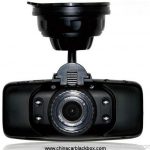
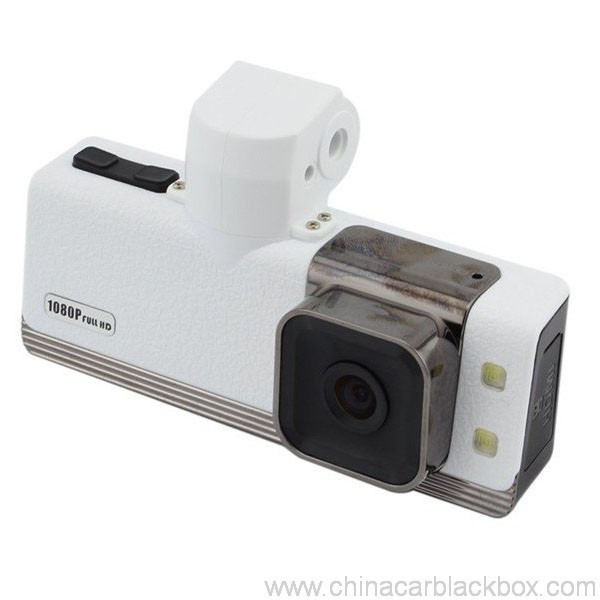
- באַשרייַבונג
- באריכטן(1)
- ק & א
- FAQ
- DVR וויסן
- OEM / ODM
Feature:
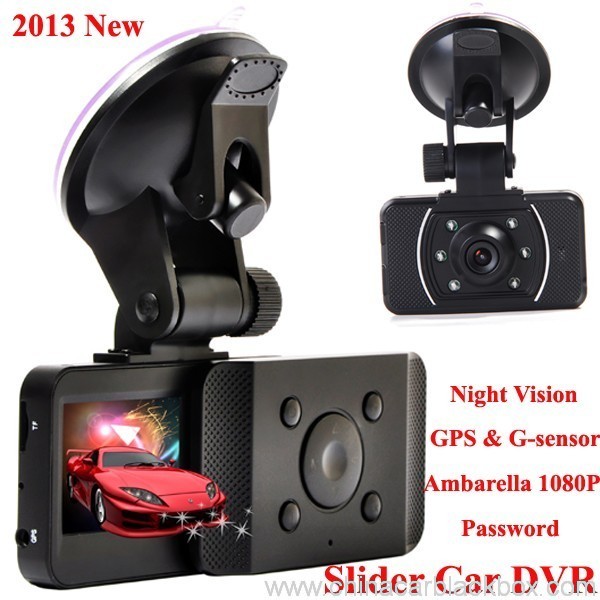
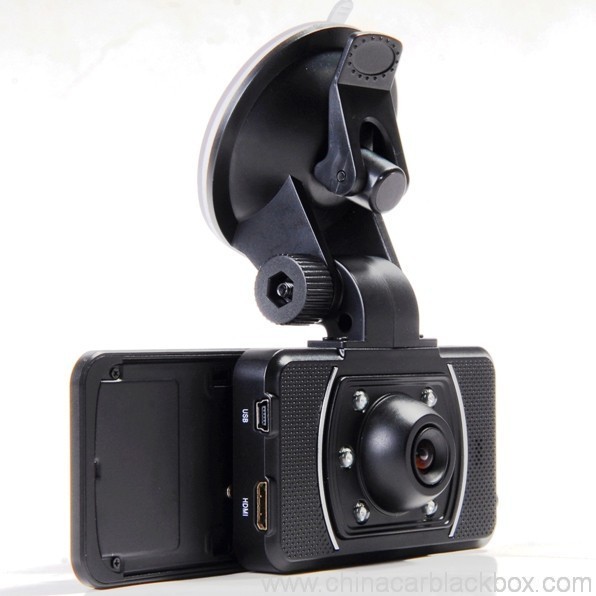
– HDMI high-definition video output
– 2.0″ TFT LCD
– 1920×1080@30fps /1440×1080@30fps /1280×720@30fps;
– GPS Tracker & G-Sensor
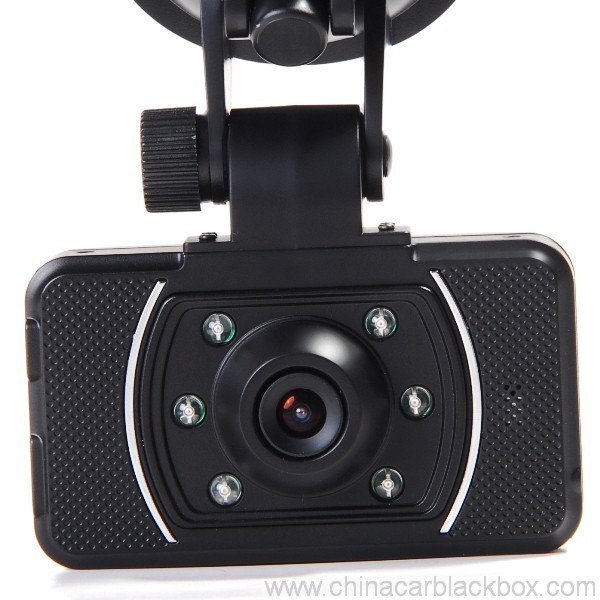
– High-definition wide angle camera, about 120~130 degree
– Video specs: ה.264 (MOV)
– Cyclic Recording
– Date Sample: ON/OFF
– Delay Off
– built with microphone (speaker)
– Show Speed on video
– Supports high-capacity TF card
– Password: * * * * * *
Specification:
Circulating video: Off /1 מינוט /2 minutes /4 minutes
Mobile detection: High / medium / low / off
Automatically record video once there is power supply: On /Off
Startup delay: Off /5 seconds /15 seconds /30 seconds
Sound recording: On / Off
Television system: NTSC/PAL
Automatic shutdown time: Off /60 seconds /120 seconds /300 seconds
Format: יא / no
Time setting: 2012.01.01 12:00
Time stamp: On / off
Automatically turn off LCD time: Off /30 seconds /60 seconds /120 seconds
Exit setup: יא / no
Light frequency: 50HZ/60HZ
Acceleration sensor settings: 1/2/3/4/5/6/7/ no
| Screen size | 2.0 TFT LCD(4:3) מאַשין דוור |
| לענס | MI5100 |
| Language | Chinese simplified/traditional Chinese /German/French/Russian/ Italian/ Spanish/Portuguese/Dutch/English |
| Video | 1920х1080@30fps/1440х1080@30fps/1280х720@30fps |
| Video format | MOV |
| Photo resolution | 16M |
| Photo format | JPG |
| Storage unit | Micro SD |
| MIC | Built in |
| Photos mode | Single photo |
| Light source frequency | 50Hz/60Hz |
| Television output | NTSC/PAL |
| USB | USB2.0 |
| Power interface | 5V 1500MA |
| System requirements | Windows 2000/XP/Vista/Windows 7,MAC OS x 10.3.6 and up |
1, Go to the password setting option,press key choose the digital, press OK key confirmation.
input initial code “0 0 0 0 0 0 ” to enter the password setup menu, now there are three options: enable/disable/reset password.
2, Reset password: input same password twice, otherwise reset password will fail.
Connect TV to watch the video and photos
Use the HDMI cable to connect device and television, turn on television to play the recorded videos and photos.
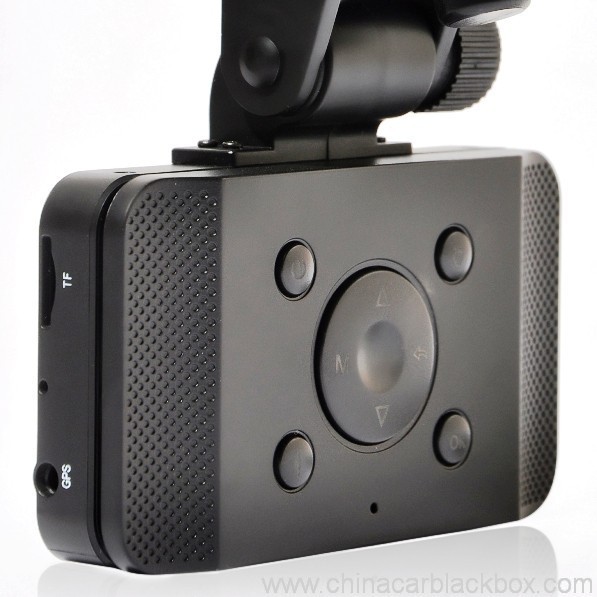
The device has a variety of shortcut operations:
1, In standby mode, press “Down “, turn on/off Mic
2, In standby mode, long press “Voice / One button copy” button, turn off the sound.
3, In any mode, press the “Menu” can return to a the standby mode of recording video
4, In any state, close the slide to turn off the screen.
5. In standby mode, press ” Voice / One button copy ” to copy.
6, In video playback state, long press ” Mode / Return / Lock ” key to protect or unprotect.
7, In the standby of recording video or photographing, short press “Infrared / Delete” for the operations of infrared lamp.
Note:
1. Can use Mode button to switch between video and photo mode.
2. When the battery power is low, the device will automatically turn off the flash function.
Special function set
Password setting:
1. Can set password for the machine, the initial password is: 0 0 0 0 0 0 (six zeros)
2. After inputting initial password, can enable, disable or reset password.
3. You can set your password digit as you like.
Specific operation:
1, Go to the password setting option,press key choose the digital, press OK key confirmation.
input initial code “0 0 0 0 0 0 ” to enter the password setup menu, now there are three options: enable/disable/reset password.
2, Reset password: input same password twice, otherwise reset password will fail.
Browse mode
1. Turn on the device, automatically entering video mode. Press Mode button twice to enter video browse mode, press Mode button again to enter photographing browse mode, video and pictures will be shown on the screen.
2. Press UP or DOWN button to select the videos or pictures you want and press OK to watch.
Note: if enabled password, press Mode button twice to go to password interface and input password.
Delete files: in the process of browsing, press ‘ infrared / delete ‘ button to show Delete menu, select ” יא” to delete single unprotected files and select the “all ” delete all unprotected video files.
Set language and voice prompt
Open the equipment, automatic into video standby mode, the short by mode button to enter the menu, into the language setting options, language Settings. Voice prompt according to set language broadcast tips
Date and time
To set the current time and date, in the standby mode, press the MENU button, and then use the up and down arrow keys to enter settings page. Set the date and time then press OK to confirm.
Time setting: 2012.01.01 12:00
Acceleration sensor settings
The acceleration sensor has a total of 8 options: 1/2/3/4/5/6/7/ NO
From 1 to 7, sensitivity is more and more high, choose NO to close sensor
Press one button to copy
In the video the standby mode, press “Voice /One button copy ” button to enter one button copy, at this time, the machine starts copying the last file from memory card to its memory.
Save files to computer
This device supports connecting USB cable to computer, after connecting to computer, there will be a dialog box pop up, select “USB connection ” to copy files from the memory card to your computer, or use the player in computer to play.
Note: if you set a password, select “USB connection ” then a password dialog box will bounce out, and connect to computer by inputting password, entering U disk mode.
Simple troubleshooting:
If a fault occurs, try to use the following method to exclude. If you cannot handle it, please contact customer service and repair department.
Not able to record video normally.
– replace SD / MMC card
– change the resolution and frames per second.
– change memory card with greater capacity.
– To ensure that the card is correctly installed (in the installation process, a click can be heard).
– Remove unnecessary files to free the space of memory card.
No GPS signal
– To ensure that the GPS antenna is inserted to the device
– To ensure that the signal is strong
Not able to connect HDMI line to TV
– To ensure that the connections between the HDMI cables ends and the devices as well as television are correct. Or replace the HDMI line to try.
Video or picture is not clear
– To ensure that the camera lens is clean.
– wipe the dust and dirt on the lens.
Device is working properly, but the button does not work
Press the reset button to initialize machine -.
In general please cautiously reset initialization because this operation may cause data loss.
פארוואס קלייַבן אונדז?
1. אַלע פּראָדוקטן זענען שטרענג קוואַליטעט אָפּגעשטעלט אין הויז איידער פּאַקינג.2. מיר זענען אַ פאַבריק מאַנופאַקטורינג מאַשין דוור פֿאַר 5 יאָרן מיט גוט קוואַליטעט און סופּער דינסט.
3. מיר זענען אַ אָעם סאַפּלייער פֿאַר פילע באַרימט מאַשין דוור סאָרט.
4. 100% קק דורכקוק איידער טראַנספּאָרט, 12 שעה יידזשינג פּרובירן פֿאַר יעדער אַפּאַראַט פּראָדוקט.
5. מיר צושטעלן פריי קאַסטאַמייזד דיזיינז לויט דיין באדערפענישן.
6. מיר קענען עפֿענען דיין אייגענע פורעם אויב איר דאַרפֿן.
7. 12 חדשים קוואַליטעט וואָראַנטי.
סאַמפּאַלז & שיפּינג
1. מוסטער און מיני סדר וועט זיין איבערגעגעבן ין 2-3 ארבעטן טעג נאָך די קאַבאָלע פון צאָלונג און סדר דעטאַילס זענען באשטעטיקט.2. אַלע פּראָדוקטן זענען געזונט פּאַקט איידער שיפּינג,מיר קענען שיקן די סכוירע דורך לופט,אַפּס,דהל,FEDEX,EMS,TNT וכו'.
3.פֿאַר סדר איבער 500 פּקס אָדער קאַסטאַמייזד סדר, פירן צייט וועט זיין 4-6 וואָכן נאָך די קאַבאָלע פון צאָלונג. ביטע קאָנטאַקט אונדזער פארקויפונג צו מאַכן זיכער די קראַנט ינוואַנטאָרי.

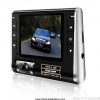
Free Enquiry for Slide Car DVR 1080P 30FPS HD Camera GPS G-Sensor Password
1 אָפּשאַצונג פֿאַר Slide Car DVR 1080P 30FPS HD Camera GPS G-Sensor Password
לייג אַ רעצענזיע

עטלעכע פֿראגן אָפט געפרעגט פֿאַר טשיינאַ מאַשין דוור
ק. וואָס איז די וואָראַנטי פֿאַר די CAR DVR?
א. פֿאַר די מאַשין DVR, מיר האָבן 12 חדשים וואָראַנטי.ק. וואָס ס די צאָלונג וועג ?
א. ג / ה . PAYPAL , מערב יוניאַן , L / C אַלע זענען בנימצא. קיין פּראָבלעם פֿאַר אים .ק. ווי וועגן די קוואַליטעט ?
א. 100% קק דורכקוק איידער טראַנספּאָרט, 24 שעה יידזשינג פּרובירן פֿאַר יעדער אַפּאַראַט פּראָדוקט אין אונדזער טעסטינג צימער . אויב געפֿינען קיין קוואַליטעט פּראָבלעם . Hengye צוגעזאגט צו פאַרבייַטן נייַ איינער צו אונדזער קונה.ק. ווי לאַנג וועט עס נעמען צו שיקן מיין סדר?
א. ווי לאַנג ווי דער לאַגער איז בנימצא, שיפן זאכן ין 3 ארבעטן טעג פֿאַר מוסטער און 7-15 ארבעטן טעג פֿאַר פאָרמאַל סדר אַמאָל מיר באקומען די באַשטעטיקונג פֿאַר די נייַע סדר.ק. ווער וועט באַצאָלן די פרייט פֿאַר ריפּערינג נומער?
א. ביידע פּאַרטיעס וועלן טיילן העלפט די פרייט. דער קוינע וועט נעמען די פרייט פון שיקן עס צוריק צו GHY, און GHY וועט נעמען די שרעק פון שיקן עס צוריק צו קוינע. GHY סאַגדזשעסץ צו שיקן עס צוריק צוזאַמען מיט די ווייַטער מאַסע פּראָדוקציע נומער.ק. ווי פיל טוט די שיפּינג קאָסטן?
א. עס דעפּענדס אויף די קוואַנטיטי פון די גוט, די שיפּינג אופֿן און די דעסטיניישאַן. מיר וועלן שיקן די סכוירע ין 3-5 געשעפט טעג נאָך די פול צאָלונג איז באשטעטיקט. אויב די צאָלונג איז נישט בנימצא, דיין סדר וועט זיין פארמאכט אויטאָמאַטיש. דהל / אַפּס / פעדעקס עקספּרעסס יוזשאַוואַלי נעמט וועגן 3-5 ארבעטן טעג צו דער דעסטיניישאַן. און עס ס וועגן 5-8 אַרבעט טעג דורך EMS אָדער TNT.ק: צי איר האָבן קיין נאָך-סאַלעס דינסט?
א:יא! מיר האָבן פאַכמאַן נאָך-סאַלעס דינסטק. ווי צו שטעלן אַ סדר?
אויב איר האָט קיין טעכניש פּראָבלעם אָדער פֿראגן מיט די סכוירע, באַגריסונג צו קאָנטאַקט אונדזער טעכניש שטיצן דעפּט. אָדער אונדזער פארקויפונג גלייַך.
1. בליצפּאָסט אונדז די מאָדעל, שטראַל סטיל און קוואַנטיטי אָדער שיקן אונדז אָנפרעג אויף https://www.chinacarblackbox.com/ , קאַנסיינדזשער אינפֿאָרמאַציע, שיפּינג וועג און צאָלונג טערמינען.ק. וואָס איז דיין צוריקקער און וואָראַנטי?
↓
2. ינווויס געמאכט און געשיקט צו איר.
↓
3. גאַנץ צאָלונג נאָך באשטעטיקט די פּי.
↓
4. באַשטעטיקן צאָלונג און צולייגן פּראָדוקציע.
↓
5. שיקן סחורה אין 2-15 טעג(לויט די סטאָרידזש סטאַטוס).
↓
6. שיקן די טראַקינג נומער(דורך לופט) אָדער ב/ל(דורך ים).
↓
7. סכוירע איבערגעגעבן, באַגריסן שייַעך-אָרדערס!
1.כל די סכוירע זענען ינספּעקטיד איידער טראַנספּאָרט, אַזוי אויב איר זענט נישט צופֿרידן מיט דעם קויפן, איר קענען בייַטן די זאכן אין איין וואָך און איר מוזן קאָנטאַקט אונדז מיט 24 שעה פון די קאַבאָלע פון דיין קויפן.
2.די שיפּינג און האַנדלינג אָפּצאָל איז נישט ריפאַנדאַבאַל און דער קונה זאָל זיין פאַראַנטוואָרטלעך פֿאַר אַלע די טשאַרדזשיז פון צוריקקומען און רישיפּפּינג.
3.אַלע צוריקקומען זאכן מוזן זיין אין זייַן אָריגינעל טנאָים, אַרייַנגערעכנט קעסטל און אַקסעסעריז. מענטשן געמאכט חסרונות זענען נישט געראַנטיד, אַזאַ ווי צעבראכן, קראַצן און אַזוי אויף.
4.פֿאַר קיין ייטאַמז ביטע שיקן דורך EMS אָדער דיין היגע פּאָסטן ווען שיקן צוריק.
5. גאַראַנטירן פּונקט
א.ין 7 טעג פון קויפן, אויב עס איז אַ פּראָבלעם פון קאַר דוור, מיר זאָל טוישן עס פֿאַר איר, אָבער איר מוזן האַלטן די פּאַקינג און די מאַשין דוור גאנץ.
ב. וואָראַנטי פֿאַר איין יאָר נאָך פאַרקויף, באַטאַרייע וואָראַנטי פֿאַר דרייַ חדשים.
c.Warranty דינסט איז בלויז עפעקטיוו אין נאָרמאַל נוצן.
ד.אַלע די שעדיקן (ייבערפלאַך שעדיקן, רייַסן אַוועק סטיקער, ימפּראַפּער נוצן) אָדער פאַרלירן דעם קאָרט, מיר קענען נישט וואָראַנטי דינסט.
וויסן איר זאָל וויסן וועגן קאַר דוור
אויב איר נוצן די אַפּאַראַט, טרעפן עטלעכע קליין פּראָבלעם, ביטע אַרבעטן ווי ווייַטערדיק פאָרשטעלן ערשטער.
1)קענען ניט נאָרמאַל ווידעא רעקאָרדינג- טוישן די טף קאָרט
- טוישן די האַכלאָטע, ראָמען פּער סעקונדע.
- אַרייַנלייגן די גרעסערע קאַפּאַציטעט זכּרון קאָרט.
- מאַכן זיכער אַז די קאָרט איז אינסטאַלירן ריכטיק (בעשאַס די ינסטאַלירונג פּראָצעס, איר זאָל הערן אַ קליקינג געזונט).
- ויסמעקן ומנייטיק טעקעס פון די זכּרון קאָרט צו באַפרייַען פּלאַץ.
2)ווידעא איז נישט קלאָר
- ענשור אַז די אַפּאַראַט אָביעקטיוו איז ריין.
- ווישן אַוועק די שטויב און שמוץ אויף די אָביעקטיוו, און דעמאָלט דרייען.
3)עקוויפּמענט צו אַרבעטן נאָרמאַלי, אָבער דער שליסל טוט נישט אַרבעטן
- דריקן די באַשטעטיק קנעפּל צו ינישאַלייז די מאַשין.
ק: ווי צו אָנהייבן עס?
א: עס זענען 3 וועגן:ק: וואָס טיפּ פון דרייווינג איז בעסטער פּאַסיק פֿאַר די דאַש קאַם?
עס וועט אָנהייבן צו רעקאָרדירן אויטאָמאַטיש, ווען דיין מאַשין סטאַרץ און ניט דאַרפֿן צו טאָן עפּעס מאַניואַלי. (איידער אַז, זיין זיכער אַז די TF קאָרט איז ין עס און די מאַשין טשאַרדזשער איז געזונט פארבונדן.)
אויב ין באַטאַרייע איז נישט ליידיק, איר נאָר דאַרפֿן צו דריקן די מאַכט קנעפּל.
פאַרבינדן עס מיט אַ וסב קאַבלע דורך אַ טשאַרדזשער צאַפּן אָדער מאַכט באַנק. (5V 1A מיט וסב פּאָרט)
א: אַלע דרייווינג פון קורץ קאַמיוט, צו געשעפט און וואַקאַציע טריפּס. די מאַשין DVR רעקאָרדירט עס אַלע.ק: פארוואס מיין מאַשין דוור קענען נישט רעקאָרדירן?
אויב דיין אַרבעט ריקווייערז איר צו פאָר, איר זאָל באשטימט פאַרמאָגן אַ פּאָרטאַטיוו דאַש קאַם דוור. פראַנגקלי, אַלעמען וואס דרייווז דאַרף די ייוויטנאַס שוץ אַז אַ מאַשין דוור אַפאָרדז.
א : ביטע טשעק דיין זכּרון קאָרט ערשטער, אויב קאָרט ין שוין האָבן אנדערע דוור מיטל ווידעא אָדער בילד, עס קענען ניט זיין לייענען דורך דיין מאַשין דוור מיטל, איר זאָל פֿאָרמאַט דיין TF קאָרט ערשטער, בעסער נוצן אַ ליידיק טף קאָרט אין דיין דוור מיטל ווען איר ערשטער נוצן.
ק : פארוואס מיין דוור אַרויסווייַזן קער אַוועק אויטאָמאַטיש בשעת דרייווינג ?
א : וסואַללי די דוור מיטל וועט זיין סטאַנדביי סטאַטוס אויב איר טאָן ניט טאָן קיין אָפּעראַציע אויף עס מער ווי 1 מינוט, אָבער עס אויך האַלטן אויף רעקאָרדינג.
ק: וואָס עס מיטל ווען אַ לאָך אַפּאַראַט איז לופּינג אָדער לופּס?
א: שלייף אָדער לופּינג איז די וויכטיק שטריך וואָס אַלאַוז די מאַשין דוור קאַנטיניואַסלי רעקאָרדירן ווידעא (שעה נאָך שעה) צו דער זעלביקער זכּרון קאָרט. ווי דער אַפּאַראַט רעקאָרדירט אין די "שלייף" אָדער "ציקל" באַשטעטיקן, עס איז קריייטינג ווידעא טעקעס אָדער סעגמאַנץ אין 2, 5 אָדער 10 מינוט לענגקטס. די טעקעס זענען רעקאָרדעד און געראטעוועט קאָנסעקוטיווע (איינער נאָך דעם אנדערן) צו די זכּרון קאָרט. ווען אַ אַפּאַראַט פילז אַרויף אַ זכּרון קאָרט (מיט פילע טעקעס), עס וועט ויסמעקן די ערליאַסט ווידעא אָפּשניט / טעקע און ראַטעווען די לעצטע ווידעא טעקע. דער אַפּאַראַט טוט דאָס אויטאָמאַטיש, ווען די לופּ שטריך איז אויף.
קאַמעראַ אָעם / אָדם סערוויס
מיר קענען מאַכן אָעם / אָדם קאַמעראַ פֿאַר איר מיט מנהג לאָגאָ,פירמע,מאַנואַל,פּאַקינג קעסטל אָדער האָוסינג.
1. לאָגאָ
- ביטע פאָרשלאָגן אונדז דיין אייגענע הויך האַכלאָטע לאָגאָ אין אַי אָדער קדר פֿאָרמאַט;
- די מאָק פון לאָגאָ דרוקן איז 100 פּקס
- די פּרינטינג פּרייַז איז פארבונדן מיט די פארבן ,יוזשאַוואַלי עס זאָל זיין קיין גראַדיענט ווירקונג אין די לאָגאָ
2. לאַבעל
- ביטע פאָרשלאָגן אונדז דיין אייגענע מאָדעל נומערן און קאָרעוו רעקווירעמענץ.
3. מאַנואַל
- ביטע פאָרשלאָגן אונדז די פאַרטיק מאַנואַל פּלאַן טעקע וואָס קענען זיין געדרוקט גלייַך,קיין שפּראַך איז גוט , מיר קענען אויך צושטעלן מאַלטי שפּראַך מאַנואַל דרוקן.
4. פּאַקינג באָקס
- מיר וועלן פאָרשלאָגן איר די דעמענשאַן און די פּלאַן טעקע;
- ביטע פּלאַן דיין אייגענע סטיל באזירט אויף דעם טעקע און שיקן עס צוריק צו אונדז;
- מיר וועלן שיקן איר פּאַקינג קעסטל פֿאַר דיין באַשטעטיקונג איידער פּראָדוקציע ;
5. האָוסינג
- אויב איר ווילן צו מאַכן דיין אייגענע פּלאַן מאַשין דוור פאַל ,ביטע פאָרשלאָגן אונדז די האָוסינג פּלאַן טעקע , מיר וועלן עפענען די פורעם און פאָרשלאָגן איר אַ מוסטער ערשטער.








Melissa –
Good dash cam.